AI agent for computer science students
Group Project Coordination Agent
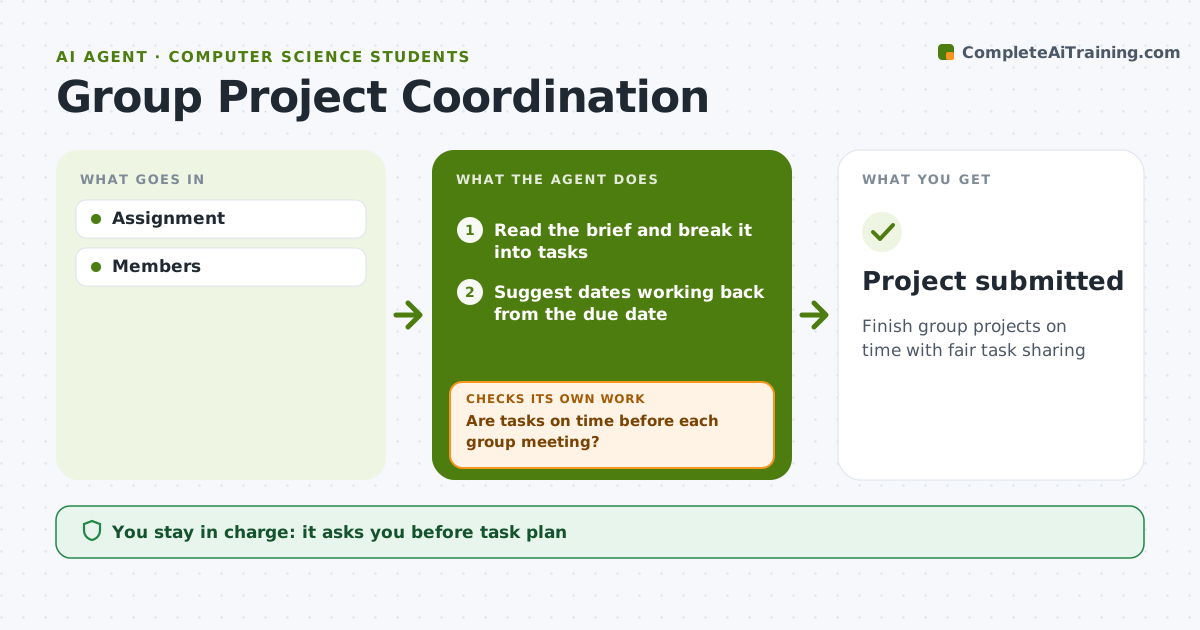
Finish group projects on time with fair task sharing
What it does
Group projects stall when tasks, owners and deadlines are unclear and one person ends up doing most of the work. This agent turns the assignment brief into a task list with suggested dates, working back from the due date. The group agrees on one owner per task and approves the plan. The agent sends reminders before each task is due and checks progress before each group meeting, showing what is done and what is late. A task late by two days gets a friendly nudge, drafted for the group to send rather than sent by the agent. It checks again at the next meeting. Edge case: if a member stops responding for several days, it suggests the group contact the instructor early, rather than at the deadline when nothing can change.
How it works
Follow the arrows from top to bottom. The orange dashed arrow is the loop: when a check fails, the agent goes back and tries again.
Read the steps as a list
- Project assigned
- Read the brief and break it into tasks
- Suggest dates working back from the due date
- Group agrees owners and datesThe agent waits here for your OK.
- Send reminders before each task is due
- Are tasks on time before each group meeting?If not: draft a nudge for the group to send, and suggest contacting the instructor if a member is silent. Back to step 5.
- Show done and late tasks at each meeting
- Project submitted
How it decides
Tasks tracked by owner and date.
- Each task has one owner
- Late 2 days nudges
- Silent member to instructor
Make it yours
Every agent is a starting point. You choose these settings for your own situation.
- Reminders
- Board
- Meeting days
- Tone
What keeps you in control
It always asks you first
- Task plan
Hard limits
- No grading opinions
It stops when
- Done: submitted
- Stop: none
Set it up
We guide you through the set-up, step by step
Members get the full set-up guide for this agent. No technical skills needed: you copy, paste and upload.
- One set of instructions to paste into your AI, with the clicks for ChatGPT, Claude, Microsoft 365 Copilot, Gemini and Grok
- The agent then walks you through connecting your own data, one source at a time
- A downloadable copy with the flow chart, the rules and the full guide