AI agent for travel agents
Group Rooming List Agent
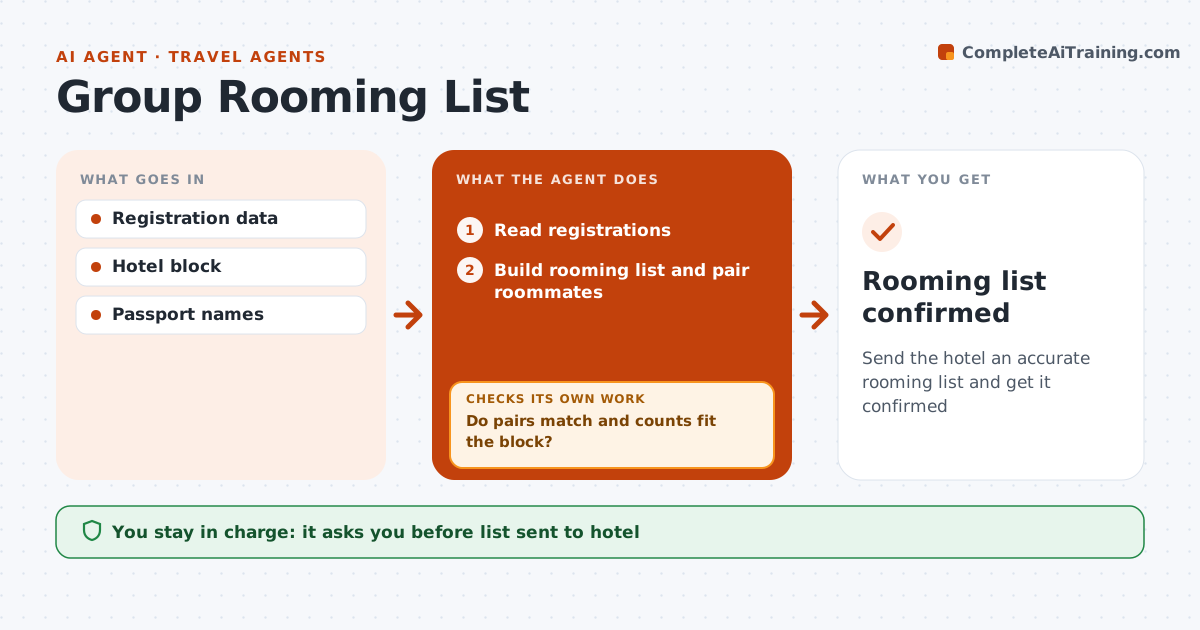
Send the hotel an accurate rooming list and get it confirmed
What it does
Group trips need rooming lists that match what travelers paid for, and errors show up at check-in when they are hardest to fix. When registration closes, this agent reads every registration: traveler names, room types, roommates and special requests. It builds the rooming list and pairs roommates. It checks that each pair agrees on sharing, that room counts fit the hotel block and that names match passports. When something does not match, it asks the travelers to fix it and checks again. The travel agent approves the list before it goes to the hotel. After the hotel confirms, the agent compares the confirmation line by line with the list. If the hotel got anything wrong, it drafts a correction and checks again. Edge case: a single traveler without a roommate is offered either a single supplement or a match with another single traveler.
How it works
Follow the arrows from top to bottom. The orange dashed arrow is the loop: when a check fails, the agent goes back and tries again.
Read the steps as a list
- Registration closes
- Read registrations
- Build rooming list and pair roommates
- Do pairs match and counts fit the block?If not: ask travelers to fix and rebuild. Back to step 3.
- Agent approves the listThe agent waits here for your OK.
- Does the hotel confirmation match?If not: send corrections to the hotel. Back to step 3.
- Rooming list confirmed
How it decides
Roommate pairs must match both ways and room counts must fit the block.
- Unmatched singles offered supplement or match
- Names must match passports
- Counts within block
Make it yours
Every agent is a starting point. You choose these settings for your own situation.
- Block size
- Supplement rules
- Deadline for changes
What keeps you in control
It always asks you first
- List sent to hotel
Hard limits
- Never shares traveler data beyond the hotel
- Never changes the block size
It stops when
- Done: confirmed
- Stop: trip cancelled
Set it up
We guide you through the set-up, step by step
Members get the full set-up guide for this agent. No technical skills needed: you copy, paste and upload.
- One set of instructions to paste into your AI, with the clicks for ChatGPT, Claude, Microsoft 365 Copilot, Gemini and Grok
- The agent then walks you through connecting your own data, one source at a time
- A downloadable copy with the flow chart, the rules and the full guide