AI agent for food scientists
HACCP Monitoring Record Review Agent
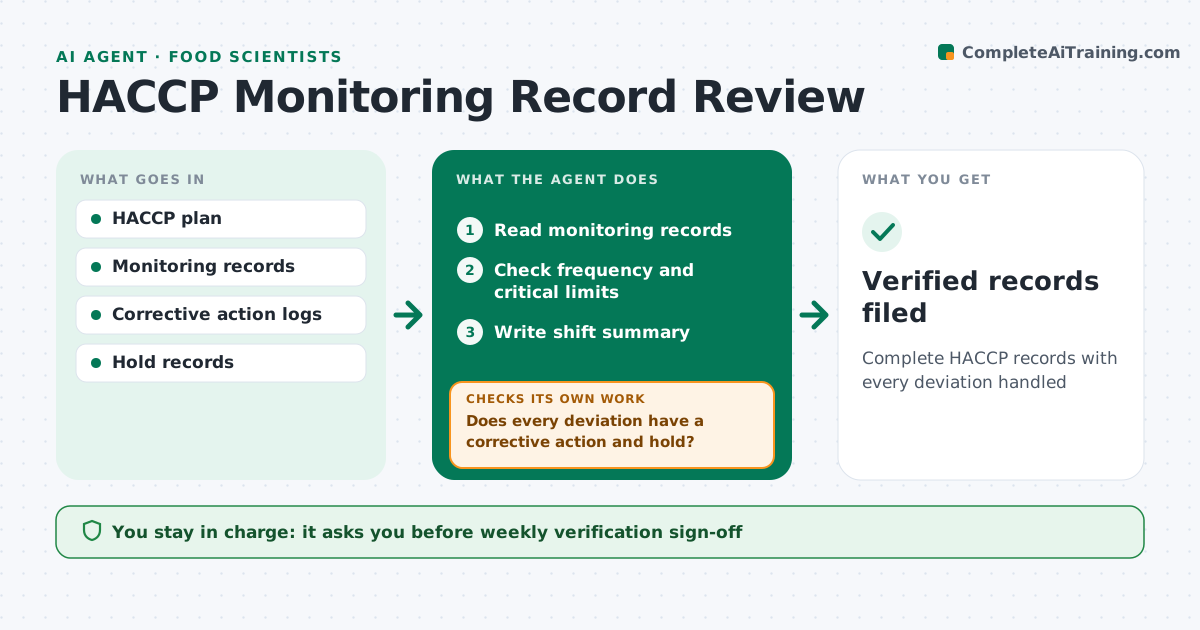
Complete HACCP records with every deviation handled
What it does
HACCP plans require monitoring at critical control points, such as cook temperatures and metal detector checks, and auditors expect every record to be complete. This agent reads monitoring records each shift, from paper scans or digital logs. It checks that every required check was done at the right frequency, signed, and within critical limits. When a reading is out of limit, it checks that a corrective action was recorded and the affected product was put on hold. If either is missing, it flags the gap to the shift lead and tracks it until closed. It also notes patterns, such as one line that often logs late checks. You approve the weekly verification and any release of held product. Edge case: a reading recorded exactly at the limit is treated as the plan's wording says, never guessed.
How it works
Follow the arrows from top to bottom. The orange dashed arrow is the loop: when a check fails, the agent goes back and tries again.
Read the steps as a list
- Shift ends
- Read monitoring records
- Check frequency and critical limits
- Does every deviation have a corrective action and hold?If not: flag to the shift lead and track until closed. Back to step 3.
- Write shift summary
- Food safety lead approves weekly verificationThe agent waits here for your OK.
- Verified records filed
How it decides
It checks frequency and limits per the plan and requires a corrective action and hold record for each deviation.
- Flag missing checks
- Require corrective actions for deviations
- Follow the plan's wording at limits
Make it yours
Every agent is a starting point. You choose these settings for your own situation.
- Critical control points
- Check frequencies
- Alert contacts
- Report format
What keeps you in control
It always asks you first
- Weekly verification sign-off
- Releasing held product
Hard limits
- Never releases held product
It stops when
- Done: records verified
- Stop: records missing for a shift
Set it up
We guide you through the set-up, step by step
Members get the full set-up guide for this agent. No technical skills needed: you copy, paste and upload.
- One set of instructions to paste into your AI, with the clicks for ChatGPT, Claude, Microsoft 365 Copilot, Gemini and Grok
- The agent then walks you through connecting your own data, one source at a time
- A downloadable copy with the flow chart, the rules and the full guide