AI agent for medical coders
HCC Risk Adjustment Recapture Agent
Every chronic condition a patient still has is documented and coded once per year
What it does
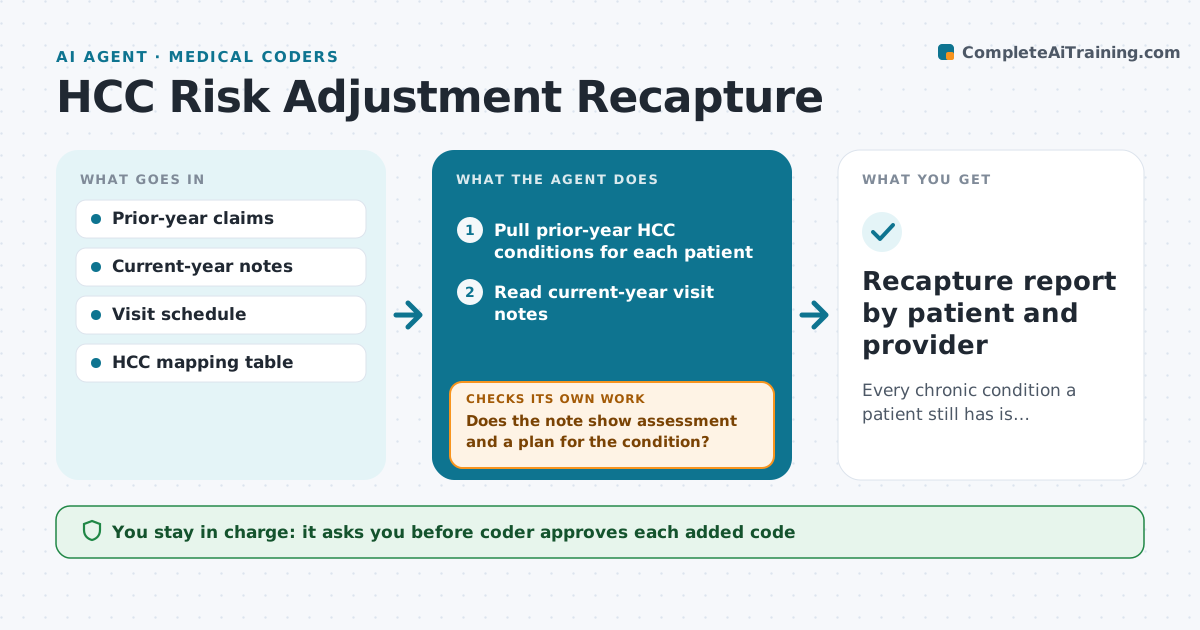
Risk adjustment coders lose time hunting through last year's claims to see which chronic conditions still need to be captured. This agent builds a recapture list for each patient with an upcoming or recent visit. It pulls last year's hierarchical condition categories, then reads this year's notes to see whether each condition was assessed with a plan. It sorts results into captured, documented but not coded, and not addressed. For documented but not coded items, it drafts the code with the note quote. After the coder adds codes, it rechecks the claim to confirm the code actually went out. If not, it reopens the item. It never prompts a provider to document a condition that is not present. Edge case: a patient whose cancer was in remission last year gets flagged for a history code review, not a recapture.
How it works
Follow the arrows from top to bottom. The orange dashed arrow is the loop: when a check fails, the agent goes back and tries again.
Read the steps as a list
- Weekly run or upcoming annual visit
- Pull prior-year HCC conditions for each patient
- Read current-year visit notes
- Sort each condition into captured, documented not coded, or not addressed
- Does the note show assessment and a plan for the condition?If not: mark as not addressed and add it to the pre-visit list for the care team. Back to step 3.
- Draft codes with note quotes for documented items
- Coder approves codes before claim correctionThe agent waits here for your OK.
- Did the approved code appear on the submitted claim?If not: reopen the item and note why it was missed. Back to step 6.
- Recapture report by patient and provider
How it decides
A condition counts as captured only when this year's note shows it was assessed with a plan, and the matching code appears on a submitted claim.
- A problem list entry alone does not count as documentation
- Conditions not addressed by October go on the year-end list
- Cancer in remission over 12 months goes to history code review
- Items with a dispute from the provider are closed, not repeated
Make it yours
Every agent is a starting point. You choose these settings for your own situation.
- Lookback period for prior conditions (default 12 months)
- Pre-visit list timing (default 2 days before)
- Payer lines in scope (default Medicare Advantage)
- Year-end cutoff month (default October)
What keeps you in control
It always asks you first
- Coder approves each added code
- Provider confirms any clarification request
Hard limits
- Never asks a provider to document a condition, only to clarify what was assessed
- Never adds codes without coder approval
- Uses only minimum necessary patient data
It stops when
- Done: every patient on the list sorted and closed or queued
- Stop: claims feed older than 7 days
Set it up
We guide you through the set-up, step by step
Members get the full set-up guide for this agent. No technical skills needed: you copy, paste and upload.
- One set of instructions to paste into your AI, with the clicks for ChatGPT, Claude, Microsoft 365 Copilot, Gemini and Grok
- The agent then walks you through connecting your own data, one source at a time
- A downloadable copy with the flow chart, the rules and the full guide