AI agent for medical records clerks
Healthcare Document Routing Agent
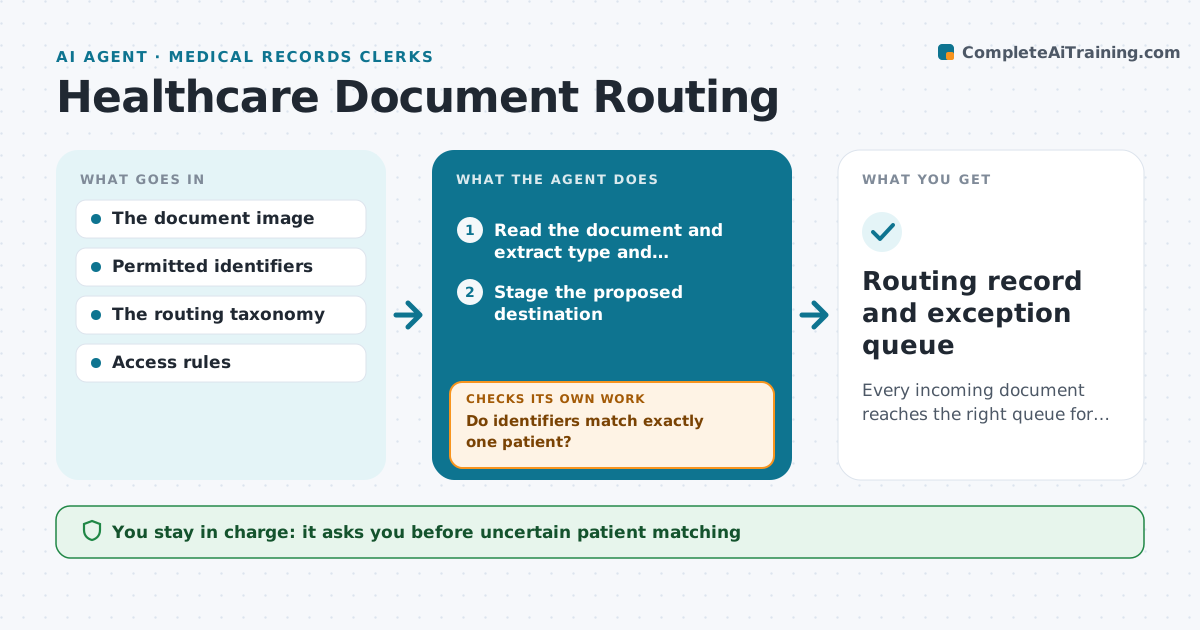
Every incoming document reaches the right queue for the right patient, or a person decides.
What it does
In multi-site healthcare groups, incoming letters, results and faxes are filed to the wrong work queue or even the wrong patient. When a document arrives, this agent reads it and extracts the document type and patient identifiers. It stages a destination only when at least two independent identifiers match exactly one patient. It then reads back the staged result and checks access rules. If anything is wrong or not permitted, it undoes the staging and quarantines the document. It auto-routes only pre-authorized, low-risk document types. A records supervisor handles every uncertain case. Edge case: two patients named Maria Lopez exist and the letter has no date of birth, so it is quarantined.
How it works
Follow the arrows from top to bottom. The orange dashed arrow is the loop: when a check fails, the agent goes back and tries again.
Read the steps as a list
- Document arrives
- Read the document and extract type and identifiers
- Do identifiers match exactly one patient?If not: quarantine and route to a records supervisor. Back to step 2.
- Stage the proposed destination
- Read back and check access rules
- Is the staged filing correct and permitted?If not: undo the staging and quarantine. Back to step 4.
- Supervisor handles uncertain casesThe agent waits here for your OK.
- Routing record and exception queue
How it decides
It routes only pre-authorized low-risk document classes with a strong identifier match; everything uncertain is quarantined.
- Match strength: at least two independent identifiers.
- Auto-route: only pre-authorized low-risk classes.
- Quarantine: any ambiguity.
Make it yours
Every agent is a starting point. You choose these settings for your own situation.
- Document types allowed for automatic routing
- Identifiers required for a match (default two independent)
- Work queues and access rules per site
- Who handles quarantined documents
- Daily summary of routed and quarantined items
What keeps you in control
It always asks you first
- Uncertain patient matching
- Broadening access
- Correcting clinical content
Hard limits
- Never guesses a patient match.
It stops when
- Done: filed or quarantined.
Set it up
We guide you through the set-up, step by step
Members get the full set-up guide for this agent. No technical skills needed: you copy, paste and upload.
- One set of instructions to paste into your AI, with the clicks for ChatGPT, Claude, Microsoft 365 Copilot, Gemini and Grok
- The agent then walks you through connecting your own data, one source at a time
- A downloadable copy with the flow chart, the rules and the full guide