AI agent for chemical engineers
Heat and Mass Balance Reconciliation Agent
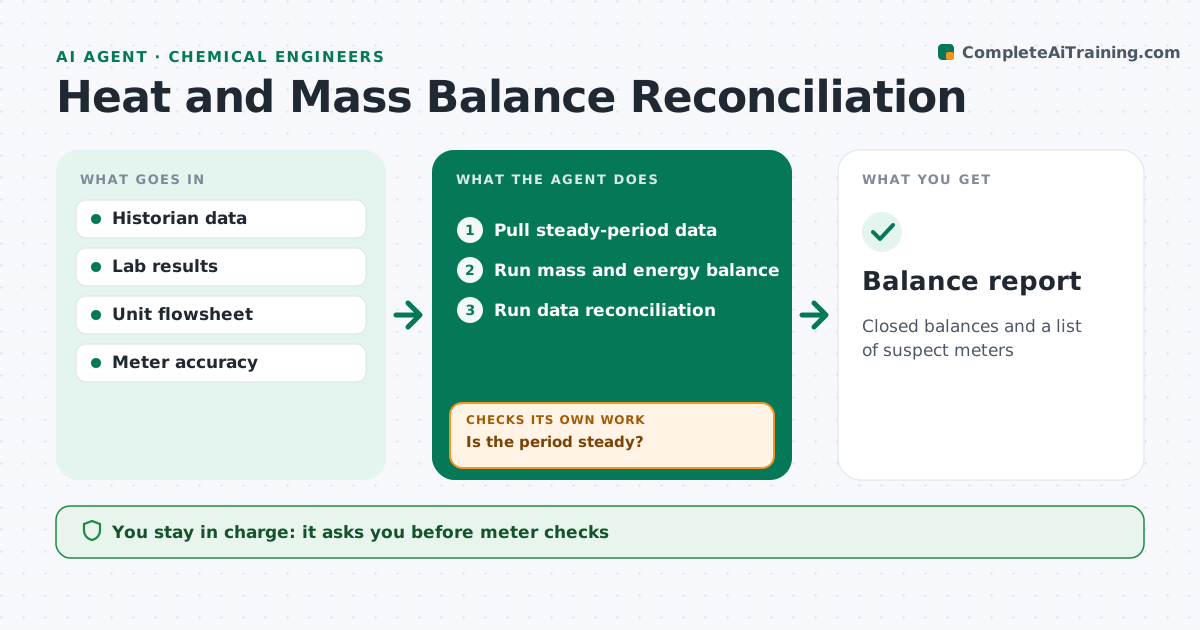
Closed balances and a list of suspect meters
What it does
Mass and energy balances often do not close because of meter errors or flows nobody measures. Each month this agent pulls flows, compositions and temperatures for a unit and first checks that the period is steady. If it is not, it picks another period. It then runs the mass and energy balance and measures how far it is from closing. If the gap is too large, it runs data reconciliation to find the meters most likely in error, ranks them by the size of the adjustment, and compares them with lab samples and neighboring units. It reports adjusted values and the list of suspect meters. The engineer approves any meter checks or calibration. Edge case: a period that includes a level change in a tank is flagged as not steady, since stored material would distort the balance.
How it works
Follow the arrows from top to bottom. The orange dashed arrow is the loop: when a check fails, the agent goes back and tries again.
Read the steps as a list
- Monthly balance
- Pull steady-period data
- Is the period steady?If not: pick another period. Back to step 2.
- Run mass and energy balance
- Run data reconciliation
- Rank suspect meters
- Engineer approves meter checksThe agent waits here for your OK.
- Balance report
How it decides
It accepts the balance when closure is within tolerance and uses reconciliation to point to meters with the largest adjustments.
- Reject non-steady periods
- Rank meters by adjustment size
- Compare with lab data
Make it yours
Every agent is a starting point. You choose these settings for your own situation.
- Closure tolerance (default 2%)
- Steady-state criteria
- Meter accuracy
- Report format
What keeps you in control
It always asks you first
- Meter checks
- Changing reporting values
Hard limits
- Never changes reported values without approval
It stops when
- Done: report filed
- Stop: no steady period found
Set it up
We guide you through the set-up, step by step
Members get the full set-up guide for this agent. No technical skills needed: you copy, paste and upload.
- One set of instructions to paste into your AI, with the clicks for ChatGPT, Claude, Microsoft 365 Copilot, Gemini and Grok
- The agent then walks you through connecting your own data, one source at a time
- A downloadable copy with the flow chart, the rules and the full guide