AI agent for recruiters
Hiring Manager Feedback Chase Agent
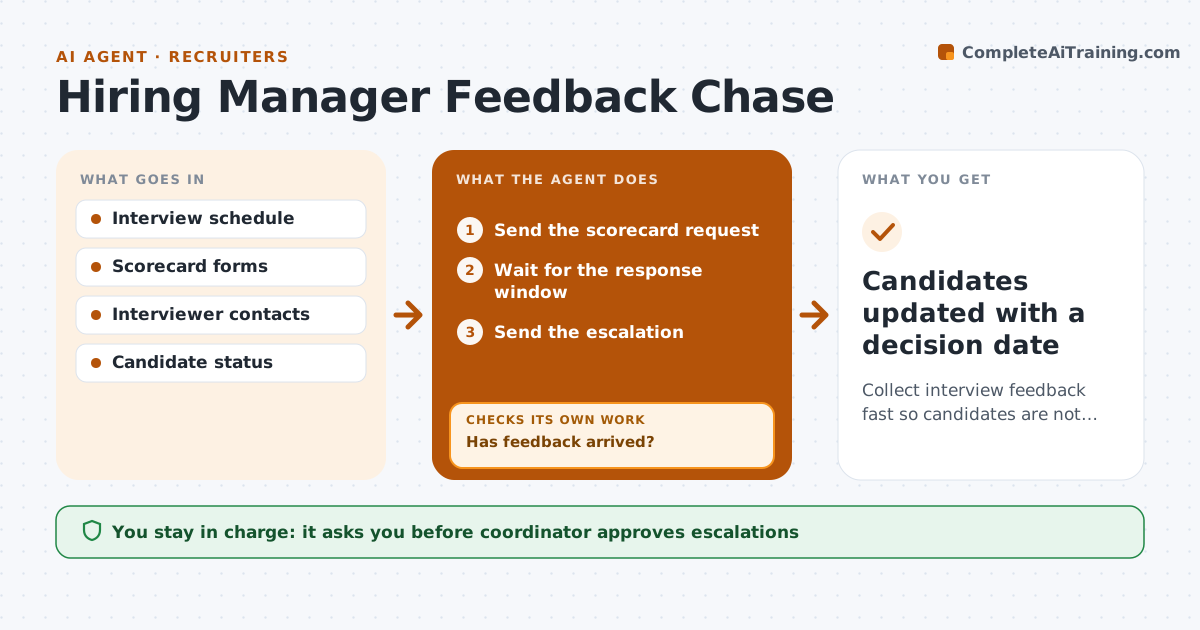
Collect interview feedback fast so candidates are not left waiting.
What it does
Candidates wait while interview feedback sits with busy managers. This agent tracks every interview and requests the scorecard after it finishes. It reminds the interviewer and shows which candidates are waiting. If feedback is still missing after a reminder, it escalates to the manager's lead and shows who is waiting and for how long. The coordinator approves each escalation. The agent keeps a simple list of candidates waiting, with the days each has waited, so the cost of delay is visible. It sends one request per interview, not a stream of messages, and stops as soon as the scorecard is in. Edge case: an interviewer who is out of office is replaced by a panel member for the feedback.
How it works
Follow the arrows from top to bottom. The orange dashed arrow is the loop: when a check fails, the agent goes back and tries again.
Read the steps as a list
- Interview ends
- Send the scorecard request
- Wait for the response window
- Has feedback arrived?If not: Send a reminder with the candidate's wait time. Back to step 2.
- Is feedback still missing after the reminder?If not: Prepare an escalation to the manager's lead. Back to step 3.
- Coordinator approves the escalationThe agent waits here for your OK.
- Send the escalation
- Collect the scorecards
- Compile feedback for the hiring decision
- Candidates updated with a decision date
How it decides
It reminds on a fixed schedule and escalates by waiting time and candidate stage.
- Request feedback within 1 hour of the interview
- Remind after 24 hours
- Escalate after 48 hours
- Substitute a panel member when the interviewer is out
Make it yours
Every agent is a starting point. You choose these settings for your own situation.
- Reminder timing (default 24 and 48 hours)
- Substitute rules
- Who receives escalations
- Scorecard form
What keeps you in control
It always asks you first
- Coordinator approves escalations
Hard limits
- Never edit a scorecard
- Never escalate without approval
It stops when
- Done: all scorecards are in
- Stop: the interviewer is unavailable and a replacement is arranged
Set it up
We guide you through the set-up, step by step
Members get the full set-up guide for this agent. No technical skills needed: you copy, paste and upload.
- One set of instructions to paste into your AI, with the clicks for ChatGPT, Claude, Microsoft 365 Copilot, Gemini and Grok
- The agent then walks you through connecting your own data, one source at a time
- A downloadable copy with the flow chart, the rules and the full guide