AI agent for data engineers
Historical Backfill Planning Agent
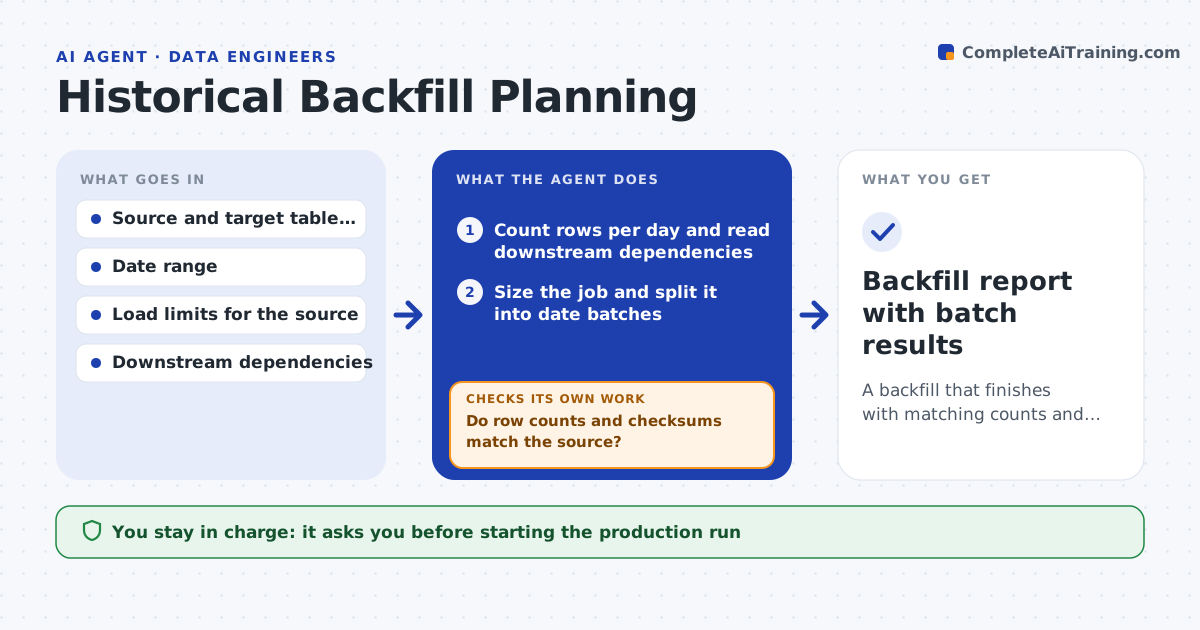
A backfill that finishes with matching counts and checksums, without harming the source or downstream tables
What it does
A backfill of eighteen months looks simple until it slows the source database and doubles rows in a report table. This agent sizes the job first: row counts per day, the load each day puts on the source and the downstream tables it touches. It splits the work into safe date batches and runs a small test batch into a copy of the target. It then compares row counts and checksums with the source and checks whether the downstream tables stay correct. While the run goes on it watches source load and error rates and shrinks or pauses batches when they rise. The engineer approves the production run and any change in batch size beyond the agreed range. Edge case: a day with an unusual spike in rows is split into smaller pieces automatically.
How it works
Follow the arrows from top to bottom. The orange dashed arrow is the loop: when a check fails, the agent goes back and tries again.
Read the steps as a list
- Engineer requests a backfill
- Count rows per day and read downstream dependencies
- Size the job and split it into date batches
- Run a small test batch into a copy of the target
- Do row counts and checksums match the source?If not: find the mismatch, change the batch rule and rerun the test batch. Back to step 2.
- Engineer approves the production runThe agent waits here for your OK.
- Run batches in production in order
- Is source load and error rate below the limit?If not: halve the batch size, pause for the cool-down and continue. Back to step 7.
- Compare final counts and checksums for every batch
- Backfill report with batch results
How it decides
Batch size is set so the source stays under its load limit. A batch is accepted only when counts and checksums match the source.
- Start with a test batch of one day or 1 percent of rows, whichever is smaller
- Halve batch size when source load passes 70 percent of the limit
- Split any day with more than 3 times the average row count
- Stop and alert after 3 failed batches in a row
Make it yours
Every agent is a starting point. You choose these settings for your own situation.
- Source load limit (default 70 percent)
- Test batch size (default 1 day)
- Cool-down pause between batches
- Run window (for example nights only)
What keeps you in control
It always asks you first
- Starting the production run
- Changing batch size beyond the agreed range
Hard limits
- Never writes to production tables without approval
- Never deletes target data to retry
It stops when
- Done: all batches match the source
- Stop: source load stays above the limit after reducing batch size
Set it up
We guide you through the set-up, step by step
Members get the full set-up guide for this agent. No technical skills needed: you copy, paste and upload.
- One set of instructions to paste into your AI, with the clicks for ChatGPT, Claude, Microsoft 365 Copilot, Gemini and Grok
- The agent then walks you through connecting your own data, one source at a time
- A downloadable copy with the flow chart, the rules and the full guide