AI agent for historians
Historical Place and Name Disambiguation Agent
Names in a set of sources are matched to the right place or person, with the evidence recorded and approved
What it does
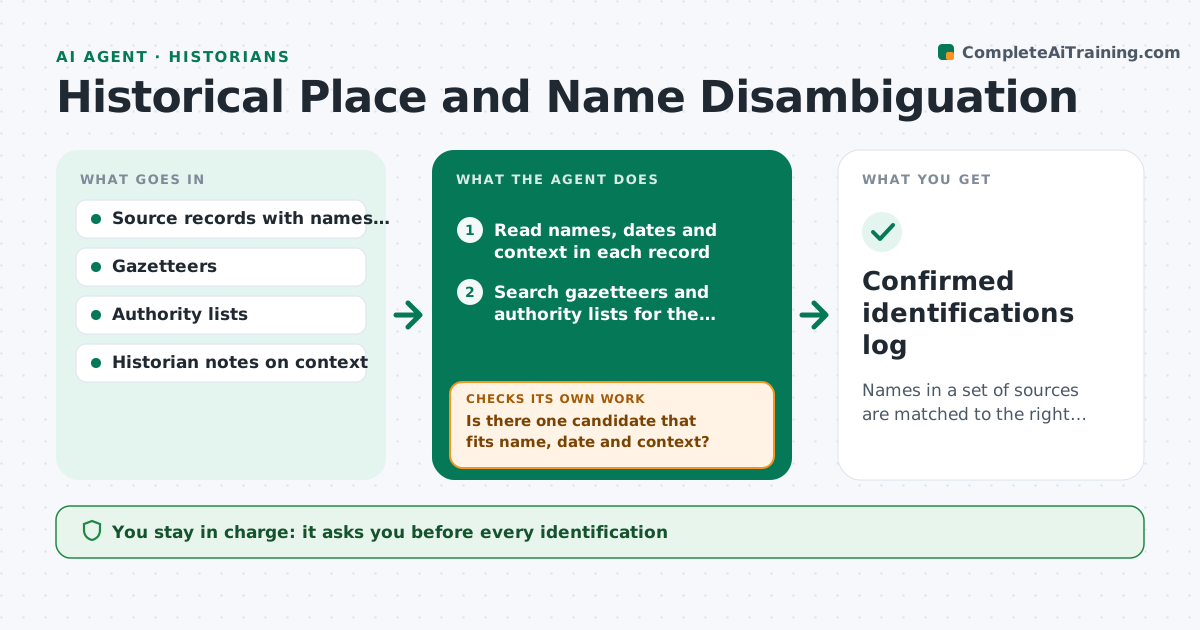
Names of places and people change over time, and two towns or two people with the same name get confused. This agent matches names in sources to gazetteers and authority lists for the right period. It flags ambiguous matches, proposes identifications with evidence such as nearby places, dates and titles, and asks the historian to confirm. After a confirmation, it rechecks related records to apply or question the same identification. It keeps a log of reasons. The historian approves identifications. Edge case: a place called Newport appears in two counties, so the agent checks nearby named places and the date before proposing a match.
How it works
Follow the arrows from top to bottom. The orange dashed arrow is the loop: when a check fails, the agent goes back and tries again.
Read the steps as a list
- New records added
- Read names, dates and context in each record
- Search gazetteers and authority lists for the period
- Rank candidate matches by name form, date and nearby places
- Is there one candidate that fits name, date and context?If not: mark ambiguous and request more context. Back to step 3.
- Draft the identification with evidence
- Historian confirms or rejects each identificationThe agent waits here for your OK.
- Reread related records after each confirmation
- Do related records fit the confirmed identification?If not: flag the conflicts and revisit the match. Back to step 4.
- Update the authority log
- Confirmed identifications log
How it decides
A match is proposed when name form, period and context agree. Anything else stays ambiguous until confirmed.
- Match on period-correct names first
- Require 2 supporting context clues for a proposed match
- Keep multiple candidates when context is thin
- Record the source for every identification
Make it yours
Every agent is a starting point. You choose these settings for your own situation.
- Authority lists
- Clues required (default 2)
- Period range
- Log format
What keeps you in control
It always asks you first
- Every identification
Hard limits
- Never records an identification as certain without approval
- Never merges two people on name alone
It stops when
- Done: all names matched or marked ambiguous
- Stop: no suitable authority list for the period
Set it up
We guide you through the set-up, step by step
Members get the full set-up guide for this agent. No technical skills needed: you copy, paste and upload.
- One set of instructions to paste into your AI, with the clicks for ChatGPT, Claude, Microsoft 365 Copilot, Gemini and Grok
- The agent then walks you through connecting your own data, one source at a time
- A downloadable copy with the flow chart, the rules and the full guide