
AI agent for social workers
Home Visit Safety Check-In Agent
Make sure someone knows when a lone worker has not checked in.
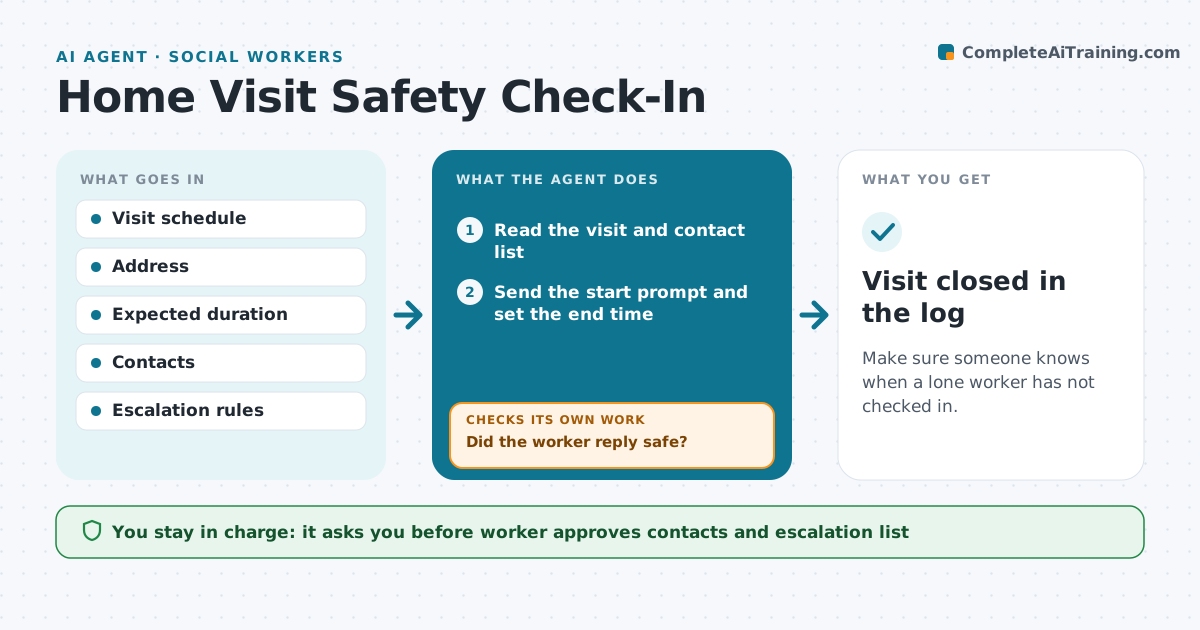
What it does
Social workers visit homes alone, and teams often have no reliable way to know if they are safe. This agent reads the visit schedule and sets a check-in for each visit, with the address, the expected end and a named contact. During the visit window it sends a prompt and waits for a reply. If the worker misses a check-in, it escalates to a named contact, and then to a supervisor after a short wait. When the worker reports safe, it records the end time and drafts a note for the visit record. The worker approves the contacts and the escalation list ahead of time. Edge case: the visit runs long, so the worker can extend with one tap and the agent resets the timer.
How it works
Follow the arrows from top to bottom. The orange dashed arrow is the loop: when a check fails, the agent goes back and tries again.
Read the steps as a list
- Visit is on the schedule
- Read the visit and contact list
- Worker approves contacts and timingThe agent waits here for your OK.
- Send the start prompt and set the end time
- Send a check-in prompt at the end time
- Did the worker reply safe?If not: send a second prompt after 10 minutes, then alert the named contact. Back to step 4.
- Did the contact or worker respond within 10 minutes?If not: alert the supervisor with the address and last known time. Back to step 5.
- Record the end time and note
- Visit closed in the log
How it decides
A missed check-in triggers escalation by the set timing. The worker can extend or end early.
- Send the check-in prompt at the planned end time
- Alert the named contact after 2 missed prompts
- Alert the supervisor after 10 more minutes
- Allow extensions with one reply
Make it yours
Every agent is a starting point. You choose these settings for your own situation.
- Check-in timing
- Contact and supervisor list
- Escalation wait (default 10 minutes)
- Extension option
What keeps you in control
It always asks you first
- Worker approves contacts and escalation list
- Supervisor decides on any emergency response
Hard limits
- Never call emergency services itself
- Share the address only with named contacts
It stops when
- Done: worker reported safe
- Stop: emergency services called by a person
Set it up
We guide you through the set-up, step by step
Members get the full set-up guide for this agent. No technical skills needed: you copy, paste and upload.
- One set of instructions to paste into your AI, with the clicks for ChatGPT, Claude, Microsoft 365 Copilot, Gemini and Grok
- The agent then walks you through connecting your own data, one source at a time
- A downloadable copy with the flow chart, the rules and the full guide



