AI agent for service managers
Hotel Lost Property Matching Agent
Lost items matched to their owners quickly and correctly.
What it does
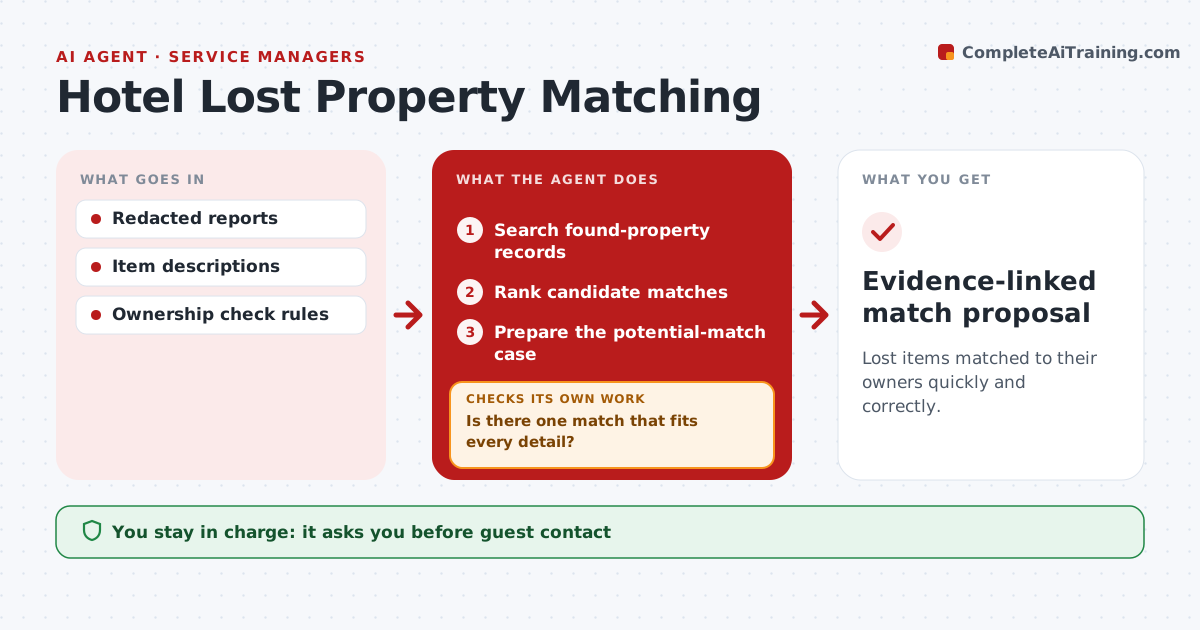
Lost-item reports are hard to match with found items, especially when many look alike. When a report or found item is logged, this agent searches found-property records and ranks candidate matches. When several items could match, it picks the detail that best separates them, such as a sticker, contents or a serial number, and checks that next. Candidates with contradictory identifiers are dropped. It prepares a potential-match case with photos and evidence. The agent never confirms ownership. Guest services confirms ownership, contacts the guest and releases the item. Edge case: a guest describes a phone but cannot give any identifying detail, so the agent lists candidates without proposing a match.
How it works
Follow the arrows from top to bottom. The orange dashed arrow is the loop: when a check fails, the agent goes back and tries again.
Read the steps as a list
- Report or found item logged
- Search found-property records
- Rank candidate matches
- Is there one match that fits every detail?If not: check the next distinguishing detail. Back to step 3.
- Prepare the potential-match case
- Guest services confirms ownership and releasesThe agent waits here for your OK.
- Evidence-linked match proposal
How it decides
It chooses the detail that best separates competing matches and drops contradicted candidates.
- Check the detail that separates the most candidates next.
- Drop candidates with contradictory identifiers.
- Without an identifying detail, list candidates but propose no match.
- Ownership is never confirmed by the agent.
Make it yours
Every agent is a starting point. You choose these settings for your own situation.
- Found-property records to search
- Details to compare (color, brand, contents, serial)
- How long found items are kept (default 90 days)
- Who confirms ownership and releases items
- Case format
What keeps you in control
It always asks you first
- Guest contact
- Ownership decisions
- Item release
Hard limits
- Never releases items.
It stops when
- Done: match proposed or none found.
Set it up
We guide you through the set-up, step by step
Members get the full set-up guide for this agent. No technical skills needed: you copy, paste and upload.
- One set of instructions to paste into your AI, with the clicks for ChatGPT, Claude, Microsoft 365 Copilot, Gemini and Grok
- The agent then walks you through connecting your own data, one source at a time
- A downloadable copy with the flow chart, the rules and the full guide