AI agent for it support specialists
Support Incident Correlation Agent
Related tickets are grouped into the correct incident, quickly and with evidence.
What it does
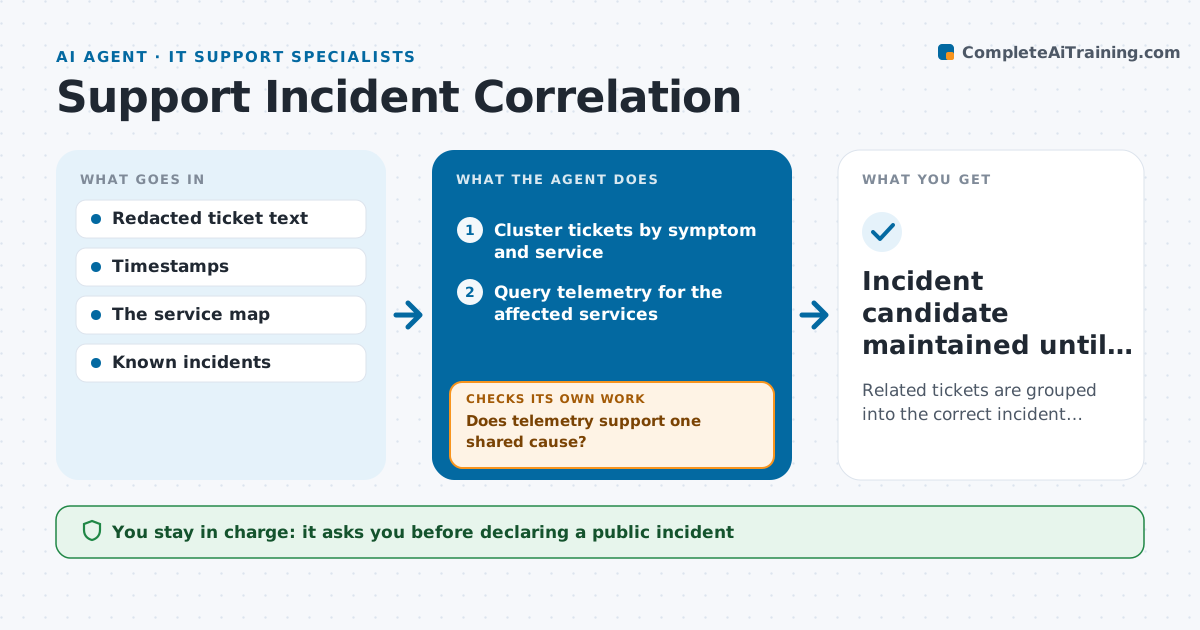
When an outage starts, many customers report it in different words, and support agents investigate the same problem separately. Customers get mixed answers and engineering gets duplicate pings. This agent clusters new tickets by symptom and affected service, queries telemetry for those services, and checks whether the evidence supports one shared cause. When telemetry shows two different failing services, it splits the cluster so each problem reaches the right team. It keeps one internal incident candidate per cause, with linked tickets, affected customer counts and the latest telemetry. Only the incident coordinator declares an incident and approves customer replies. Edge case: tickets that match the symptom but come from a region with healthy telemetry stay outside the cluster and are reviewed separately.
How it works
Follow the arrows from top to bottom. The orange dashed arrow is the loop: when a check fails, the agent goes back and tries again.
Read the steps as a list
- Ticket spike or outage-like ticket
- Cluster tickets by symptom and service
- Query telemetry for the affected services
- Does telemetry support one shared cause?If not: split the cluster by service. Back to step 2.
- Create or update the internal incident candidate with links
- Incident coordinator declares the incident and approves repliesThe agent waits here for your OK.
- Incident candidate maintained until resolved
How it decides
For each new ticket it decides 'join an existing candidate' or 'start a new one' by symptom similarity and affected service, then confirms with telemetry; contradictory telemetry splits a group.
- Join or new: by similarity of symptom and affected service.
- Split: when telemetry shows different failing services.
- Escalate to declared incident: only a coordinator decides.
Make it yours
Every agent is a starting point. You choose these settings for your own situation.
- Ticket spike that starts clustering (default 10 similar tickets in 15 minutes)
- Similarity threshold for joining a cluster (default 80%)
- Telemetry sources queried (default service health, error rates, identity provider status)
- Who declares incidents and approves replies (default the on-call incident coordinator)
- Update interval for incident candidates (default every 5 minutes)
What keeps you in control
It always asks you first
- Declaring a public incident
- Status page updates
- Mass replies to customers
Hard limits
- Internal board only; no public statements.
It stops when
- Done: incident resolved and all tickets linked.
- Nothing to do: no cluster above threshold.
Set it up
We guide you through the set-up, step by step
Members get the full set-up guide for this agent. No technical skills needed: you copy, paste and upload.
- One set of instructions to paste into your AI, with the clicks for ChatGPT, Claude, Microsoft 365 Copilot, Gemini and Grok
- The agent then walks you through connecting your own data, one source at a time
- A downloadable copy with the flow chart, the rules and the full guide