AI agent for hr information system (hris) specialists
HRIS Access and Role Review Agent
HRIS access matched to real need, with over-broad roles corrected
What it does
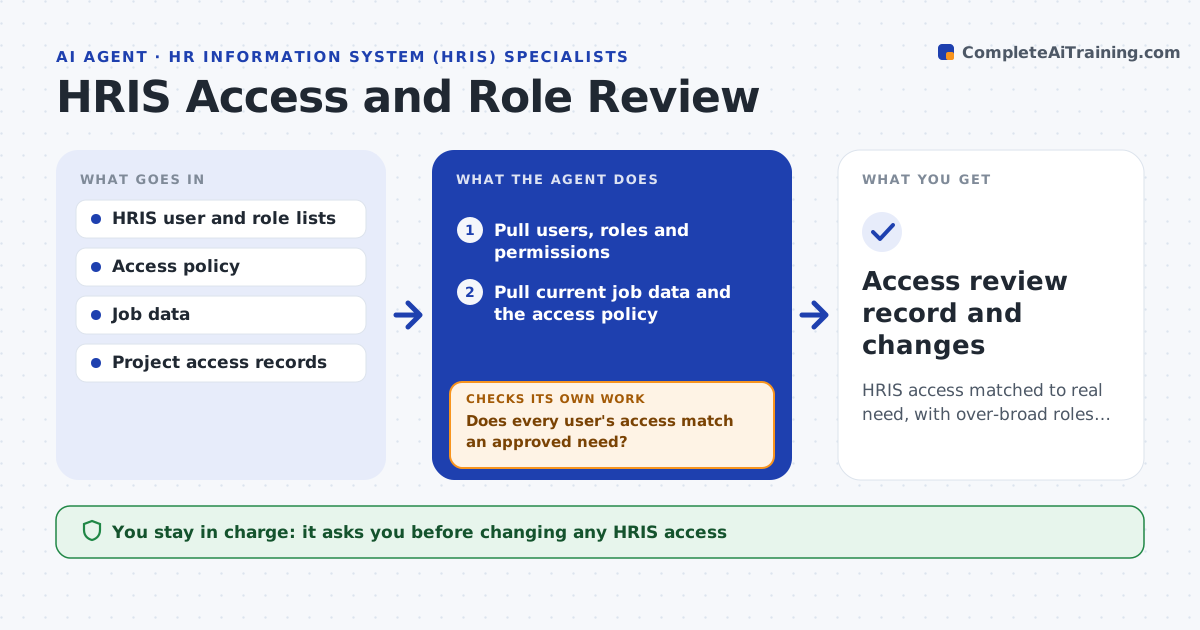
The HRIS holds pay and personal data, so access must be tight, yet roles pile up as people move. Each quarter this agent pulls HRIS users, roles and permissions and matches them to each person's current job and the access policy. It flags users with more access than their role allows, access to data outside their area and accounts of people who left HR or the company. It also checks role definitions for over-broad permissions, such as a role that can see every salary. Temporary access is checked against its end date. For each flag it asks the manager to confirm need. Before proposing a reduction, it checks the access is not needed for a current task. You approve every change. Edge case: expired temporary project access is flagged even if the manager forgot it existed.
How it works
Follow the arrows from top to bottom. The orange dashed arrow is the loop: when a check fails, the agent goes back and tries again.
Read the steps as a list
- Quarterly HRIS access review
- Pull users, roles and permissions
- Pull current job data and the access policy
- Match each user's access to job and policy
- Does every user's access match an approved need?If not: ask managers to confirm need and check for expired temporary access. Back to step 4.
- Flag over-broad role definitions
- Is each proposed reduction free of current task dependencies?If not: keep the access and ask the manager for an end date. Back to step 5.
- Specialist approves access changesThe agent waits here for your OK.
- Access review record and changes
How it decides
Access is excess when it exceeds the policy for the user's job, and reductions are proposed only after a need check.
- Flag access beyond the policy for the job
- Flag expired temporary access
- Propose reductions only after a need check
Make it yours
Every agent is a starting point. You choose these settings for your own situation.
- Access policy by role
- Review frequency
- Temporary access rules
- Approvers
What keeps you in control
It always asks you first
- Changing any HRIS access
Hard limits
- Never changes access without approval
- Treats HR data access as sensitive
It stops when
- Done: access matched or reduced with sign-off
- Stop: the access policy is not defined
Set it up
We guide you through the set-up, step by step
Members get the full set-up guide for this agent. No technical skills needed: you copy, paste and upload.
- One set of instructions to paste into your AI, with the clicks for ChatGPT, Claude, Microsoft 365 Copilot, Gemini and Grok
- The agent then walks you through connecting your own data, one source at a time
- A downloadable copy with the flow chart, the rules and the full guide