AI agent for head of operations
Product Migration Communication Agent
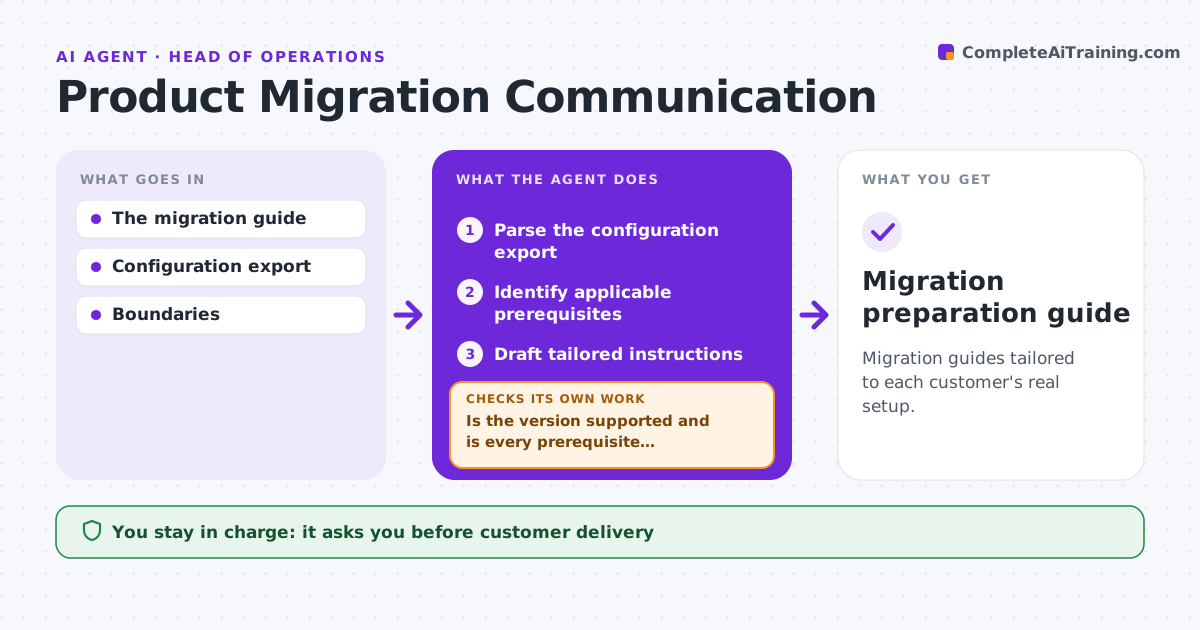
Migration guides tailored to each customer's real setup.
What it does
Standard migration instructions often miss prerequisites that apply to a specific customer's setup. When a customer is scheduled for migration, this agent reads their configuration export and identifies which prerequisites apply, such as version, add-ons, integrations and data size. It checks for missing evidence, like an unconfirmed backup. If the customer runs an unsupported version, it creates a separate exception path. It drafts tailored instructions based only on the actual configuration and checks every step against it. Product operations approves delivery to the customer, and the agent never runs a migration. Edge case: the export shows an older version that needs an intermediate upgrade, so the guide adds that step.
How it works
Follow the arrows from top to bottom. The orange dashed arrow is the loop: when a check fails, the agent goes back and tries again.
Read the steps as a list
- Customer scheduled for migration
- Parse the configuration export
- Identify applicable prerequisites
- Is the version supported and is every prerequisite evidenced?If not: add the exception path or flag missing evidence. Back to step 3.
- Draft tailored instructions
- Does every step match the actual configuration?If not: revise the step. Back to step 5.
- Product ops approves deliveryThe agent waits here for your OK.
- Migration preparation guide
How it decides
Instructions come only from the actual configuration.
- Instructions come only from the actual configuration.
- Unsupported versions get a separate exception path.
- The agent never runs a migration.
Make it yours
Every agent is a starting point. You choose these settings for your own situation.
- Supported versions and upgrade paths
- Prerequisite rules per add-on and integration
- Guide template
- Who approves delivery
What keeps you in control
It always asks you first
- Customer delivery
- Executing migrations
Hard limits
- No migration execution.
It stops when
- Done: guide ready.
Set it up
We guide you through the set-up, step by step
Members get the full set-up guide for this agent. No technical skills needed: you copy, paste and upload.
- One set of instructions to paste into your AI, with the clicks for ChatGPT, Claude, Microsoft 365 Copilot, Gemini and Grok
- The agent then walks you through connecting your own data, one source at a time
- A downloadable copy with the flow chart, the rules and the full guide