AI agent for hr information system (hris) specialists
HRIS Data Integrity Audit Agent
Employee data kept accurate so pay, access and reporting stay correct
What it does
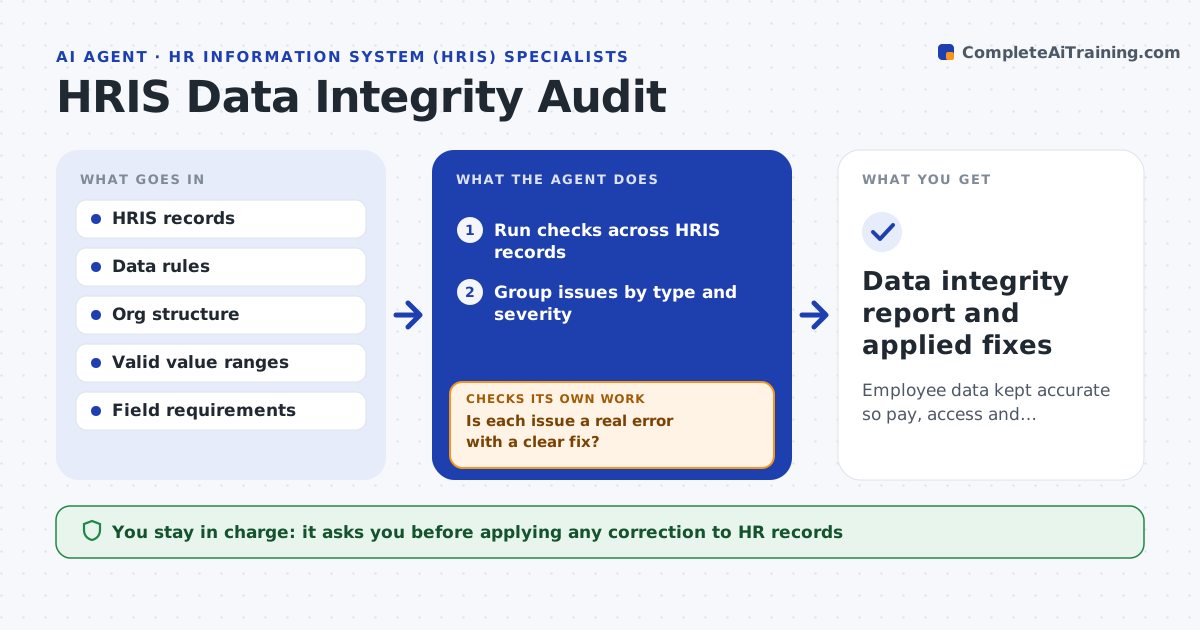
HR systems hold the data that payroll, access and reports depend on, so small errors cause big problems. Each week this agent runs integrity checks across the HRIS: employees with no manager or a manager who has left, missing or invalid key fields, people in departments that no longer exist, pay or status values out of range, and duplicates. It groups issues by type and severity and traces each to the likely source, such as a stalled onboarding or a reorganization not fully applied. It drafts corrections only for clear, safe fixes and routes judgment cases to the right HR owner. It never changes records on its own. After corrections are applied, it reruns the checks. You approve corrections. Edge case: the CEO having no manager is recognized as expected.
How it works
Follow the arrows from top to bottom. The orange dashed arrow is the loop: when a check fails, the agent goes back and tries again.
Read the steps as a list
- Weekly integrity check
- Run checks across HRIS records
- Group issues by type and severity
- Trace each issue to its likely source
- Is each issue a real error with a clear fix?If not: route judgment cases to the HR owner instead of fixing. Back to step 3.
- Draft corrections for clear issues
- HRIS specialist approves correctionsThe agent waits here for your OK.
- Do the checks pass after corrections are applied?If not: flag the remaining records and trace them again. Back to step 2.
- Data integrity report and applied fixes
How it decides
It flags records that break a data rule or reference something invalid, and only auto-drafts fixes for unambiguous cases.
- Flag records that break a rule or reference invalid data
- Auto-draft only unambiguous fixes
- Recognize expected exceptions like the top of the org
Make it yours
Every agent is a starting point. You choose these settings for your own situation.
- Data rules and required fields
- Valid value ranges
- Which fixes are auto-drafted
- Owners by issue type
What keeps you in control
It always asks you first
- Applying any correction to HR records
Hard limits
- Never changes records without approval
- Routes judgment cases to people
It stops when
- Done: issues resolved or routed
- Stop: data rules are not defined
Set it up
We guide you through the set-up, step by step
Members get the full set-up guide for this agent. No technical skills needed: you copy, paste and upload.
- One set of instructions to paste into your AI, with the clicks for ChatGPT, Claude, Microsoft 365 Copilot, Gemini and Grok
- The agent then walks you through connecting your own data, one source at a time
- A downloadable copy with the flow chart, the rules and the full guide