AI agent for hr information system (hris) specialists
HRIS Integration Reconciliation Agent
Connected systems kept in step with the HRIS, with mismatches caught daily
What it does
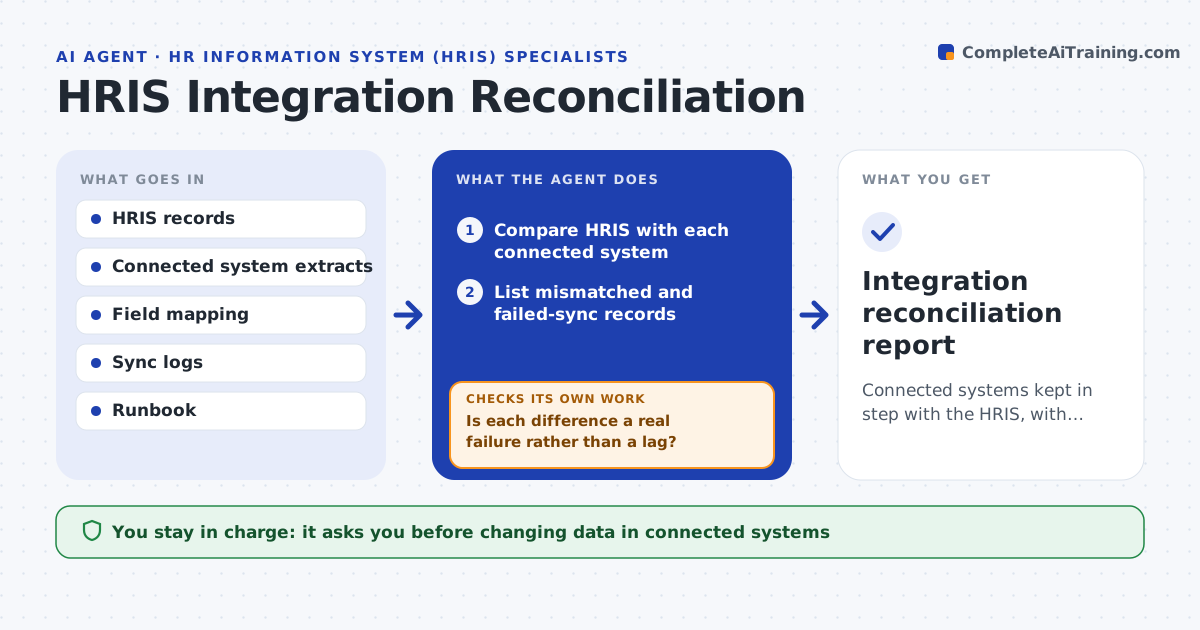
The HRIS feeds payroll, access, benefits and other systems, and when a sync fails or lags, people get wrong pay or keep access they should not have. Each day this agent compares the HRIS with each connected system on fields that should match, such as status, department, pay group and manager, and finds records that differ or failed to sync. It checks whether a difference is a lag that will clear or a real failure. For known safe issues it triggers a re-sync per the runbook and then checks whether the mismatch cleared. Mismatches that remain get a drafted correction or a ticket to the system owner. You approve changes to connected systems. Edge case: a leaver still active in the access system is raised as high priority, because it is a security risk.
How it works
Follow the arrows from top to bottom. The orange dashed arrow is the loop: when a check fails, the agent goes back and tries again.
Read the steps as a list
- Daily integration check
- Compare HRIS with each connected system
- List mismatched and failed-sync records
- Is each difference a real failure rather than a lag?If not: wait for lag to clear and recheck. Back to step 2.
- Re-sync runbook-safe cases and confirm they cleared
- Draft corrections or tickets for real mismatches
- Specialist approves changes to connected systemsThe agent waits here for your OK.
- Integration reconciliation report
How it decides
It compares mapped fields, separates lag from failure, and only auto-resyncs runbook-safe cases, confirming the result.
- Separate sync lag from real failure
- Auto-resync only runbook-safe cases
- Raise active leavers in access systems as high priority
Make it yours
Every agent is a starting point. You choose these settings for your own situation.
- Fields to reconcile per system
- Lag tolerance
- Runbook re-sync actions
- Priority rules
What keeps you in control
It always asks you first
- Changing data in connected systems
Hard limits
- Never changes connected systems without approval
- Treats access mismatches as security issues
It stops when
- Done: systems reconciled or tickets raised
- Stop: a connected system extract is unavailable
Set it up
We guide you through the set-up, step by step
Members get the full set-up guide for this agent. No technical skills needed: you copy, paste and upload.
- One set of instructions to paste into your AI, with the clicks for ChatGPT, Claude, Microsoft 365 Copilot, Gemini and Grok
- The agent then walks you through connecting your own data, one source at a time
- A downloadable copy with the flow chart, the rules and the full guide