
AI agent for special education teachers
IEP Meeting Notice and Compliance Timeline Agent
Every meeting, evaluation and notice happens inside its legal timeline with required people and documents ready.
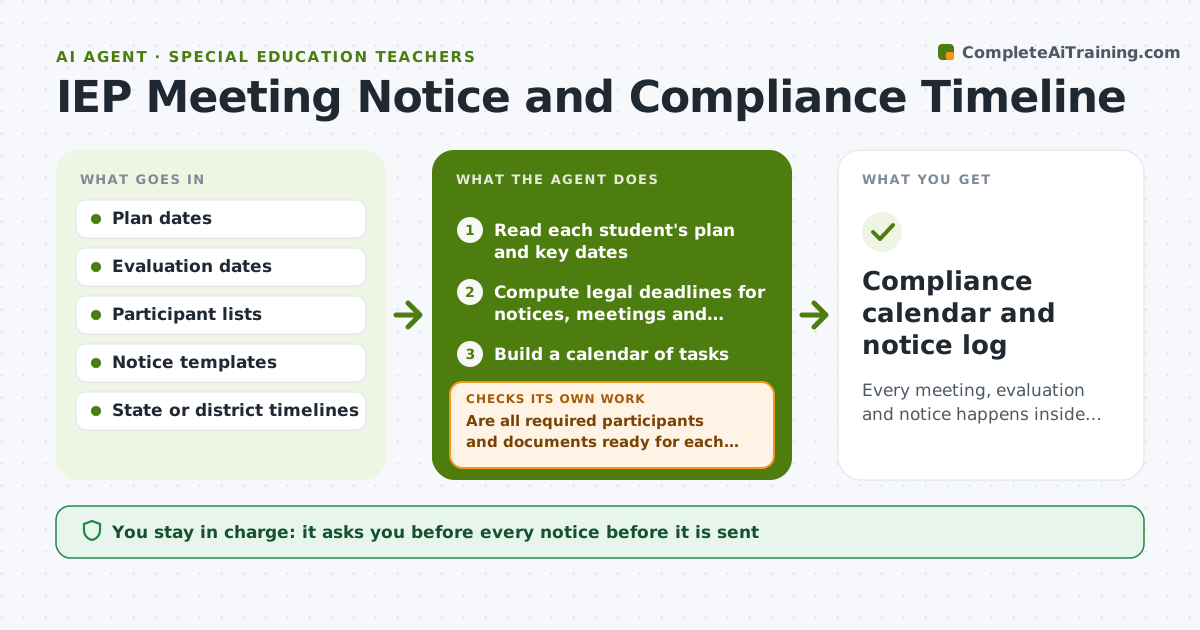
What it does
A parent consent form misses its due date and a school is out of compliance. IEP meetings, evaluations and notices have legal timing that is easy to lose across 20 or more students. This agent reads each student's plan dates and computes the legal deadlines, builds a calendar and drafts notices. It checks that every required participant and document is ready before each meeting and rechecks the calendar when dates change. Edge case: a meeting rescheduled by a parent shifts the notice deadline, so the agent recalculates and warns the teacher. The teacher approves notices.
How it works
Follow the arrows from top to bottom. The orange dashed arrow is the loop: when a check fails, the agent goes back and tries again.
Read the steps as a list
- Plan dates are loaded
- Read each student's plan and key dates
- Compute legal deadlines for notices, meetings and evaluations
- Build a calendar of tasks
- Draft notices for upcoming meetings
- Are all required participants and documents ready for each meeting?If not: list the missing items and ask the teacher to act. Back to step 3.
- Teacher approves noticesThe agent waits here for your OK.
- Recheck the calendar when any date changes
- Do all deadlines still fall within the legal window?If not: recalculate and escalate any at risk. Back to step 3.
- Compliance calendar and notice log
How it decides
It computes each deadline from the rule that applies and moves tasks earlier when a participant or document is not ready.
- Send notices at least the required number of days before a meeting.
- Flag any deadline within 10 days that is not ready.
- Rescheduled meetings trigger a full recalculation.
- Every notice lists required participants.
Make it yours
Every agent is a starting point. You choose these settings for your own situation.
- Deadline rules
- Notice template
- Warning days
- Participants by plan type
- Calendar tool
What keeps you in control
It always asks you first
- Every notice before it is sent
- Any change to a meeting date
Hard limits
- Do not send notices without approval.
- Do not give legal advice.
It stops when
- Done: all deadlines met and notices approved
- Stop: the rule for a deadline is unclear, so the agent asks the teacher or district contact
Set it up
We guide you through the set-up, step by step
Members get the full set-up guide for this agent. No technical skills needed: you copy, paste and upload.
- One set of instructions to paste into your AI, with the clicks for ChatGPT, Claude, Microsoft 365 Copilot, Gemini and Grok
- The agent then walks you through connecting your own data, one source at a time
- A downloadable copy with the flow chart, the rules and the full guide



