AI agent for immigration consultants
Immigration Document Checklist and Review Agent
A complete, consistent document bundle
What it does
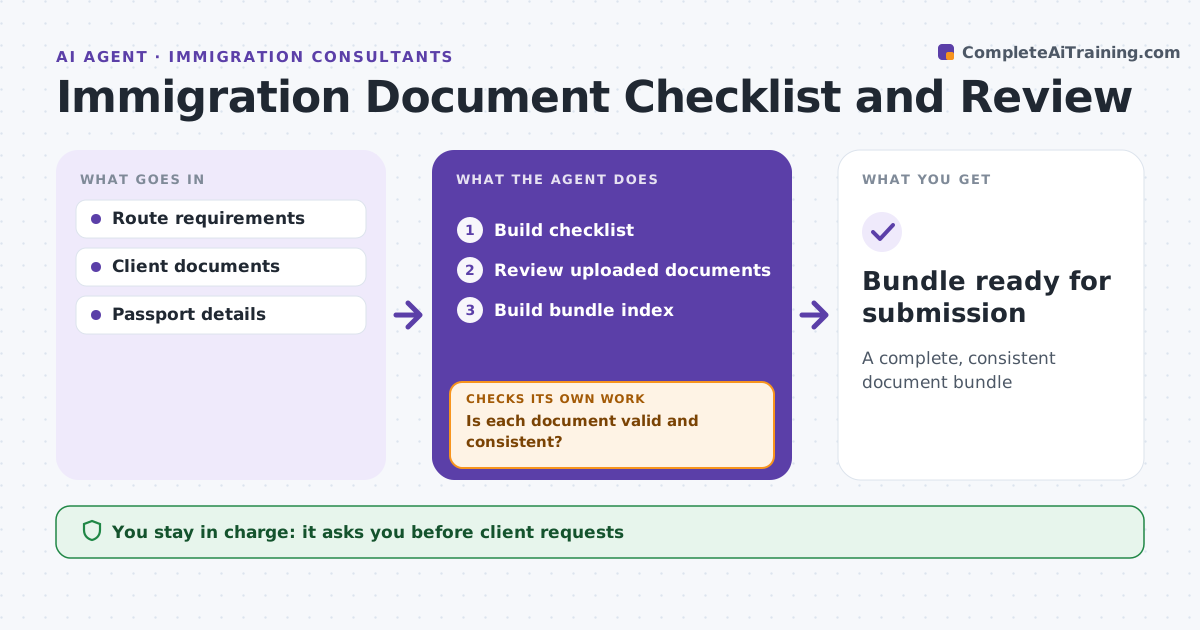
Immigration applications are refused for small document problems, such as a name spelled differently from the passport or a statement one day short. For each application, this agent builds a checklist for the route and the client's situation. As documents arrive, it checks each one for correct type, date ranges, translations, certification, names matching the passport and dates that agree across documents. A name differing from the passport needs an explanation; an uncertified translation or a period that is too short triggers a request. It drafts requests to the client, then rechecks after new uploads until every document passes. It produces a final bundle index. The consultant approves every client request and the submission. Edge case: the bank statement covers 27 days instead of the required 28, so the agent requests a longer statement before anything is filed.
How it works
Follow the arrows from top to bottom. The orange dashed arrow is the loop: when a check fails, the agent goes back and tries again.
Read the steps as a list
- Route chosen
- Build checklist
- Review uploaded documents
- Is each document valid and consistent?If not: request replacements and recheck. Back to step 3.
- Build bundle index
- Consultant approves bundleThe agent waits here for your OK.
- Bundle ready for submission
How it decides
It checks each document against requirements and cross-checks names and dates.
- Name differs from passport: explanation needed
- Translation uncertified: request
- Period too short: request longer
Make it yours
Every agent is a starting point. You choose these settings for your own situation.
- Checklist rules
- Translation rules
- Request templates
- Index format
What keeps you in control
It always asks you first
- Client requests
- Submission
Hard limits
- Never alters documents
- Never submits
It stops when
- Done: bundle ready
- Stop: key document unavailable
Set it up
We guide you through the set-up, step by step
Members get the full set-up guide for this agent. No technical skills needed: you copy, paste and upload.
- One set of instructions to paste into your AI, with the clicks for ChatGPT, Claude, Microsoft 365 Copilot, Gemini and Grok
- The agent then walks you through connecting your own data, one source at a time
- A downloadable copy with the flow chart, the rules and the full guide