AI agent for patent agents
Information Disclosure Statement Agent
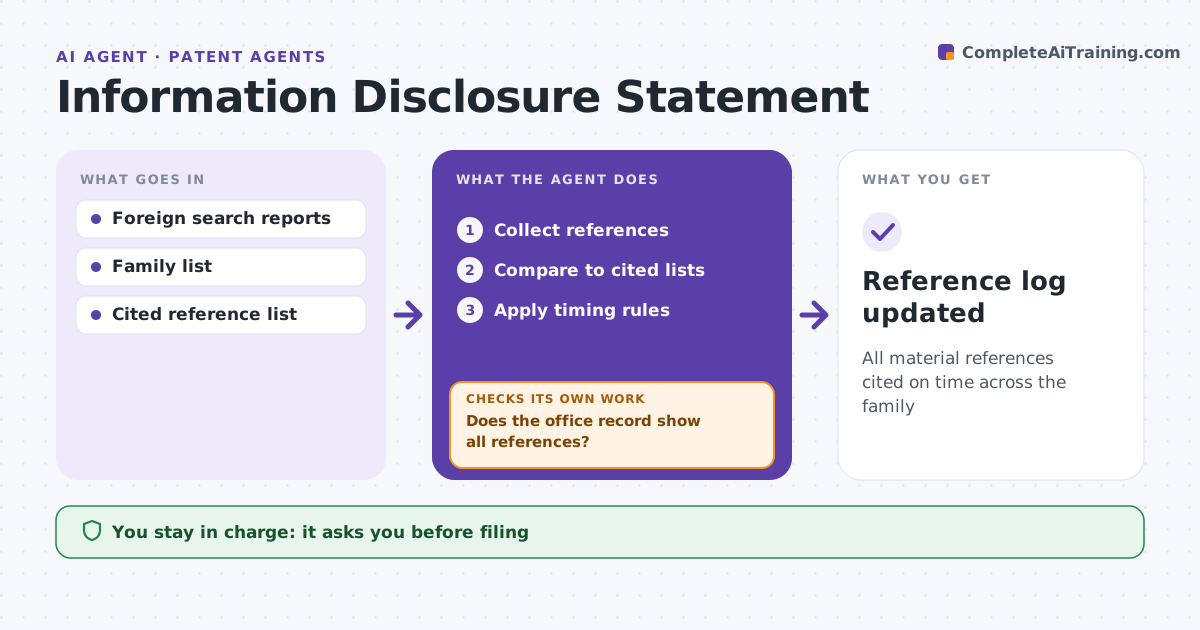
All material references cited on time across the family
What it does
Failing to tell the patent office about a known reference can make a patent unenforceable, and references arrive from many places over years. This agent collects references from foreign search reports, related applications and client sources, and compares them with what has been cited in each U.S. application in the family. A reference cited in a related case only is treated as one to cite. It lists uncited references with the timing rule for each, noting the lower burden within three months of a foreign report and the fees after certain stages. It drafts the disclosure statement for the patent agent to approve and file. After filing, it checks the office record; if any reference is missing, it lists it and prepares a correction, then checks again. Edge case: a foreign search report arrives after allowance, so the agent notes the special filing requirements.
How it works
Follow the arrows from top to bottom. The orange dashed arrow is the loop: when a check fails, the agent goes back and tries again.
Read the steps as a list
- New references
- Collect references
- Compare to cited lists
- Apply timing rules
- Draft statement
- Patent agent approves filingThe agent waits here for your OK.
- Does the office record show all references?If not: list missing and prepare correction. Back to step 3.
- Reference log updated
How it decides
It compares references across the family and applies timing rules.
- After allowance: special requirements
- Cited in related case only: cite
- Within 3 months of foreign report: lower burden
Make it yours
Every agent is a starting point. You choose these settings for your own situation.
- Timing rules
- Family scope
- Statement template
- Alerts
What keeps you in control
It always asks you first
- Filing
Hard limits
- Never decides materiality alone
- Never files
It stops when
- Done: log updated
- Stop: application abandoned
Set it up
We guide you through the set-up, step by step
Members get the full set-up guide for this agent. No technical skills needed: you copy, paste and upload.
- One set of instructions to paste into your AI, with the clicks for ChatGPT, Claude, Microsoft 365 Copilot, Gemini and Grok
- The agent then walks you through connecting your own data, one source at a time
- A downloadable copy with the flow chart, the rules and the full guide