AI agent for medical coders
Inpatient DRG Validation Agent
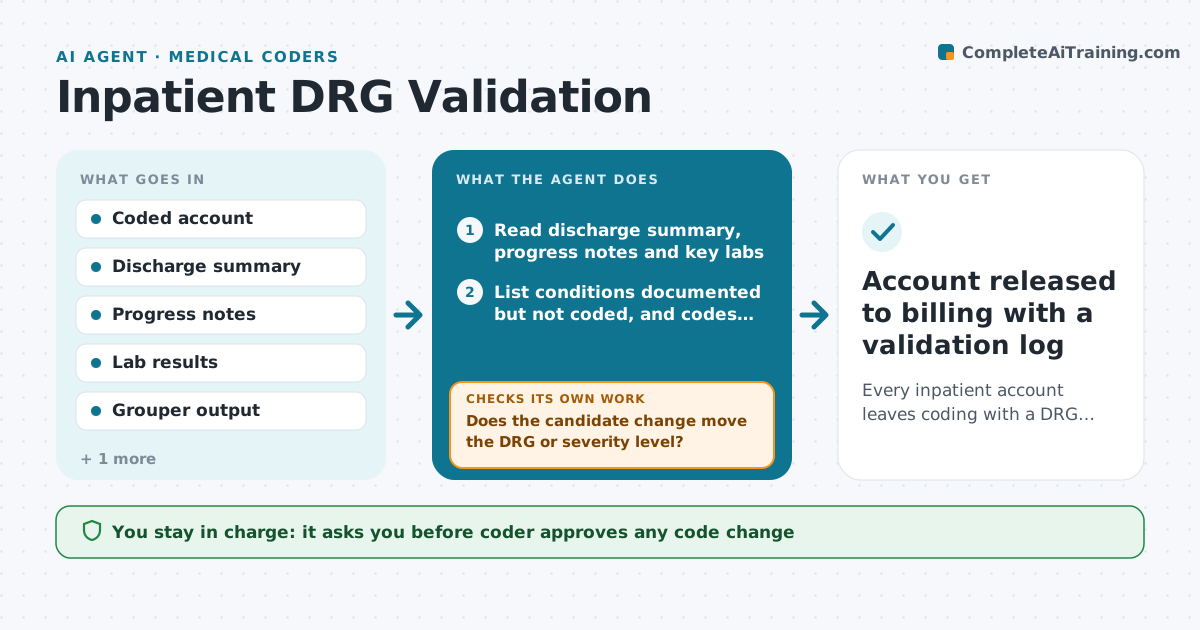
Every inpatient account leaves coding with a DRG that the record clearly supports
What it does
Inpatient coders finalize dozens of accounts a week, and a single missed complication can move the DRG and the payment. This agent picks up each coded inpatient account before final billing. It reads the coded diagnoses and procedures, regroups the account, and compares the result with the documentation in the discharge summary, progress notes and labs. It flags three things: a secondary diagnosis with weak support, a documented condition that was not coded, and a principal diagnosis that another condition could replace. After regrouping with any suggested change, it checks whether the DRG actually moved; if not, it drops the suggestion so coders are not flooded with noise. Every change and every query stays with the coder. Edge case: when sepsis is coded but the notes show only a positive culture without organ dysfunction, it sends the account to the query queue instead of suggesting a removal.
How it works
Follow the arrows from top to bottom. The orange dashed arrow is the loop: when a check fails, the agent goes back and tries again.
Read the steps as a list
- Coded inpatient account reaches pre-final hold
- Read discharge summary, progress notes and key labs
- List conditions documented but not coded, and codes with thin support
- Regroup the account with each candidate change
- Does the candidate change move the DRG or severity level?If not: drop it and look at the next candidate condition. Back to step 3.
- Is the supporting note specific enough to code from?If not: move the item to the physician query queue and reread the remaining notes. Back to step 2.
- Write a short finding with note quotes and the DRG impact
- Coder accepts or rejects each findingThe agent waits here for your OK.
- Account released to billing with a validation log
How it decides
It only raises a finding when the documentation evidence is specific and the regrouped DRG or severity level actually changes; weak or vague evidence goes to the query queue instead.
- Only flag a change when the DRG or severity level moves
- Accounts with payment impact over $2,000 go to the top of the list
- Clinical indicators without a provider diagnosis become a query, never a code suggestion
- Accounts already queried twice are not queried again
Make it yours
Every agent is a starting point. You choose these settings for your own situation.
- Minimum payment impact to flag (default $500)
- Payers whose accounts are always reviewed (default Medicare)
- Hold time before release (default 24 hours)
- Conditions always sent to query (default sepsis, malnutrition)
What keeps you in control
It always asks you first
- Coder approves any code change
- Coding manager signs off on changes that lower the DRG
Hard limits
- Never changes a code without coder approval
- Never suggests a diagnosis the provider did not document
- Logs every finding for audit
It stops when
- Done: all accounts on hold reviewed and released or queried
- Stop: grouper unavailable or account reopened by a provider
Set it up
We guide you through the set-up, step by step
Members get the full set-up guide for this agent. No technical skills needed: you copy, paste and upload.
- One set of instructions to paste into your AI, with the clicks for ChatGPT, Claude, Microsoft 365 Copilot, Gemini and Grok
- The agent then walks you through connecting your own data, one source at a time
- A downloadable copy with the flow chart, the rules and the full guide