AI agent for accountants
Employee Reimbursement Policy Audit Agent
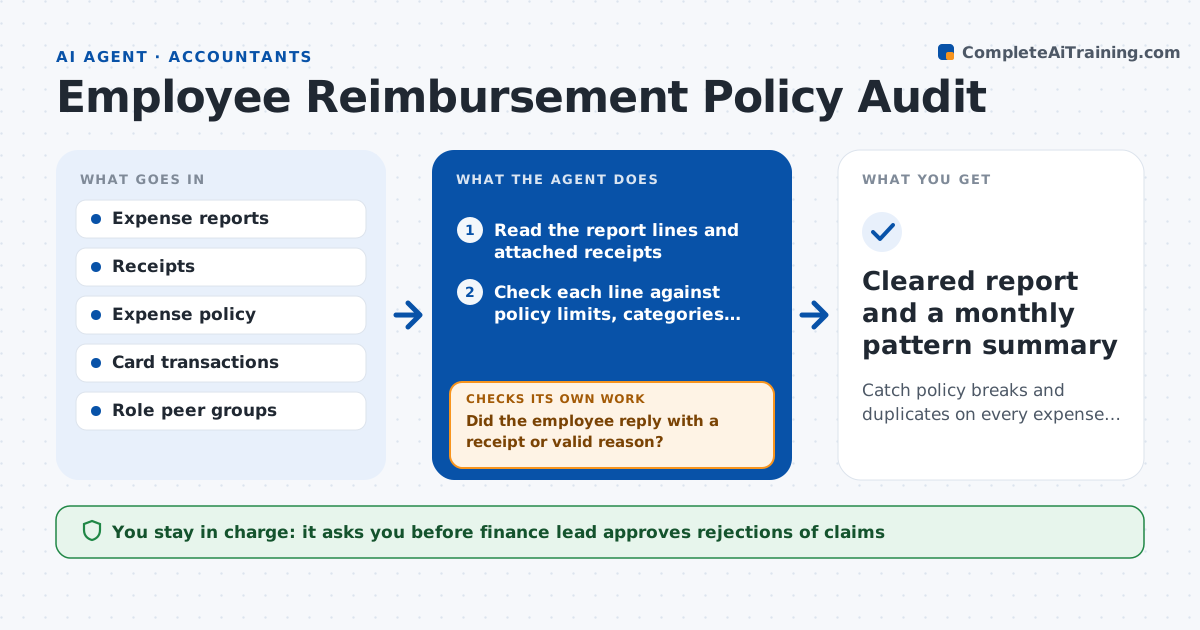
Catch policy breaks and duplicates on every expense report and resolve them with the employee.
What it does
Expense reports pass through with small policy breaks nobody has time to catch, and the pattern only shows in an annual audit. This agent reads each report and receipt, checks every line against the policy for limits, categories and dates, and looks for duplicates across reports and cards. It also compares spending against peers in the same role to find out-of-pattern claims. For each problem it drafts a short query to the employee. When replies arrive it rechecks the line and either clears it or keeps it open. Edge case: a missing receipt under the policy minimum is allowed. The finance lead approves rejections and escalations.
How it works
Follow the arrows from top to bottom. The orange dashed arrow is the loop: when a check fails, the agent goes back and tries again.
Read the steps as a list
- Expense report submitted
- Read the report lines and attached receipts
- Check each line against policy limits, categories and dates
- Search for duplicates across reports and card data
- Compare totals with peers in the same role
- Draft a query to the employee for each flagged line
- Finance lead approves queries sent about sensitive itemsThe agent waits here for your OK.
- Did the employee reply with a receipt or valid reason?If not: send one reminder, then mark the line unsupported. Back to step 6.
- Recheck the line with the new evidence
- Finance lead approves rejections and escalationsThe agent waits here for your OK.
- Cleared report and a monthly pattern summary
How it decides
It flags a line when it breaks a written rule, repeats another claim, or is far from peer spending, and clears it once a valid reply is received.
- Flag any line over the category limit in the policy
- Treat the same amount, date and merchant as a duplicate
- Allow missing receipts under the policy minimum
- Flag employees whose spend is over 2 times the peer median
Make it yours
Every agent is a starting point. You choose these settings for your own situation.
- Category limits from the policy
- Receipt minimum (default $25)
- Peer group definition
- Reminder days (default 3)
- Who receives escalations
What keeps you in control
It always asks you first
- Finance lead approves rejections of claims
- Finance lead approves escalation to HR or a manager
Hard limits
- Never rejects a claim on its own
- Does not accuse employees, queries stay neutral
It stops when
- Done: every flagged line cleared or decided
- Stop: report involves a possible fraud pattern, escalate to the finance lead
Set it up
We guide you through the set-up, step by step
Members get the full set-up guide for this agent. No technical skills needed: you copy, paste and upload.
- One set of instructions to paste into your AI, with the clicks for ChatGPT, Claude, Microsoft 365 Copilot, Gemini and Grok
- The agent then walks you through connecting your own data, one source at a time
- A downloadable copy with the flow chart, the rules and the full guide