AI agent for agricultural scientists
Irrigation and Water Use Monitoring Agent
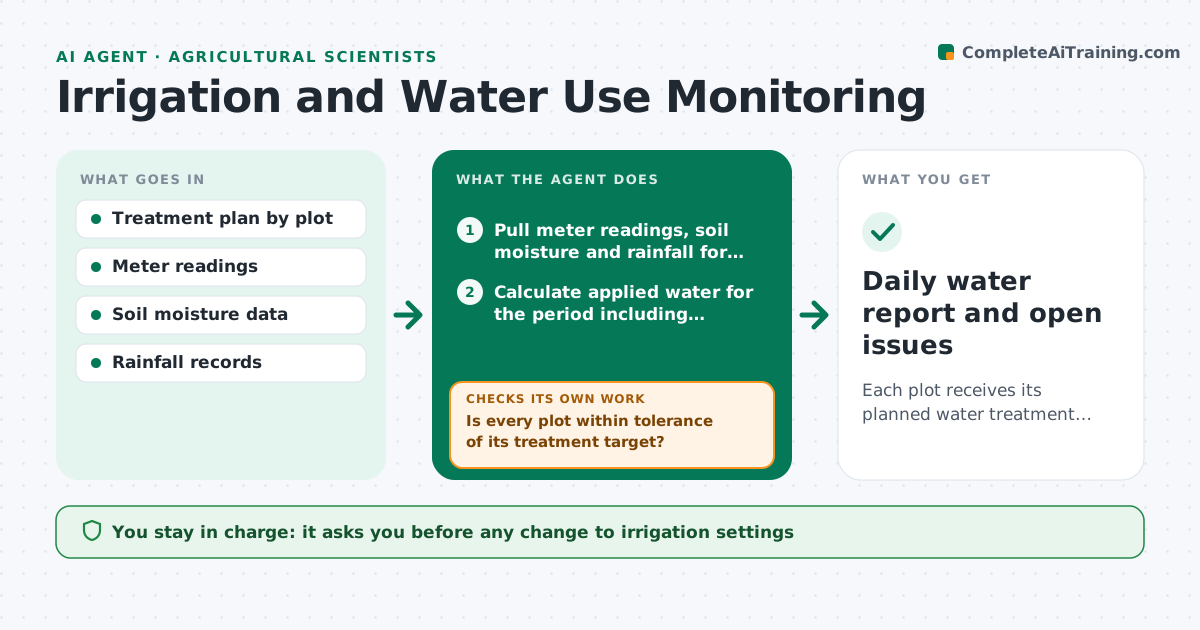
Each plot receives its planned water treatment within tolerance throughout the season.
What it does
In an irrigation trial each plot is supposed to get a set amount of water, but valves stick, meters drift and the weather changes. This agent compares meter readings and soil moisture data to the treatment plan every day. It flags plots that received more or less than the target, and checks soil moisture sensors to see whether the crop was actually under or over watered. It suggests adjustments, such as extending a cycle by a number of minutes or checking a valve, and rechecks after the change. You approve all changes. Edge case: rainfall events are subtracted from the plan so a wet week does not cause a false shortfall.
How it works
Follow the arrows from top to bottom. The orange dashed arrow is the loop: when a check fails, the agent goes back and tries again.
Read the steps as a list
- Daily run
- Pull meter readings, soil moisture and rainfall for each plot
- Calculate applied water for the period including effective rainfall
- Is every plot within tolerance of its treatment target?If not: flag the plots and check soil moisture to see if the crop was affected. Back to step 3.
- Diagnose likely causes such as a stuck valve, leak or meter error
- Suggest an adjustment, such as a longer cycle or a repair
- Scientist approves the changesThe agent waits here for your OK.
- Recheck readings after the change
- Did the plot return to target?If not: propose a different fix or flag the plot for a site visit. Back to step 6.
- Daily water report and open issues
How it decides
It compares applied water plus effective rainfall to the plan for the period. Plots outside tolerance are flagged, and soil moisture confirms whether the deviation matters.
- Applied water off target by more than 10 percent: flag
- Soil moisture within the target band despite the gap: log but do not adjust
- Meter and moisture readings disagree: suspect the meter and request a check
- Rain over 10 mm: subtract from the plan and reassess the next day
Make it yours
Every agent is a starting point. You choose these settings for your own situation.
- Tolerance around the target (default 10 percent)
- Rain adjustment rules
- Reporting period
- Plots in the trial
- Alert contacts
What keeps you in control
It always asks you first
- Any change to irrigation settings
- Site visits and repairs
Hard limits
- Never change controller settings
- Never alter recorded water data
It stops when
- Done: all plots within tolerance
- Stop: sensor outage over 48 hours
Set it up
We guide you through the set-up, step by step
Members get the full set-up guide for this agent. No technical skills needed: you copy, paste and upload.
- One set of instructions to paste into your AI, with the clicks for ChatGPT, Claude, Microsoft 365 Copilot, Gemini and Grok
- The agent then walks you through connecting your own data, one source at a time
- A downloadable copy with the flow chart, the rules and the full guide