AI agent for landscape architects
Irrigation Zone Design Check Agent
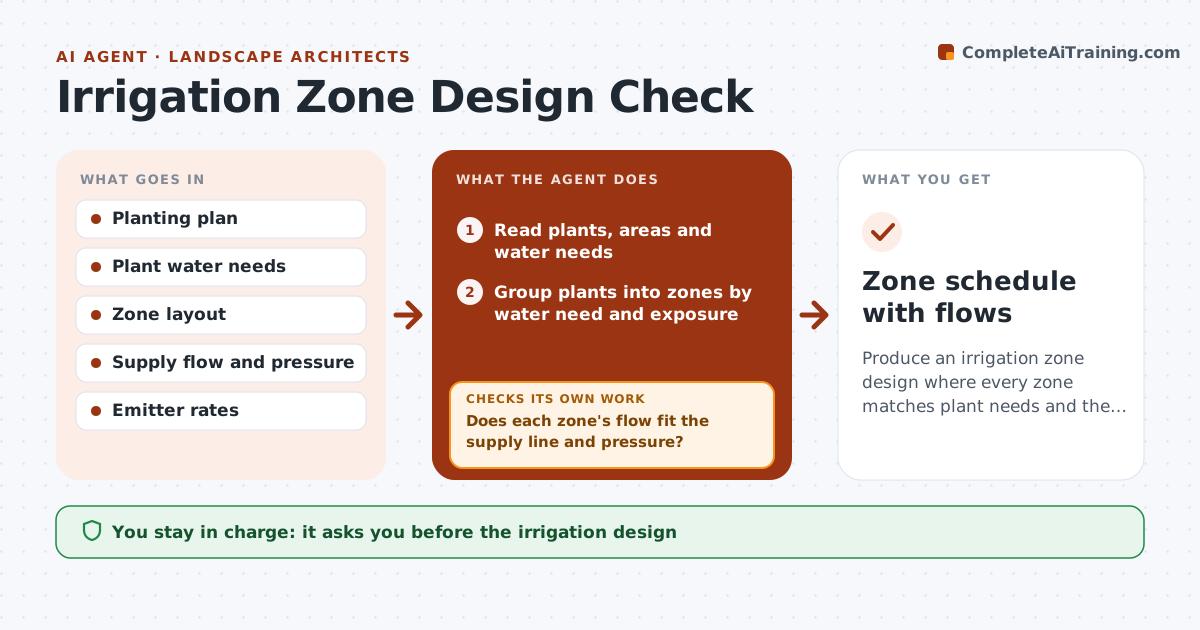
Produce an irrigation zone design where every zone matches plant needs and the supply.
What it does
Mixing a lawn and a drought-tolerant border on the same zone wastes water and kills plants. This agent groups plants by water need from the planting plan, then calculates the water demand and the flow for each zone from the area, plant type and emitter or sprinkler rates. It checks each zone's flow against the supply line and available pressure, and flags shortfalls. It then adjusts the groupings or splits zones and recalculates. If a zone's flow does not fit the supply line, it reruns the grouping. You approve the design. Edge case: a zone needs 14 gpm and the supply gives 11, and the agent splits it into two zones.
How it works
Follow the arrows from top to bottom. The orange dashed arrow is the loop: when a check fails, the agent goes back and tries again.
Read the steps as a list
- Planting plan and supply data are set
- Read plants, areas and water needs
- Group plants into zones by water need and exposure
- Calculate demand and flow for each zone
- Does each zone's flow fit the supply line and pressure?If not: List zones over the supply and the size of the shortfall. Back to step 4.
- Split zones or regroup plants and recalculate demand, flow and pressure
- Do all zones now fit the supply?If not: Repeat the regrouping for the remaining zones. Back to step 4.
- Check that no zone mixes high and low water plants
- Is every zone matched to a single water need?If not: Move the odd plants into a better zone and recalculate. Back to step 3.
- Landscape architect approves the designThe agent waits here for your OK.
- Zone schedule with flows
How it decides
It groups by water need first, then checks flow and pressure. It splits a zone when demand exceeds supply rather than shorting the plants.
- Do not mix high and low water plants in one zone
- Zone flow must stay under 80% of supply (default)
- Pressure at the last emitter must meet the minimum
- Split zones before reducing coverage
Make it yours
Every agent is a starting point. You choose these settings for your own situation.
- Supply flow and pressure
- Flow safety limit (default 80%)
- Emitter types
- Water need categories
- Maximum zones
What keeps you in control
It always asks you first
- The irrigation design
Hard limits
- Never claims a design is built or installed
- Shows all calculations
- Never ignores pressure loss
It stops when
- Done: all zones fit plant needs and supply
- Stop: supply is too small for the design; architect reviews the system
Set it up
We guide you through the set-up, step by step
Members get the full set-up guide for this agent. No technical skills needed: you copy, paste and upload.
- One set of instructions to paste into your AI, with the clicks for ChatGPT, Claude, Microsoft 365 Copilot, Gemini and Grok
- The agent then walks you through connecting your own data, one source at a time
- A downloadable copy with the flow chart, the rules and the full guide