AI agent for project managers
Weather Impact Planning Agent
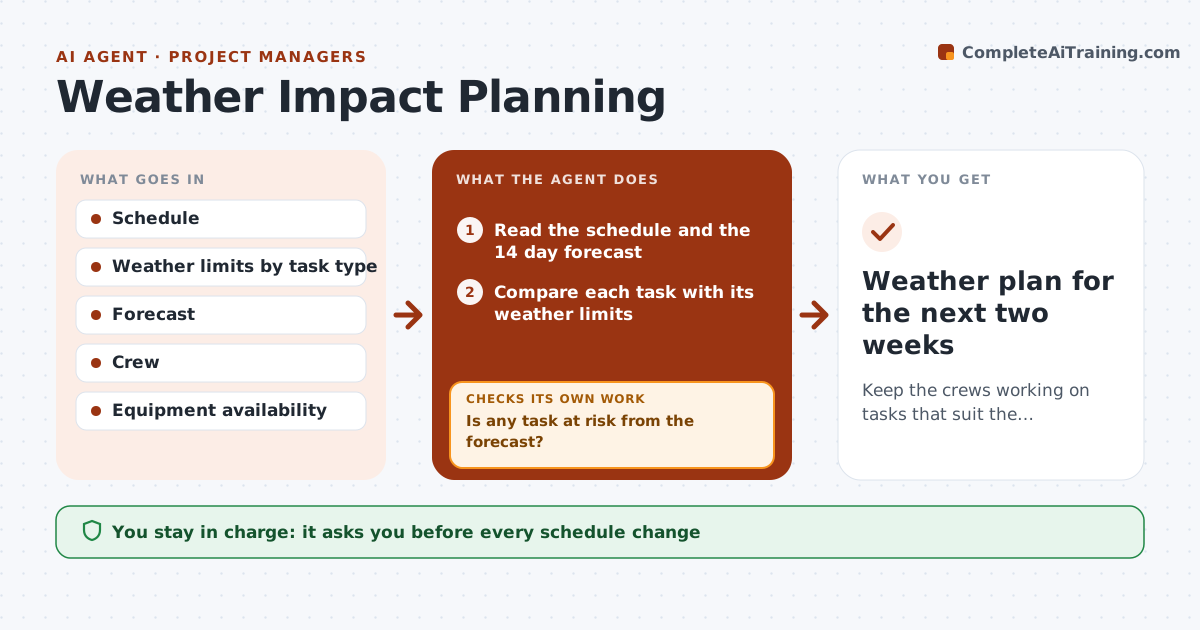
Keep the crews working on tasks that suit the weather, with fewer lost days.
What it does
Weather ruins a day of concrete or roofing that could have moved to a better day. This agent reads the forecast for the next two weeks and finds tasks that are weather-sensitive, such as pours, roofing, painting and crane lifts, using the limits for each. For tasks at risk, it proposes swaps with indoor or less sensitive work and checks crew and equipment availability. It rechecks the forecast every day and updates the proposals. You approve any change to the schedule and notices to crews and customers. Edge case: wind over 25 mph is forecast for the crane day, and the agent proposes moving the lift and pulling forward interior framing.
How it works
Follow the arrows from top to bottom. The orange dashed arrow is the loop: when a check fails, the agent goes back and tries again.
Read the steps as a list
- Daily forecast arrives
- Read the schedule and the 14 day forecast
- Compare each task with its weather limits
- Is any task at risk from the forecast?If not: List tasks with the date, limit and forecast. Back to step 3.
- Find swaps with indoor or less sensitive work
- Check crew and equipment availability for each swap
- Does the swap work for crews and equipment?If not: Reject it and try another swap. Back to step 6.
- Estimate the delay avoided
- Manager approves schedule changes and noticesThe agent waits here for your OK.
- Update the draft schedule and notice drafts
- Weather plan for the next two weeks
How it decides
It compares each task's limits with the forecast and proposes the swap with the least delay. It checks the swap against crews and equipment before suggesting it.
- Concrete placement below 40 F or above 90 F needs a plan (default)
- Crane lifts stop at 25 mph wind (default)
- Painting needs dry, above 50 F
- Rain chance over 60% marks outdoor work at risk
Make it yours
Every agent is a starting point. You choose these settings for your own situation.
- Weather limits by task
- Forecast source
- Look-ahead window (default 14 days)
- Run time
- Rain chance trigger (default 60%)
What keeps you in control
It always asks you first
- Every schedule change
- Notices to crews and customers
Hard limits
- Never changes the schedule alone
- Never overrides a safety limit
- Notifies only with approval
It stops when
- Done: at-risk tasks have an approved plan
- Stop: no workable swap; manager decides to delay
Set it up
We guide you through the set-up, step by step
Members get the full set-up guide for this agent. No technical skills needed: you copy, paste and upload.
- One set of instructions to paste into your AI, with the clicks for ChatGPT, Claude, Microsoft 365 Copilot, Gemini and Grok
- The agent then walks you through connecting your own data, one source at a time
- A downloadable copy with the flow chart, the rules and the full guide