AI agent for civil engineers
Erosion and Drainage Design Check Agent
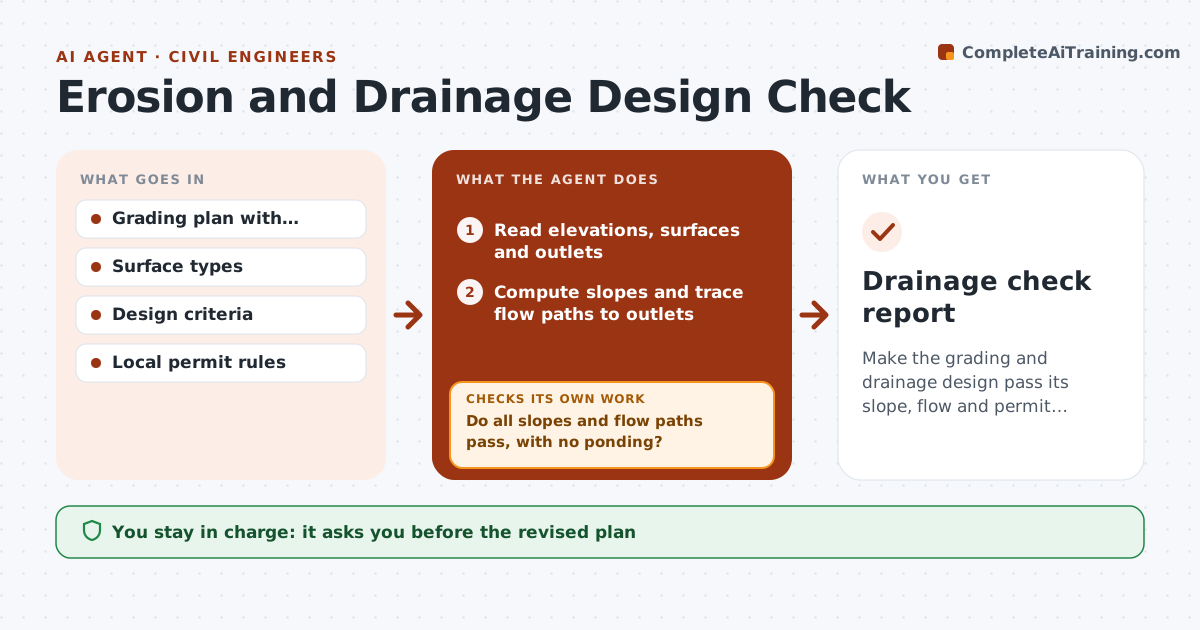
Make the grading and drainage design pass its slope, flow and permit checks before submission.
What it does
A grading plan often fails review for ponding, steep slopes or missed permit limits that could have been found earlier. This agent reads the grading plan and spot elevations, computes slopes and flow directions, and traces flow paths from every roof and paved area to an outlet. It compares the results with the minimum and maximum slopes in your design criteria and the local permit rules for erosion control. It flags low points that hold water and slopes that are too steep. It adjusts the elevations or swales in its working copy and checks again, repeating until the checks pass. You approve the revised plan. Edge case: a patio drains toward the foundation at 0.5%, and the agent flags it.
How it works
Follow the arrows from top to bottom. The orange dashed arrow is the loop: when a check fails, the agent goes back and tries again.
Read the steps as a list
- Grading plan is ready for review
- Read elevations, surfaces and outlets
- Compute slopes and trace flow paths to outlets
- Compare slopes and flow with the design criteria and permit rules
- Do all slopes and flow paths pass, with no ponding?If not: List steep slopes, flat areas and low points. Back to step 4.
- Propose elevation or swale changes in a working copy
- Recompute slopes and flow paths
- Does the revised design pass every check?If not: Try a different change and recheck. Back to step 4.
- Summarize the changes with before and after values
- Engineer approves the revised planThe agent waits here for your OK.
- Drainage check report
How it decides
It tests every slope and flow path against limits, then adjusts the smallest number of elevations that fix the failure and retests.
- Paved areas need at least 1% slope (default)
- Lawn slopes stay under 25% (3H:1V) unless stabilized
- Water must move away from buildings at 2% for 10 ft
- Any enclosed low point is a ponding failure
Make it yours
Every agent is a starting point. You choose these settings for your own situation.
- Slope limits
- Permit rules used
- Rainfall design event
- Setback for water away from buildings
- Units
What keeps you in control
It always asks you first
- The revised plan
- Any exception to the design criteria
Hard limits
- Never edits the original plan
- Shows every assumption
- Never replaces permit review
It stops when
- Done: all checks pass
- Stop: the site cannot meet the criteria; engineer revises the design concept
Set it up
We guide you through the set-up, step by step
Members get the full set-up guide for this agent. No technical skills needed: you copy, paste and upload.
- One set of instructions to paste into your AI, with the clicks for ChatGPT, Claude, Microsoft 365 Copilot, Gemini and Grok
- The agent then walks you through connecting your own data, one source at a time
- A downloadable copy with the flow chart, the rules and the full guide