AI agent for channel partner managers
Joint Business Plan Tracking Agent
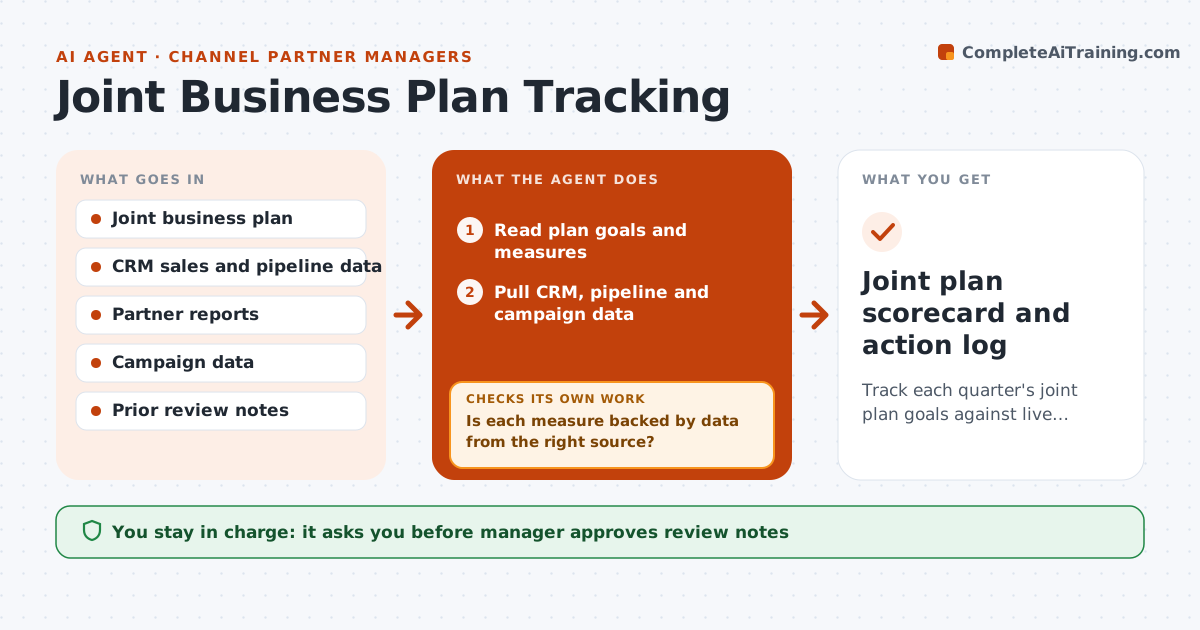
Track each quarter's joint plan goals against live data, explain misses and follow agreed actions
What it does
Joint business plans are written once and rarely checked. Each quarter the agent reads the plan goals and pulls sales, pipeline and campaign data from the CRM and partner reports. It compares each goal with actual results, mid-quarter and at the end. For each miss, it looks for a likely cause, such as a delayed campaign or a drop in leads, and drafts review notes. After actions are agreed, it tracks them and rechecks results the next period. The manager approves the review notes before anything goes to the partner. Edge case: pipeline is ahead of plan but bookings lag, and the agent flags slow conversion rather than praising the number.
How it works
Follow the arrows from top to bottom. The orange dashed arrow is the loop: when a check fails, the agent goes back and tries again.
Read the steps as a list
- Quarter review window
- Read plan goals and measures
- Pull CRM, pipeline and campaign data
- Compare each goal with actuals
- Is each measure backed by data from the right source?If not: Find the source or flag the goal as unmeasurable. Back to step 2.
- Find likely causes for misses
- Draft review notes and suggested actions
- Manager approves the notes before sharingThe agent waits here for your OK.
- Track agreed actions during the next period
- Did results move toward the goals?If not: Recompute causes and propose a new action. Back to step 4.
- Joint plan scorecard and action log
How it decides
Each goal is measured from its source data; a miss gets a likely cause and an action, and the action is rechecked next period.
- Flag a goal as missed when it is under 90% of target
- Check pipeline and bookings separately
- Propose actions only from found causes
- Share notes only after approval
Make it yours
Every agent is a starting point. You choose these settings for your own situation.
- Miss threshold (default 90%)
- Data sources
- Review dates
- Format of review notes
What keeps you in control
It always asks you first
- Manager approves review notes
- Manager approves any change to goals or funding
Hard limits
- Never share a scorecard without approval
- Never estimate a number when data is missing
It stops when
- Done: scorecard and actions agreed
- Stop: data cannot be verified
Set it up
We guide you through the set-up, step by step
Members get the full set-up guide for this agent. No technical skills needed: you copy, paste and upload.
- One set of instructions to paste into your AI, with the clicks for ChatGPT, Claude, Microsoft 365 Copilot, Gemini and Grok
- The agent then walks you through connecting your own data, one source at a time
- A downloadable copy with the flow chart, the rules and the full guide