AI agent for judges
Jury Instruction Assembly Agent
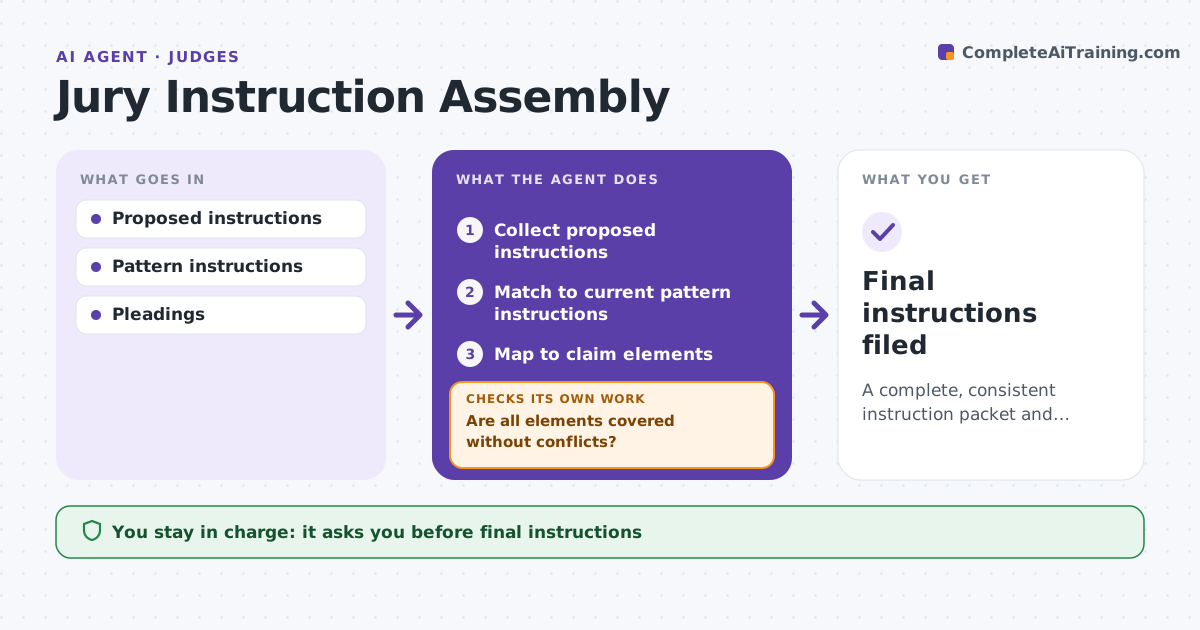
A complete, consistent instruction packet and verdict form
What it does
Jury instructions must cover every element of every claim without contradicting each other, and errors are a common ground for appeal. Before the charge conference, this agent collects the parties' requests, matches them to the pattern instructions for the claims and defenses, and lists differences and objections. It checks that pattern instructions are the current version. It then checks that each element of every claim has an instruction and that no instructions conflict. Gaps and conflicts are listed for the judge, and after the judge's direction it checks again. It drafts the packet and a verdict form consistent with the instructions, flagging any verdict question without a matching instruction. The judge decides the final instructions. Edge case: a pattern instruction was updated after a recent appellate decision, so the agent uses the new version and notes the change.
How it works
Follow the arrows from top to bottom. The orange dashed arrow is the loop: when a check fails, the agent goes back and tries again.
Read the steps as a list
- Charge conference scheduled
- Collect proposed instructions
- Match to current pattern instructions
- Map to claim elements
- Are all elements covered without conflicts?If not: list gaps and conflicts for the judge. Back to step 4.
- Draft packet and verdict form
- Judge decides final instructionsThe agent waits here for your OK.
- Final instructions filed
How it decides
It maps instructions to claim elements and checks for gaps and conflicts.
- Pattern updated: use current
- Element missing: list
- Verdict form question without instruction: flag
Make it yours
Every agent is a starting point. You choose these settings for your own situation.
- Pattern sources
- Packet format
- Verdict form template
- Conflict rules
What keeps you in control
It always asks you first
- Final instructions
Hard limits
- Never rules on objections
- Never contacts parties
It stops when
- Done: filed
- Stop: case settles
Set it up
We guide you through the set-up, step by step
Members get the full set-up guide for this agent. No technical skills needed: you copy, paste and upload.
- One set of instructions to paste into your AI, with the clicks for ChatGPT, Claude, Microsoft 365 Copilot, Gemini and Grok
- The agent then walks you through connecting your own data, one source at a time
- A downloadable copy with the flow chart, the rules and the full guide