AI agent for laboratory technicians
Lab Equipment Calibration Schedule Agent
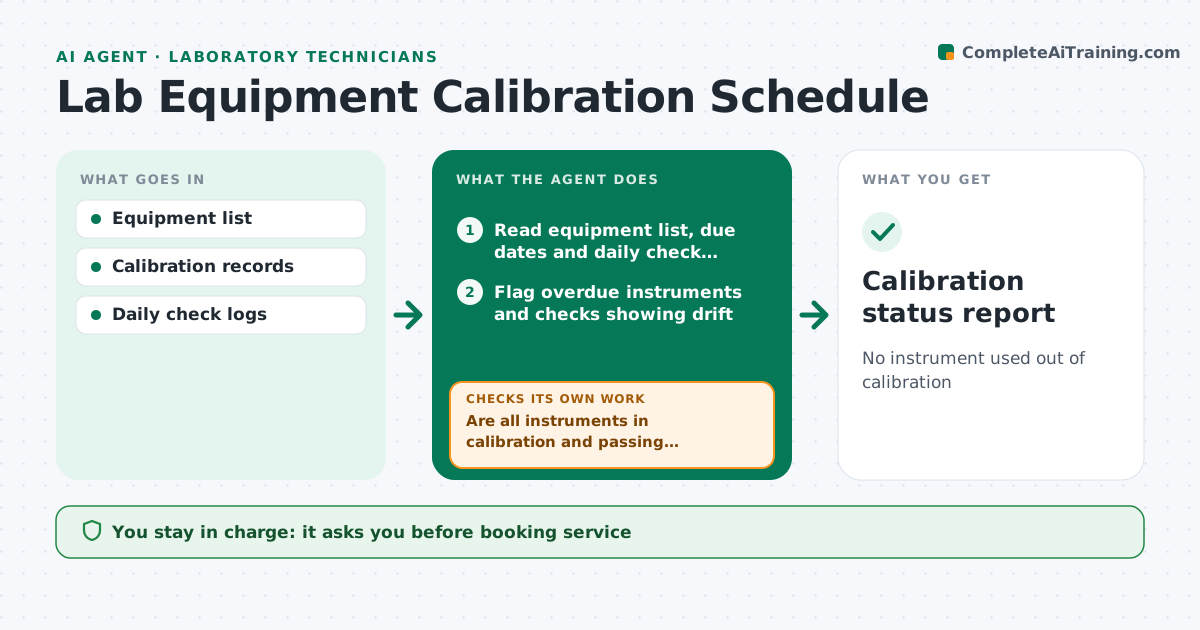
No instrument used out of calibration
What it does
Balances, pipettes, pH meters and other instruments need regular checks and calibration, and an overdue one can put weeks of results in question. This agent keeps the equipment list with due dates, books calibrations, and reminds owners ahead of time. It reads daily check results and flags drift. If an instrument is overdue or fails a check, it marks it out of service in the system and lists every test run with it since the last good check. It then confirms each out-of-service item has a service booking and an impact list. If no vendor slot is free, it looks for another vendor or a backup instrument. You approve service bookings and the impact review. Edge case: a pipette that fails calibration triggers a list of all results produced with it since the last pass.
How it works
Follow the arrows from top to bottom. The orange dashed arrow is the loop: when a check fails, the agent goes back and tries again.
Read the steps as a list
- Daily calibration check
- Read equipment list, due dates and daily check results
- Flag overdue instruments and checks showing drift
- Are all instruments in calibration and passing checks?If not: mark failing instruments out of service and list tests run since the last good check. Back to step 3.
- Draft service bookings for items due within 30 days
- Does every out-of-service item have a booking and an impact list?If not: find another vendor slot or a backup instrument. Back to step 5.
- Technician approves bookings and impact reviewThe agent waits here for your OK.
- Calibration status report
How it decides
It flags instruments overdue or failing checks and finds affected results.
- Mark overdue instruments out of service
- List results since last good check
- Book service ahead of due date
Make it yours
Every agent is a starting point. You choose these settings for your own situation.
- Reminder lead time
- Drift limits
- Equipment list
- Report format
What keeps you in control
It always asks you first
- Booking service
- Impact assessments
Hard limits
- Never alters results
It stops when
- Done: status updated
- Stop: records missing
Set it up
We guide you through the set-up, step by step
Members get the full set-up guide for this agent. No technical skills needed: you copy, paste and upload.
- One set of instructions to paste into your AI, with the clicks for ChatGPT, Claude, Microsoft 365 Copilot, Gemini and Grok
- The agent then walks you through connecting your own data, one source at a time
- A downloadable copy with the flow chart, the rules and the full guide