AI agent for laboratory technicians
Reagent Lot Qualification Agent
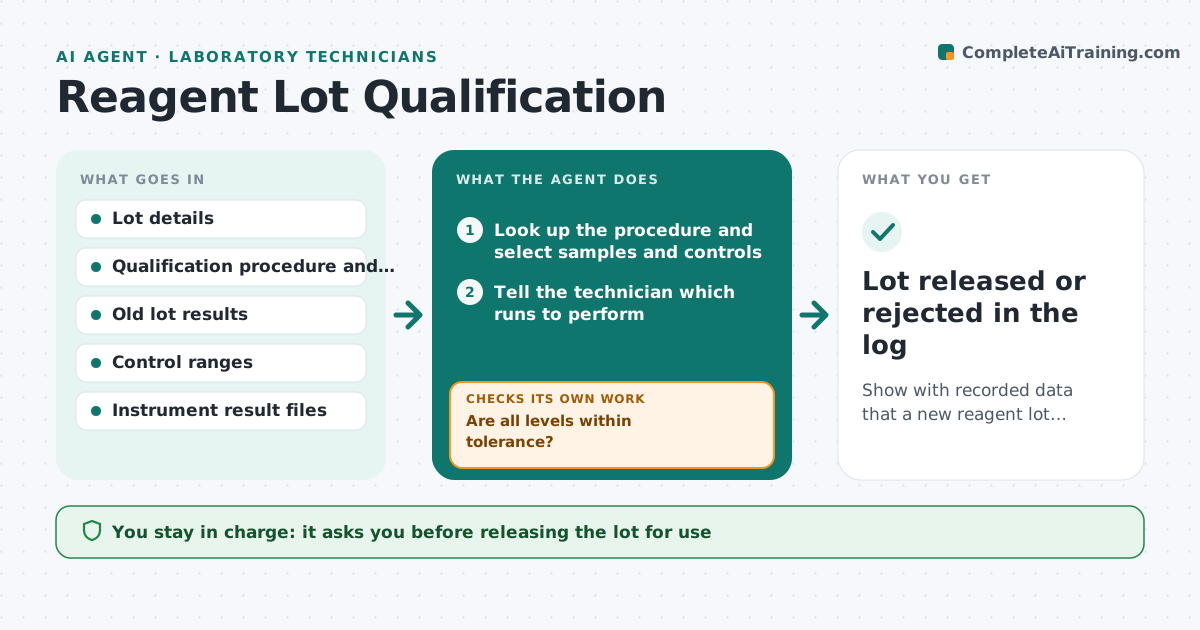
Show with recorded data that a new reagent lot performs like the old lot before it is used for real samples.
What it does
A new reagent lot can shift results slightly, and the shift is only noticed after patient or sample results drift. This agent starts when a new lot is logged. It picks the qualification samples and controls required by the lab's procedure, tells the technician what to run, and reads the results from the instrument file. It compares the new lot to the old lot and to control ranges using the lab's tolerances, looking at bias and spread, not just pass or fail. If a result is outside tolerance, it requests a rerun, checks for obvious errors such as a wrong calibrator or expired material, and compares again. It records the outcome in the lot log. It never releases a lot. The lead approves use. Edge case: a shift in one level only is flagged for a closer look.
How it works
Follow the arrows from top to bottom. The orange dashed arrow is the loop: when a check fails, the agent goes back and tries again.
Read the steps as a list
- New lot logged
- Look up the procedure and select samples and controls
- Tell the technician which runs to perform
- Read the new lot and old lot results from the instrument files
- Calculate bias and spread against the tolerance
- Are all levels within tolerance?If not: check calibrator, expiry and run notes, then request a rerun. Back to step 4.
- Do the reruns agree with the first run?If not: mark the lot as failing and recommend contacting the supplier. Back to step 4.
- Write the qualification record
- Lead approves the lot for useThe agent waits here for your OK.
- Lot released or rejected in the log
How it decides
It accepts a lot only if the mean difference to the old lot and the control results are within the lab's tolerance at every level tested.
- Reject a lot if bias exceeds the tolerance at any level
- Request one rerun before failing a lot
- Flag a lot where only one level shifts for lead review
- Require at least the number of samples the procedure sets
Make it yours
Every agent is a starting point. You choose these settings for your own situation.
- Tolerance per analyte (default 3% bias)
- Number of qualification samples
- Controls and levels
- Rerun limit (default 1)
- Record format
What keeps you in control
It always asks you first
- Releasing the lot for use
- Rejecting a lot and contacting the supplier
Hard limits
- Never mark a lot in use
- Keep every raw result with the record
It stops when
- Done: the lot passes and is approved, or is rejected with a record
- Stop: material is missing for the required runs
Set it up
We guide you through the set-up, step by step
Members get the full set-up guide for this agent. No technical skills needed: you copy, paste and upload.
- One set of instructions to paste into your AI, with the clicks for ChatGPT, Claude, Microsoft 365 Copilot, Gemini and Grok
- The agent then walks you through connecting your own data, one source at a time
- A downloadable copy with the flow chart, the rules and the full guide