AI agent for veterinarians
Lab Send-Out Tracking Agent
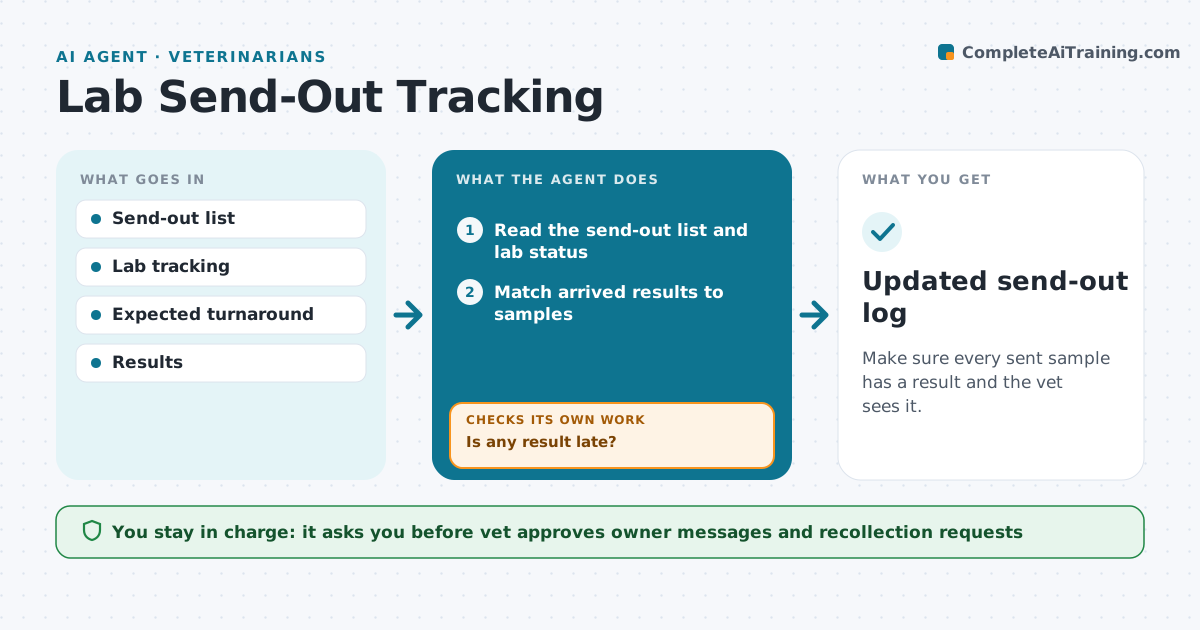
Make sure every sent sample has a result and the vet sees it.
What it does
Samples sent to outside labs can go missing, and results come back late or to the wrong place. Every day this agent checks the list of samples sent, the date each was shipped and the expected turnaround. It matches arrived results to the sample and flags abnormal values for the vet. If a result is late, it contacts the lab and records the answer. When the owner needs an update, it drafts a message for the vet to approve. Edge case: the lab reports the sample was damaged, so the agent flags the vet and drafts a request for a new sample.
How it works
Follow the arrows from top to bottom. The orange dashed arrow is the loop: when a check fails, the agent goes back and tries again.
Read the steps as a list
- Daily check
- Read the send-out list and lab status
- Match arrived results to samples
- Flag abnormal results for the vet
- Is any result late?If not: contact the lab and record the answer. Back to step 2.
- Check for lost or damaged samples
- Vet approves any owner message and any recollectionThe agent waits here for your OK.
- Send the owner update
- Did the lab confirm a new date or sample?If not: repeat the contact next day and tell the vet. Back to step 6.
- Updated send-out log
How it decides
A result is late when the turnaround time passes with no report. Abnormal values go to the vet at once.
- Mark late after the stated turnaround plus 1 day
- Send abnormal results to the vet immediately
- Contact the lab by phone task after 2 days late
- Request a new sample if the lab reports damage
Make it yours
Every agent is a starting point. You choose these settings for your own situation.
- Turnaround per lab
- Late rule (default +1 day)
- Message wording
- Who is told about abnormal results
What keeps you in control
It always asks you first
- Vet approves owner messages and recollection requests
Hard limits
- Never give results to owners
- Never discard a sample record
It stops when
- Done: all results received
- Stop: lab cannot find the sample, vet decides
Set it up
We guide you through the set-up, step by step
Members get the full set-up guide for this agent. No technical skills needed: you copy, paste and upload.
- One set of instructions to paste into your AI, with the clicks for ChatGPT, Claude, Microsoft 365 Copilot, Gemini and Grok
- The agent then walks you through connecting your own data, one source at a time
- A downloadable copy with the flow chart, the rules and the full guide