AI agent for veterinarians
Travel Health Certificate Agent
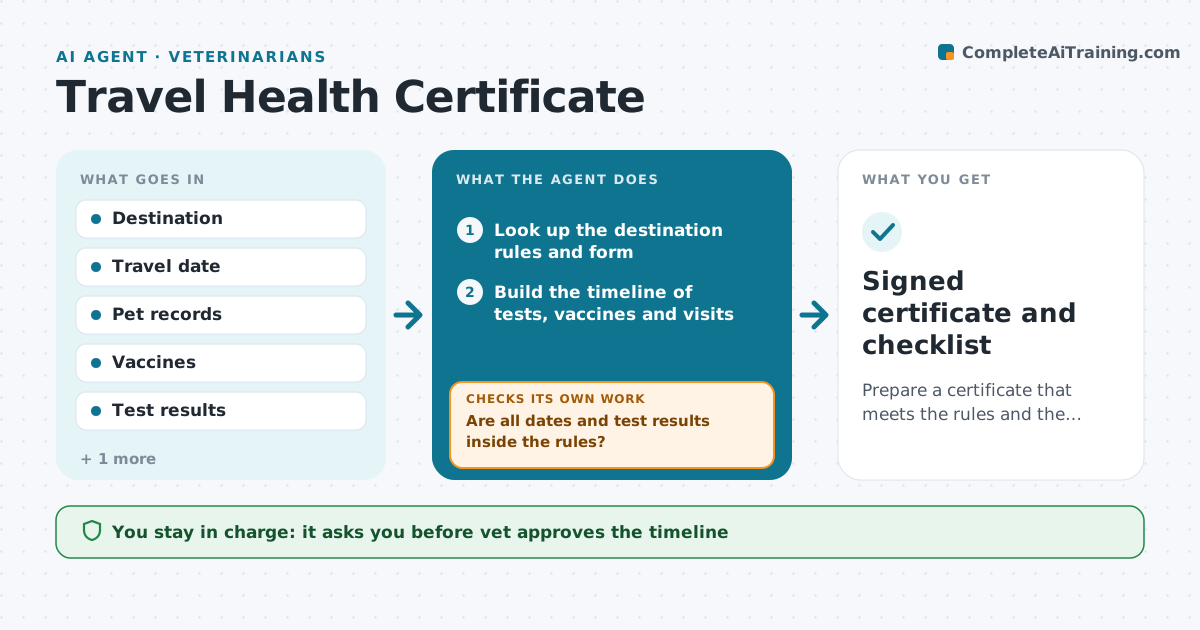
Prepare a certificate that meets the rules and the travel date.
What it does
Travel health certificates have strict rules, such as test timing, vaccination dates and approved forms, and a small miss can block travel. When a trip is booked, this agent finds the destination's rules, builds a timeline of tests and visits, and checks the pet's records against it. It lists what must happen and when. If a test result or date falls outside the rule, it replans the timeline before the vet signs. It checks the documents and drafts the certificate. The vet reviews and signs. Edge case: the rules changed since the last trip, so the agent shows what is new and the source.
How it works
Follow the arrows from top to bottom. The orange dashed arrow is the loop: when a check fails, the agent goes back and tries again.
Read the steps as a list
- A trip is booked
- Look up the destination rules and form
- Build the timeline of tests, vaccines and visits
- Check the pet's records against the timeline
- Are all dates and test results inside the rules?If not: replan the timeline and tell the vet. Back to step 3.
- Draft the certificate
- Vet approves the plan and appointmentsThe agent waits here for your OK.
- Book the visits and send the owner the timeline
- Do the final documents match the rules and travel date?If not: correct the form and recheck. Back to step 3.
- Vet signs the certificateThe agent waits here for your OK.
- Signed certificate and checklist
How it decides
It works backward from the travel date. A step that falls outside the allowed window triggers a replan.
- Use only the official rules source
- Check test timing such as antibody tests
- Check vaccine dates before travel
- Alert the vet if the timeline cannot meet the date
Make it yours
Every agent is a starting point. You choose these settings for your own situation.
- Rules source
- Form types
- Lead time warnings (default 60 days)
- Owner message style
What keeps you in control
It always asks you first
- Vet approves the timeline
- Vet signs the certificate
Hard limits
- Never sign for the vet
- Never use unofficial rules
It stops when
- Done: certificate signed on time
- Stop: rules cannot be met by the travel date, vet tells the owner
Set it up
We guide you through the set-up, step by step
Members get the full set-up guide for this agent. No technical skills needed: you copy, paste and upload.
- One set of instructions to paste into your AI, with the clicks for ChatGPT, Claude, Microsoft 365 Copilot, Gemini and Grok
- The agent then walks you through connecting your own data, one source at a time
- A downloadable copy with the flow chart, the rules and the full guide