AI agent for psychologists
Visit Note Completion Agent
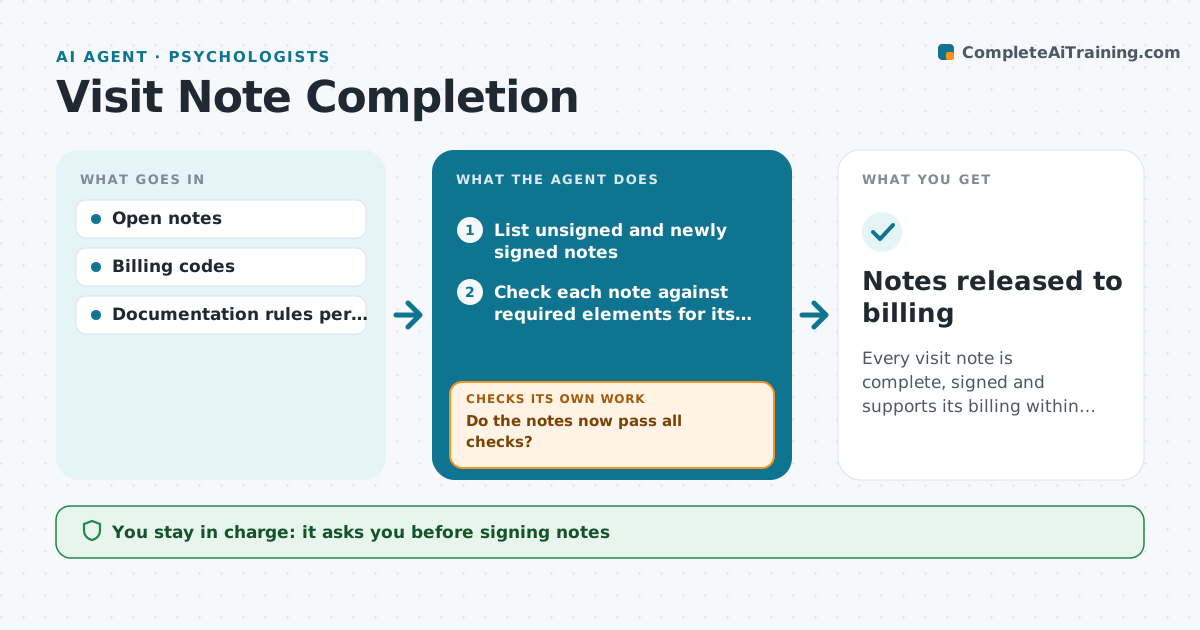
Every visit note is complete, signed and supports its billing within the deadline
What it does
A visit note must be signed and must contain the elements that support the billed service, such as time, medical necessity and the plan. Unsigned or thin notes hold up claims. Each day this agent checks every open and recently signed note. It compares each note with the required elements for its visit type and billing code, lists what is missing, and sends the clinician a short daily list sorted by age. After edits, it checks again. Notes that still fail stay on the list, and those past the set age go to the practice manager. It does not write clinical content, but it can lay out structure from what the clinician dictated. The clinician signs every note and releases held claims. Edge case: when billed time does not match the time in the note, the claim is held until one is fixed.
How it works
Follow the arrows from top to bottom. The orange dashed arrow is the loop: when a check fails, the agent goes back and tries again.
Read the steps as a list
- Daily note sweep
- List unsigned and newly signed notes
- Check each note against required elements for its code
- Send each clinician their list, oldest first
- Clinician completes and signs notesThe agent waits here for your OK.
- Do the notes now pass all checks?If not: keep them on the list, escalate after the age limit. Back to step 3.
- Notes released to billing
How it decides
Each note is tested against the rule list for its code. Missing elements or unsigned notes go on the clinician's list, oldest first.
- Notes over 3 days old go to the top
- Time mismatches hold the claim
- Notes over 7 days old are escalated
Make it yours
Every agent is a starting point. You choose these settings for your own situation.
- Age limits for escalation
- Rule list per visit type
- List delivery time
- Who gets escalations
What keeps you in control
It always asks you first
- Signing notes
- Releasing held claims
Hard limits
- The agent never signs or adds findings
- No claim released while a mismatch is open
It stops when
- Done: all notes pass
- Stop: clinician on leave, route to manager
Set it up
We guide you through the set-up, step by step
Members get the full set-up guide for this agent. No technical skills needed: you copy, paste and upload.
- One set of instructions to paste into your AI, with the clicks for ChatGPT, Claude, Microsoft 365 Copilot, Gemini and Grok
- The agent then walks you through connecting your own data, one source at a time
- A downloadable copy with the flow chart, the rules and the full guide