AI agent for veterinarians
Weight Management Program Agent
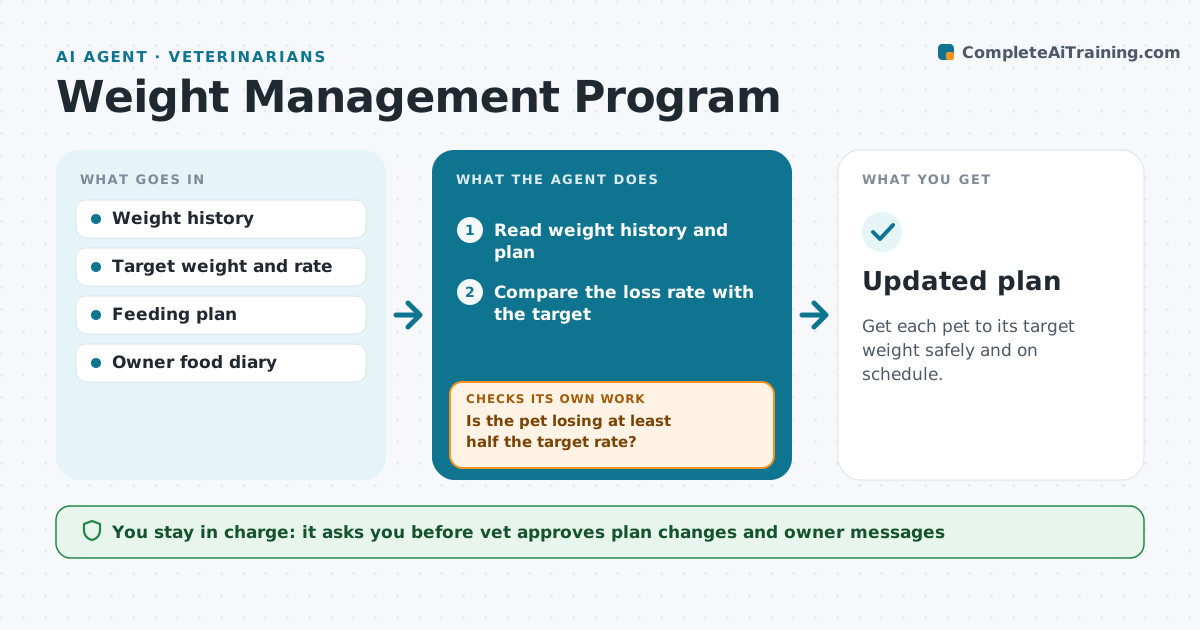
Get each pet to its target weight safely and on schedule.
What it does
Weight loss in pets fails when owners are unsure about food amounts and nobody follows up. At each weigh-in, this agent records the weight and compares it with the target rate. If the pet is losing as planned, it reminds the owner and schedules the next weigh-in. If not, it checks feeding records such as measured portions, treats and exercise, and changes the plan, for example reducing calories or changing the food type. The vet approves each change. The agent sends the owner clear instructions and tracks the next weigh-in. Edge case: the pet is losing too fast, so the agent flags the vet for a health check.
How it works
Follow the arrows from top to bottom. The orange dashed arrow is the loop: when a check fails, the agent goes back and tries again.
Read the steps as a list
- A weigh-in is recorded
- Read weight history and plan
- Compare the loss rate with the target
- Is the pet losing at least half the target rate?If not: check the feeding record for portions, treats and exercise. Back to step 3.
- Draft a plan change if the record is accurate
- Vet approves the plan changeThe agent waits here for your OK.
- Send the owner the new amounts and schedule
- Schedule the next weigh-in
- Is the loss rate within the safe range?If not: flag the vet for a health check. Back to step 3.
- Updated plan
How it decides
It changes the plan when the pet loses less than half the target rate for two weigh-ins. It flags loss that is too fast.
- Target loss of 1 to 2% of body weight per week
- Change the plan after two weigh-ins below half the target
- Flag loss above 3% per week
- Ask for a food diary after one weigh-in with no loss
Make it yours
Every agent is a starting point. You choose these settings for your own situation.
- Target loss rate (default 1 to 2% per week)
- Weigh-in interval
- Reminder timing
- Food types
What keeps you in control
It always asks you first
- Vet approves plan changes and owner messages
Hard limits
- Never change a diet without the vet
- Never ignore fast loss
It stops when
- Done: target weight reached
- Stop: health problem found, vet takes over
Set it up
We guide you through the set-up, step by step
Members get the full set-up guide for this agent. No technical skills needed: you copy, paste and upload.
- One set of instructions to paste into your AI, with the clicks for ChatGPT, Claude, Microsoft 365 Copilot, Gemini and Grok
- The agent then walks you through connecting your own data, one source at a time
- A downloadable copy with the flow chart, the rules and the full guide