AI agent for laboratory managers
Lab Staff Training Record Compliance Agent
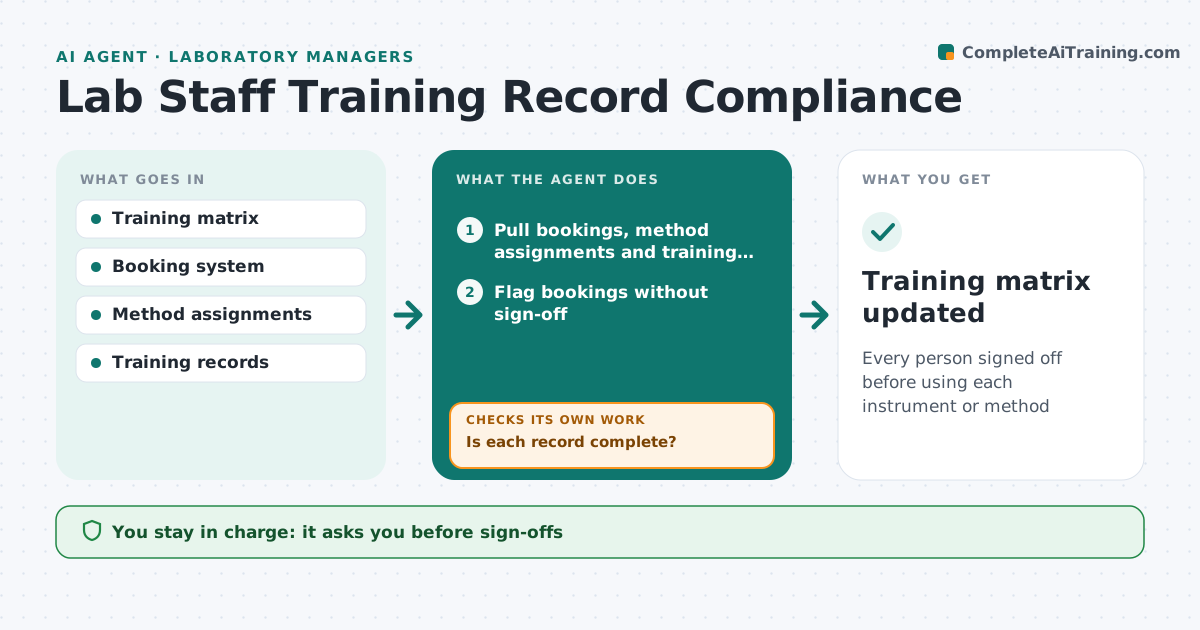
Every person signed off before using each instrument or method
What it does
Each lab method and instrument requires training and sign-off before use, and an unsigned user is a safety and quality risk. Every day this agent compares instrument bookings and method assignments with the training matrix and flags anyone booked for something they are not signed off on. Without sign-off, use is supervised only. It reminds trainees and trainers of pending sign-offs and yearly refreshers. It checks training records for signatures and dates; incomplete records go back to the trainer. If a trainer leaves, it finds another qualified trainer for their trainees. It drafts onboarding plans for new staff. The lab manager approves sign-offs and any temporary supervised use. Edge case: a trainer leaves mid-cycle, so the agent reassigns pending trainees to another trainer who holds the qualification.
How it works
Follow the arrows from top to bottom. The orange dashed arrow is the loop: when a check fails, the agent goes back and tries again.
Read the steps as a list
- Daily booking check
- Pull bookings, method assignments and training matrix
- Flag bookings without sign-off
- Check training records for signatures and dates
- Is each record complete?If not: send back to trainer to complete. Back to step 4.
- Does each pending trainee have a current qualified trainer?If not: find another qualified trainer and reassign. Back to step 3.
- Send reminders for pending sign-offs and refreshers
- Lab manager approves sign-off or supervised useThe agent waits here for your OK.
- Training matrix updated
How it decides
It matches bookings to sign-offs and blocks or flags gaps.
- No sign-off means supervised use only
- Refreshers due yearly
- New trainers must be qualified themselves
Make it yours
Every agent is a starting point. You choose these settings for your own situation.
- Instruments and methods tracked
- Refresher interval
- Reminder frequency
- Exception rules
What keeps you in control
It always asks you first
- Sign-offs
- Supervised use exceptions
Hard limits
- Never signs off staff
- Personal records seen only by the manager
It stops when
- Done: all bookings covered
- Stop: safety-critical gap, cancel booking pending approval
Set it up
We guide you through the set-up, step by step
Members get the full set-up guide for this agent. No technical skills needed: you copy, paste and upload.
- One set of instructions to paste into your AI, with the clicks for ChatGPT, Claude, Microsoft 365 Copilot, Gemini and Grok
- The agent then walks you through connecting your own data, one source at a time
- A downloadable copy with the flow chart, the rules and the full guide