AI agent for laboratory managers
Research Equipment Booking Constraint Agent
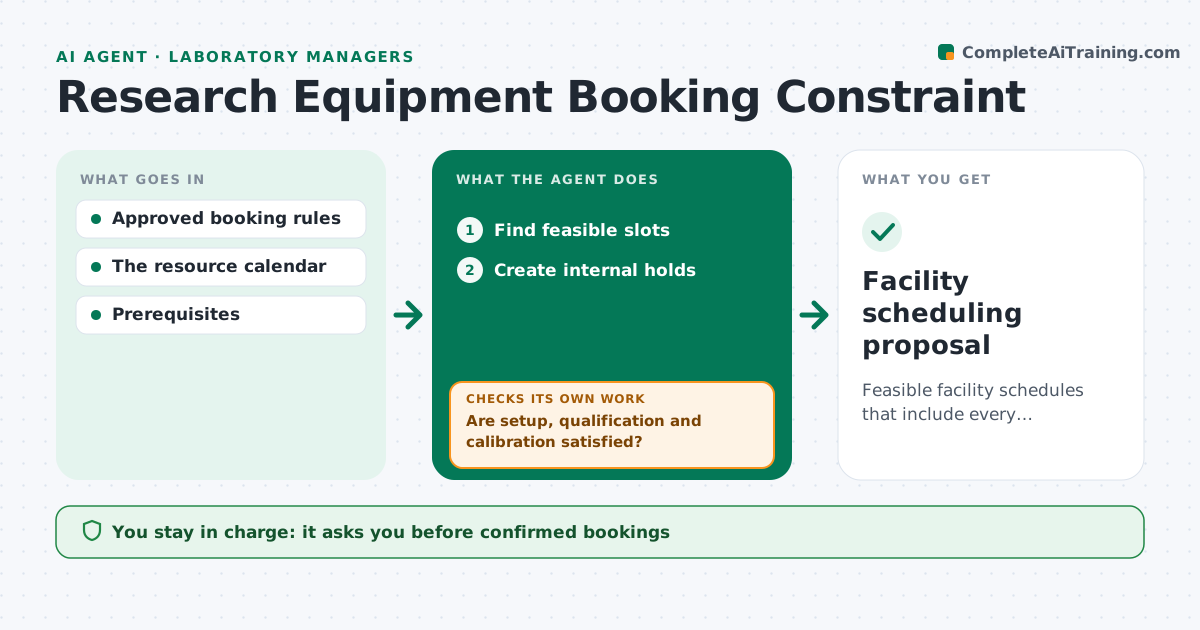
Feasible facility schedules that include every prerequisite.
What it does
Shared research facility bookings often ignore setup, qualification and calibration time, so experiments collide or start on uncalibrated equipment. This agent takes a booking request and searches for slots that satisfy all rules: setup time, user qualification for the instrument, calibration windows and cleaning time between users. It creates internal holds on feasible slots and watches for changes in availability, such as maintenance or a cancelled calibration. When a hold is no longer feasible, it releases it and proposes another slot. Confirmed bookings stay with the facility manager. Edge case: a user whose instrument training has expired gets no hold until the training is renewed.
How it works
Follow the arrows from top to bottom. The orange dashed arrow is the loop: when a check fails, the agent goes back and tries again.
Read the steps as a list
- Booking requested
- Find feasible slots
- Are setup, qualification and calibration satisfied?If not: pick another slot. Back to step 2.
- Create internal holds
- Is the slot still feasible after changes?If not: release holds and propose another. Back to step 2.
- Facility manager confirmsThe agent waits here for your OK.
- Facility scheduling proposal
How it decides
It schedules only feasible slots and revises on changes.
- No hold for users with expired qualification.
- Calibration and cleaning time are always blocked.
- Holds are released when no longer feasible.
- Only the facility manager confirms bookings.
Make it yours
Every agent is a starting point. You choose these settings for your own situation.
- Setup, calibration and cleaning times per instrument
- Qualification records to check
- How long holds last before release (default 48 hours)
- Who confirms bookings (default: facility manager)
- Notification channel for changes
What keeps you in control
It always asks you first
- Confirmed bookings
- Equipment safety sign-off
Hard limits
- Only agent-created holds released.
It stops when
- Done: proposal confirmed.
Set it up
We guide you through the set-up, step by step
Members get the full set-up guide for this agent. No technical skills needed: you copy, paste and upload.
- One set of instructions to paste into your AI, with the clicks for ChatGPT, Claude, Microsoft 365 Copilot, Gemini and Grok
- The agent then walks you through connecting your own data, one source at a time
- A downloadable copy with the flow chart, the rules and the full guide