AI agent for laboratory managers
Lab Waste Disposal Compliance Agent
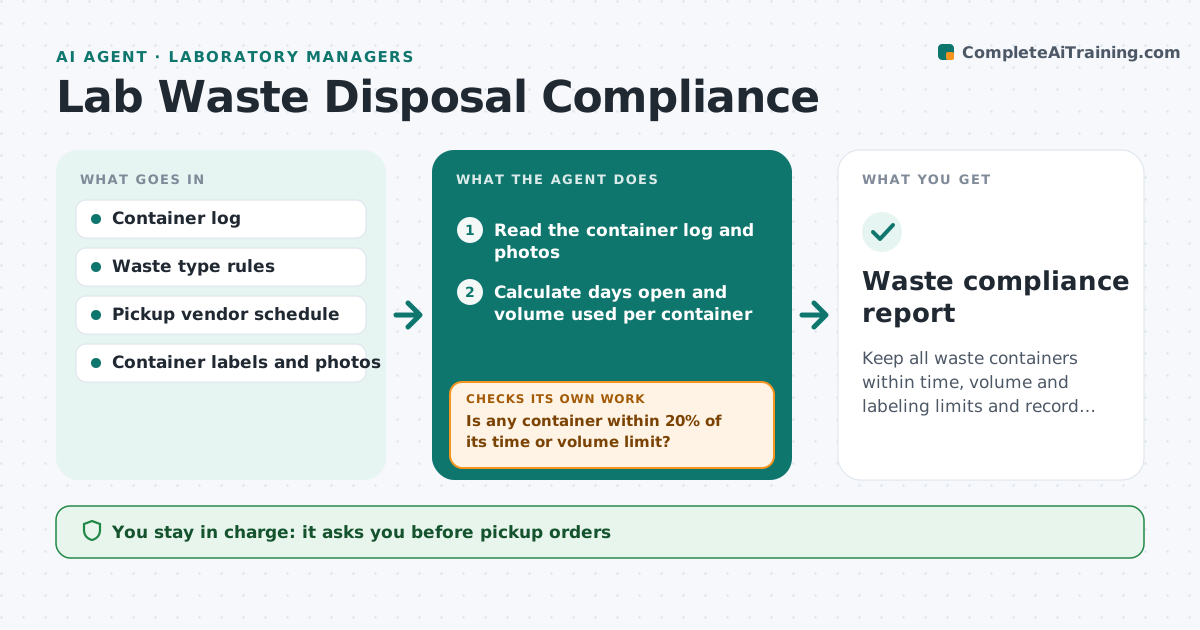
Keep all waste containers within time, volume and labeling limits and record every pickup.
What it does
Chemical and biological waste containers must be picked up within a set number of days and must not exceed volume limits. Labels must be complete. In a busy lab containers sit for months. This agent tracks container start dates, volumes and waste types. It flags containers that are close to the time or volume limit, schedules pickups with the vendor, and checks labels and logs for missing information. After a pickup, it checks that the container left the lab and the record was closed. It rechecks weekly. The manager approves each pickup order. Edge case: a container with an unreadable label is moved to a hold list until someone confirms its contents.
How it works
Follow the arrows from top to bottom. The orange dashed arrow is the loop: when a check fails, the agent goes back and tries again.
Read the steps as a list
- Weekly waste review begins
- Read the container log and photos
- Calculate days open and volume used per container
- Is any container within 20% of its time or volume limit?If not: Mark as ok and review again next week. Back to step 3.
- Is every container fully and clearly labeled?If not: Put the container on the hold list and ask the owner to relabel. Back to step 3.
- Draft a pickup request with the vendor
- Manager approves the pickup orderThe agent waits here for your OK.
- Send the order and confirm the date
- Check the log after pickup
- Is the container removed and its record closed?If not: Chase the vendor and keep the container on the list. Back to step 3.
- Waste compliance report
How it decides
Compares each container's age and volume to the limits for its waste type and flags those within 20% of a limit.
- Pickup request when a container reaches 80% of the limit
- Unlabeled or unreadable container is held and reported at once
- Waste types are never combined in one request
- Close a record only after vendor confirmation
Make it yours
Every agent is a starting point. You choose these settings for your own situation.
- Time limit per waste type
- Volume warning level (default 80%)
- Vendor schedule
- Label rules
- Who owns each area
What keeps you in control
It always asks you first
- Pickup orders
- Any change in disposal method
- Closing a record without vendor proof
Hard limits
- Never handle or move containers
- Never mix waste streams in a plan
It stops when
- Done: no container over limit
- Stop: spill or safety incident
- Stop: vendor unavailable, manager decides
Set it up
We guide you through the set-up, step by step
Members get the full set-up guide for this agent. No technical skills needed: you copy, paste and upload.
- One set of instructions to paste into your AI, with the clicks for ChatGPT, Claude, Microsoft 365 Copilot, Gemini and Grok
- The agent then walks you through connecting your own data, one source at a time
- A downloadable copy with the flow chart, the rules and the full guide