AI agent for regulatory affairs specialists
Label Artwork Compliance Review Agent
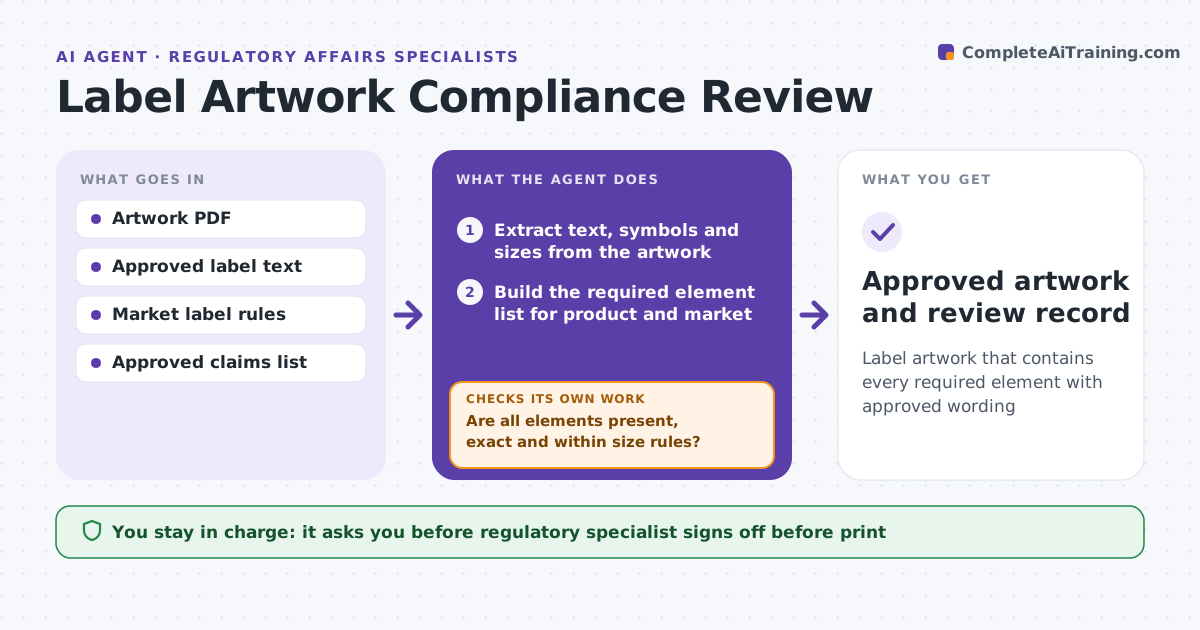
Label artwork that contains every required element with approved wording
What it does
Every label and package must carry the required statements, symbols, warnings and identifiers for each market, and small artwork edits often break something else. This agent extracts text, symbols and sizes from the uploaded artwork and builds the required element list for the product and market. It compares the artwork with the approved text and claims list, word for word. Any claim not on the approved list is flagged. It checks that every element is present, exact and within font size rules, marks issues on a proof and returns it to the designer. On each new round it re-checks earlier issues first, then compares the whole file with the previous version to catch new breaks. The regulatory specialist signs off. Edge case: an unapproved claim is flagged even if it seems harmless.
How it works
Follow the arrows from top to bottom. The orange dashed arrow is the loop: when a check fails, the agent goes back and tries again.
Read the steps as a list
- Artwork uploaded
- Extract text, symbols and sizes from the artwork
- Build the required element list for product and market
- Compare artwork content with approved text and claims
- Are all elements present, exact and within size rules?If not: mark issues on the proof and return to the designer for the next round. Back to step 2.
- Compare the new round with the previous version
- Did nothing that passed before change or disappear?If not: mark the new break on the proof and return it to the designer. Back to step 5.
- Regulatory specialist signs off the artworkThe agent waits here for your OK.
- Approved artwork and review record
How it decides
Each required element must be present with exact approved wording and meet size rules. Any extra claim not on the approved list is flagged.
- Wording must match approved text exactly
- Unapproved claims are flagged
- Previous round issues are re-checked first
Make it yours
Every agent is a starting point. You choose these settings for your own situation.
- Markets and label rules
- Font size thresholds
- Approved claims list
- Proof markup format
What keeps you in control
It always asks you first
- Regulatory specialist signs off before print
Hard limits
- Never releases artwork to print
- Does not write new claims
It stops when
- Done: artwork approved
- Stop: approved label text not available
Set it up
We guide you through the set-up, step by step
Members get the full set-up guide for this agent. No technical skills needed: you copy, paste and upload.
- One set of instructions to paste into your AI, with the clicks for ChatGPT, Claude, Microsoft 365 Copilot, Gemini and Grok
- The agent then walks you through connecting your own data, one source at a time
- A downloadable copy with the flow chart, the rules and the full guide