AI agent for fundraisers
Lapsed Donor Reactivation Agent
Bring lapsed donors back to giving with relevant, timely outreach
What it does
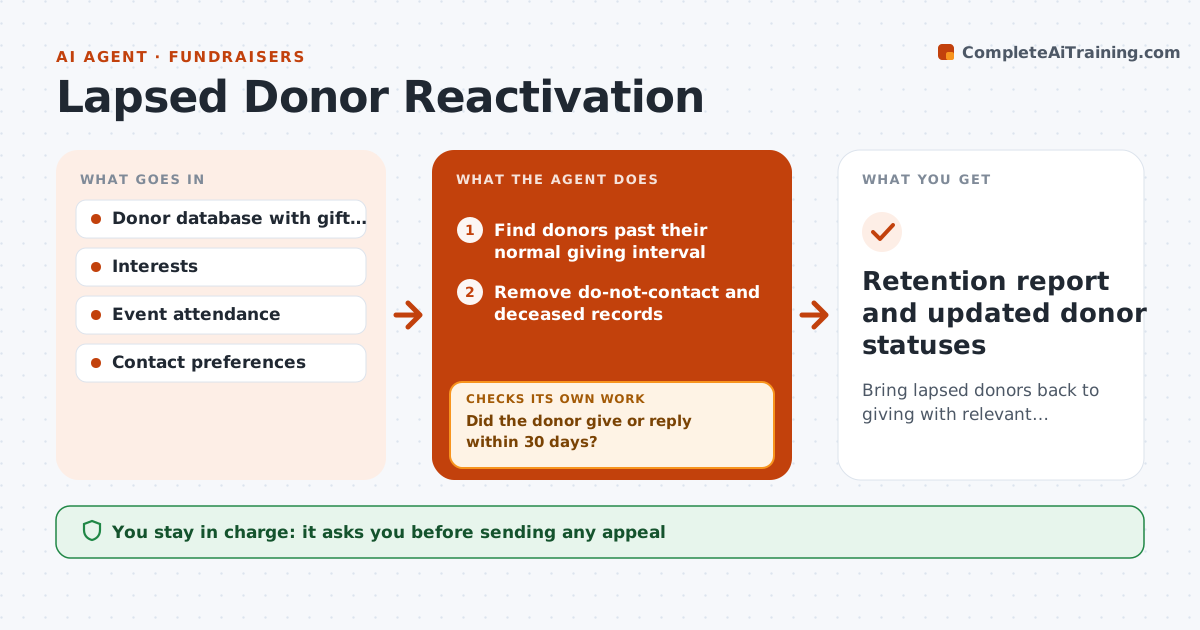
Many donors give once or twice and then drift away without anyone noticing. Each month this agent finds donors whose last gift is older than their usual interval plus one month, such as annual donors past 13 months. It removes do-not-contact and deceased records first. It looks at each donor's history, interests, event attendance and past appeals they answered, and segments them by giving level and interest. It drafts a reactivation message for each segment tied to a program they cared about. Donors above the major level get a call task instead of an email. The fundraiser approves messages and the send list. Thirty days later it checks who gave or replied; donors who gave move back to active, and others get a different channel next round. It stops after three attempts in a year. Edge case: deceased and do-not-contact donors are always excluded.
How it works
Follow the arrows from top to bottom. The orange dashed arrow is the loop: when a check fails, the agent goes back and tries again.
Read the steps as a list
- Monthly retention review
- Find donors past their normal giving interval
- Remove do-not-contact and deceased records
- Segment by giving level and interest
- Draft reactivation messages per segment
- Fundraiser approves messages and send listThe agent waits here for your OK.
- Did the donor give or reply within 30 days?If not: switch channel, for example from email to letter or call, for the next round. Back to step 5.
- Retention report and updated donor statuses
How it decides
A donor is lapsed when their last gift is older than their typical interval plus one month. Segments follow giving level and past interest.
- Lapsed equals usual interval plus one month
- Donors above the major level get a call task, not an email
- Stop after three attempts in a year
Make it yours
Every agent is a starting point. You choose these settings for your own situation.
- Lapse definition
- Attempts per year (default 3)
- Channels used
- Segment rules
What keeps you in control
It always asks you first
- Sending any appeal
- Assigning call tasks to staff
Hard limits
- Never contacts donors who opted out
- Never mentions gift amounts in messages
It stops when
- Done: three attempts made or donor reactivated
- Stop: donor opts out
Set it up
We guide you through the set-up, step by step
Members get the full set-up guide for this agent. No technical skills needed: you copy, paste and upload.
- One set of instructions to paste into your AI, with the clicks for ChatGPT, Claude, Microsoft 365 Copilot, Gemini and Grok
- The agent then walks you through connecting your own data, one source at a time
- A downloadable copy with the flow chart, the rules and the full guide