AI agent for judges
Law Reform and Local Rule Change Briefing Agent
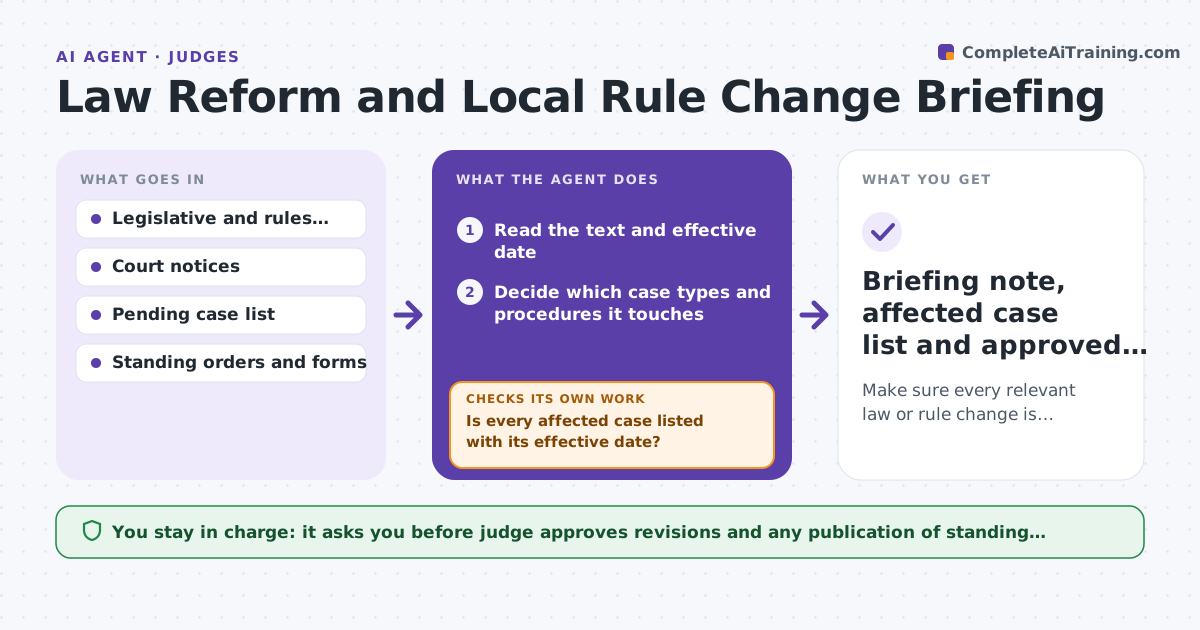
Make sure every relevant law or rule change is matched to pending cases and standing orders before it takes effect.
What it does
New statutes and amended court rules take effect in the middle of the year, and a judge has to know how they change pending cases. The agent monitors the legislature, the rules committee and supreme court notices, then matches each change to the judge's pending case types and lists the affected cases by effective date. It then checks the judge's standing orders and forms for conflicts with the new text and drafts proposed revisions with the old and new wording side by side. If a change turns out not to apply, it records why. The judge approves revisions before anything is published. Edge case: an amended rule changes a response deadline from 21 to 14 days, so the agent finds 12 standing orders that repeat 21.
How it works
Follow the arrows from top to bottom. The orange dashed arrow is the loop: when a check fails, the agent goes back and tries again.
Read the steps as a list
- New law or rule change published
- Read the text and effective date
- Decide which case types and procedures it touches
- Search pending cases for matching types
- Is every affected case listed with its effective date?If not: Widen the search terms and re-check the docket. Back to step 3.
- Search standing orders and forms for the old text
- Draft revisions with old and new wording
- Do the revisions remove every conflict?If not: Fix remaining conflicts and re-run the search. Back to step 6.
- Judge approves revisions and publicationThe agent waits here for your OK.
- Briefing note, affected case list and approved revisions
How it decides
A change is relevant when it touches a case type or procedure in the judge's pending cases. It is then checked against every standing order and form that cites the old rule.
- Changes taking effect within 30 days are ranked first
- A standing order that repeats a changed deadline must be revised
- A change with no matching case type is recorded as not applicable
- Transitional rules are checked for pending cases
Make it yours
Every agent is a starting point. You choose these settings for your own situation.
- Sources monitored
- Warning window before effective date (default 30 days)
- Case types in scope
- Who else receives the briefing
What keeps you in control
It always asks you first
- Judge approves revisions and any publication of standing orders
Hard limits
- Never interprets how the change applies to a specific case
- Never publishes a revised order
It stops when
- Done: revisions approved and published
- Stop: change is delayed or struck, so the briefing is updated
Set it up
We guide you through the set-up, step by step
Members get the full set-up guide for this agent. No technical skills needed: you copy, paste and upload.
- One set of instructions to paste into your AI, with the clicks for ChatGPT, Claude, Microsoft 365 Copilot, Gemini and Grok
- The agent then walks you through connecting your own data, one source at a time
- A downloadable copy with the flow chart, the rules and the full guide