AI agent for online course creators
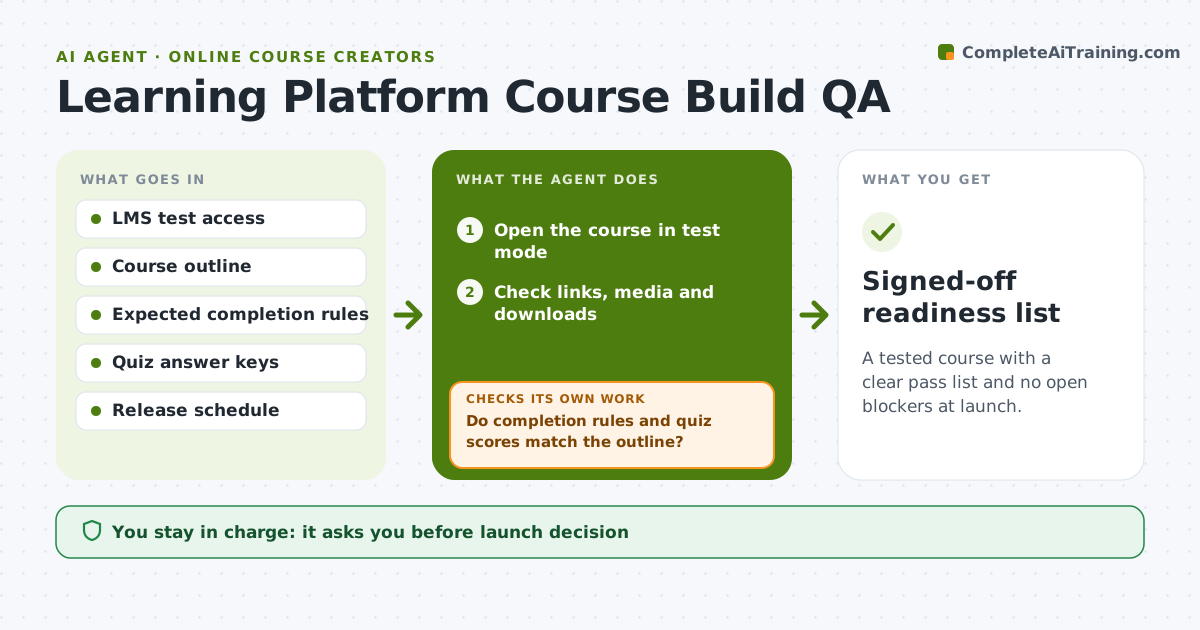
Learning Platform Course Build QA Agent
A tested course with a clear pass list and no open blockers at launch.
What it does
Learners enroll, and then someone finds the quiz scores zero for correct answers or the certificate never appears. This agent walks the course in the LMS test mode before launch, as a learner would. It checks links, downloads and videos, then completes lessons and quizzes with test answers to confirm that completion rules, quiz scoring, release dates and certificates behave as the outline says. Each failure is logged with where it happened and what was expected, and the agent re-checks every failed item after the designer fixes it, along with related items. It then writes a launch-readiness list showing what passed and what is still open. Edge case: a module releases on the wrong day because of a timezone setting, so the agent flags the date and the setting to change. The designer approves launch.
How it works
Follow the arrows from top to bottom. The orange dashed arrow is the loop: when a check fails, the agent goes back and tries again.
Read the steps as a list
- Course build complete in the LMS
- Open the course in test mode
- Check links, media and downloads
- Complete lessons and quizzes with test answers
- Do completion rules and quiz scores match the outline?If not: log failures and ask the designer to fix settings. Back to step 3.
- Check release dates and certificate output
- Did every earlier failure pass after the fix?If not: log the remaining failures and retest. Back to step 3.
- Write the launch-readiness list
- Designer approves launchThe agent waits here for your OK.
- Signed-off readiness list
How it decides
It marks a check failed when actual behavior differs from the outline, and blocks launch while any blocker is open.
- Any broken link or wrong score is a blocker.
- Release dates are checked in the learners' timezone.
- A certificate must show correct name and date.
- Retest every failed item after each fix.
Make it yours
Every agent is a starting point. You choose these settings for your own situation.
- Pass mark
- Checks included
- Timezone
- Test account details
- Report format
What keeps you in control
It always asks you first
- Launch decision
- Any change to live settings
Hard limits
- Do not change live settings itself.
- Do not use real learner accounts for testing.
It stops when
- Done: all checks pass and launch is approved
- Stop: test access is missing, so the agent asks for a test account
Set it up
We guide you through the set-up, step by step
Members get the full set-up guide for this agent. No technical skills needed: you copy, paste and upload.
- One set of instructions to paste into your AI, with the clicks for ChatGPT, Claude, Microsoft 365 Copilot, Gemini and Grok
- The agent then walks you through connecting your own data, one source at a time
- A downloadable copy with the flow chart, the rules and the full guide