AI agent for training coordinators
Learning Platform Enrollment Cleanup Agent
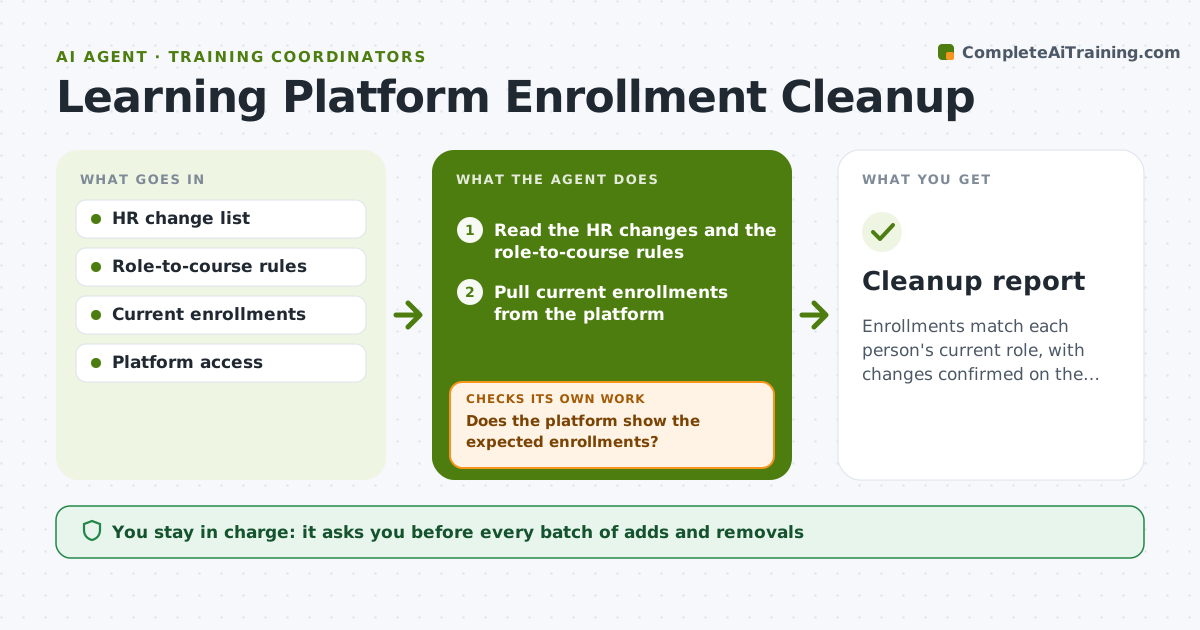
Enrollments match each person's current role, with changes confirmed on the platform.
What it does
After a reorganization, the sales team still gets the old compliance course while the new managers get nothing. This agent reads HR changes, role-to-course rules and current enrollments and finds mismatches. It drafts adds and removals. After each batch it checks that the platform shows the expected result and fixes any failures. It reads the platform again after every batch rather than trusting that the change worked. It also lists people who match no role rule, so you can decide what they should be assigned. Nothing is removed from a person's completed history, only from future assignments. Edge case: a person on leave is flagged and skipped until their return. The coordinator approves changes to live assignments.
How it works
Follow the arrows from top to bottom. The orange dashed arrow is the loop: when a check fails, the agent goes back and tries again.
Read the steps as a list
- HR changes arrive
- Read the HR changes and the role-to-course rules
- Pull current enrollments from the platform
- Find mismatches between roles and enrollments
- Draft adds and removals in batches
- Coordinator approves each batchThe agent waits here for your OK.
- Apply the approved batch in the platform
- Does the platform show the expected enrollments?If not: retry the failures and log errors. Back to step 4.
- Are there any people with no applicable rule?If not: flag them for the coordinator. Back to step 3.
- Cleanup report
How it decides
It compares each person's role with the rule list and proposes adds or removals only where the rule clearly applies.
- Remove a course only if it is not required for the person's new role.
- Skip people on leave until they return.
- Do not remove completed records.
- Apply changes in batches of 50 or fewer.
Make it yours
Every agent is a starting point. You choose these settings for your own situation.
- Batch size
- Role rule list
- Leave handling
- Frequency
- Platform fields
What keeps you in control
It always asks you first
- Every batch of adds and removals
Hard limits
- Do not delete completion records.
- Do not apply changes without approval.
It stops when
- Done: enrollments match roles and the platform confirms
- Stop: role rules are missing, so the agent asks the coordinator
Set it up
We guide you through the set-up, step by step
Members get the full set-up guide for this agent. No technical skills needed: you copy, paste and upload.
- One set of instructions to paste into your AI, with the clicks for ChatGPT, Claude, Microsoft 365 Copilot, Gemini and Grok
- The agent then walks you through connecting your own data, one source at a time
- A downloadable copy with the flow chart, the rules and the full guide