AI agent for training and development specialists
Training Attendance Recovery Agent
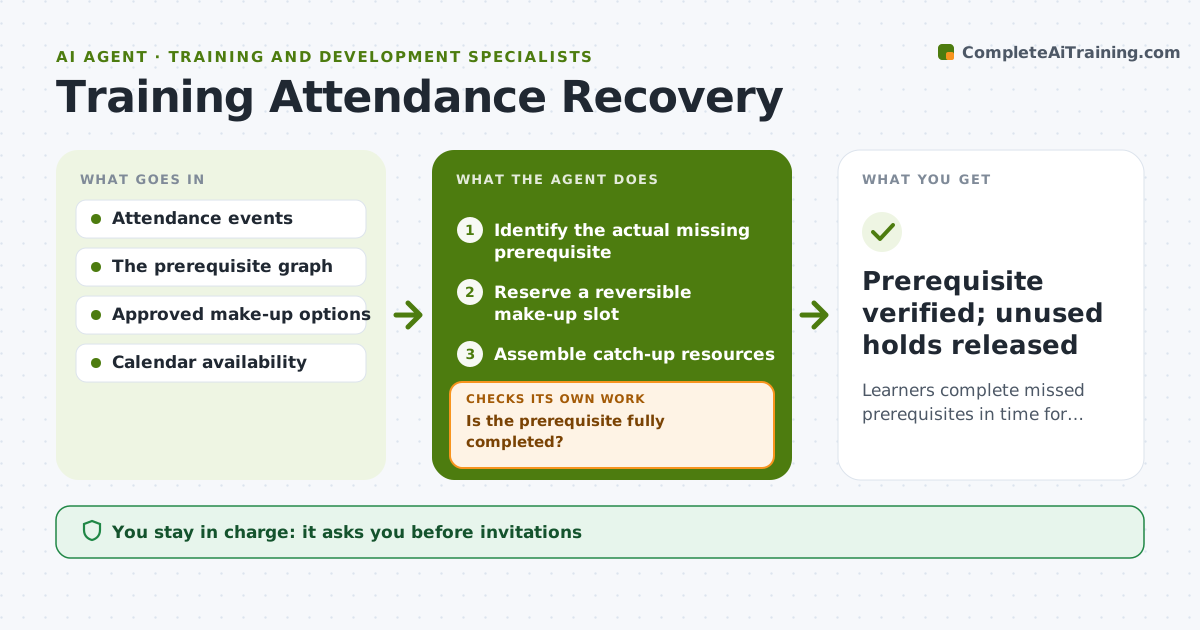
Learners complete missed prerequisites in time for their next session.
What it does
In corporate training, learners who miss a prerequisite session lose access to the next one, and coordinators chase them by email. This agent identifies exactly which prerequisite is missing for each learner. It reserves a reversible hold on an internal make-up slot that fits the learner's schedule and gathers catch-up resources. The coordinator approves sending the invitation. The agent then watches completion events. Partial completion, such as half a recording watched, keeps the prerequisite open and leads to another option. Once completion is verified, it unlocks the next session and releases any unused holds. Edge case: a learner on leave is skipped until their return date instead of receiving reminders.
How it works
Follow the arrows from top to bottom. The orange dashed arrow is the loop: when a check fails, the agent goes back and tries again.
Read the steps as a list
- Missed or incomplete session
- Identify the actual missing prerequisite
- Reserve a reversible make-up slot
- Assemble catch-up resources
- Coordinator approves sending the invitationThe agent waits here for your OK.
- Watch completion events
- Is the prerequisite fully completed?If not: keep it open and offer another option. Back to step 3.
- Prerequisite verified; unused holds released
How it decides
It picks the make-up option that fits the unmet prerequisite and scheduling constraints, checks completion events, and releases conflicting holds to try another option.
- Make-up option: the one that best fits the learner's schedule before the next session.
- Complete: full completion only, not partial attendance or viewing.
- Release holds: as soon as the prerequisite is verified or the option is declined.
- Leave: pause outreach for learners on recorded leave.
Make it yours
Every agent is a starting point. You choose these settings for your own situation.
- Completion threshold for recordings (default 95% watched plus quiz passed)
- Make-up formats offered (default recording, live catch-up, next cohort)
- Hold expiry (default 48 hours)
- Reminder schedule (default 3 days and 1 day before the next session)
- Who approves invitations (default the training coordinator)
What keeps you in control
It always asks you first
- Invitations
- Enrollment changes
- Certifying completion
Hard limits
- Holds are reversible.
It stops when
- Done: prerequisite complete.
- Deadline passed: escalate to coordinator.
Set it up
We guide you through the set-up, step by step
Members get the full set-up guide for this agent. No technical skills needed: you copy, paste and upload.
- One set of instructions to paste into your AI, with the clicks for ChatGPT, Claude, Microsoft 365 Copilot, Gemini and Grok
- The agent then walks you through connecting your own data, one source at a time
- A downloadable copy with the flow chart, the rules and the full guide