AI agent for employee relations specialists
Leave and Accommodation Request Tracking Agent
Move every accommodation request to a documented decision before its deadline.
What it does
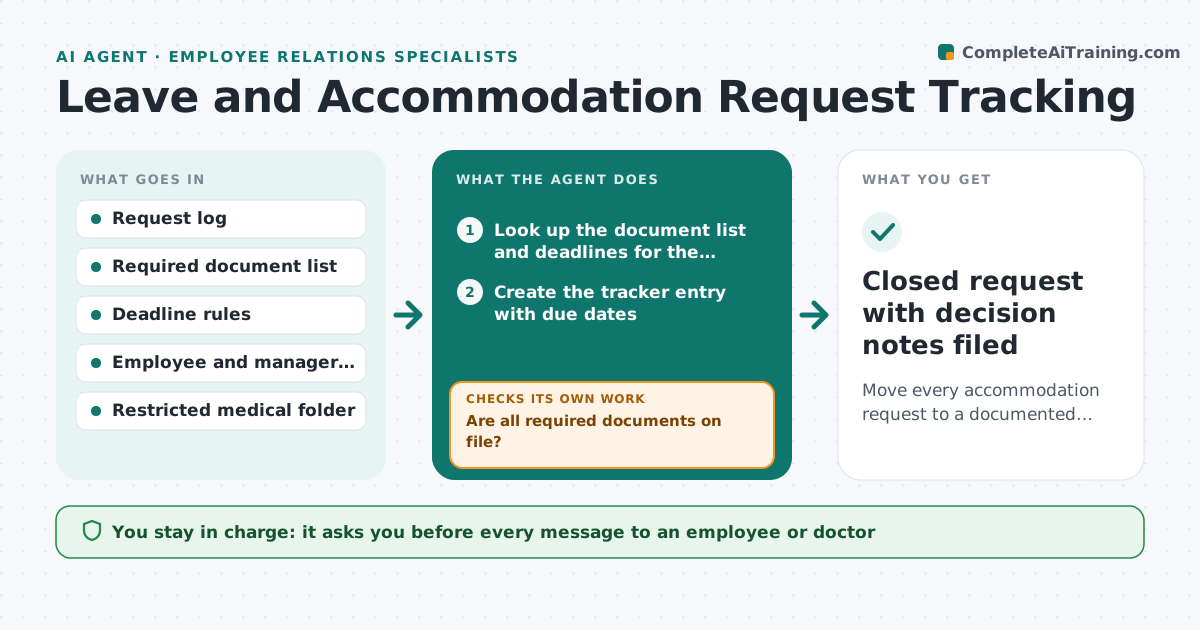
An accommodation or leave request often waits on a form from a doctor, a note from a manager, or a reply from the employee, and nobody notices that it has been sitting for two weeks. This agent keeps a tracker for every open request. For each one it lists the documents the policy requires, checks which have arrived, and sends polite reminders for the rest. It watches the response deadlines in policy and law, and flags any request that is close to missing one. When the documents are complete, it drafts notes for the interactive process meeting: what was asked, what was provided, and options for the specialist to consider. It never decides. Edge case: if medical information arrives in an email to the wrong person, it flags the privacy risk and files it only in the restricted folder.
How it works
Follow the arrows from top to bottom. The orange dashed arrow is the loop: when a check fails, the agent goes back and tries again.
Read the steps as a list
- New request is logged
- Look up the document list and deadlines for the request type
- Create the tracker entry with due dates
- Check the inbox and folder for documents received
- Are all required documents on file?If not: Draft a reminder naming each missing item and wait the reminder interval. Back to step 4.
- Flag any request within the warning window of a deadline
- Draft interactive process notes with options for the specialist
- Specialist approves reminders to employees and every decisionThe agent waits here for your OK.
- Was a decision recorded before the deadline?If not: Escalate to the specialist with the days left and the open item. Back to step 4.
- Closed request with decision notes filed
How it decides
Compares documents received against the required list, ranks requests by days to deadline, and reminds only for items still missing.
- Reminder goes after 3 working days without a reply, then 3 more, then escalate
- Request within 5 days of its legal deadline moves to the top of the list
- Medical details are stored only in the restricted folder
- Missing manager input is chased through the manager, not the employee
Make it yours
Every agent is a starting point. You choose these settings for your own situation.
- Reminder interval (default 3 working days)
- Warning window before deadline (default 5 days)
- Required documents per request type
- Who gets escalations
- Tone of reminder messages
What keeps you in control
It always asks you first
- Every message to an employee or doctor
- Every accommodation decision
- Any exception to the deadline
Hard limits
- Never include medical detail in reminders
- Never approve or deny a request
It stops when
- Done: decision issued and documented
- Stop: request withdrawn
- Stop: legal review needed
Set it up
We guide you through the set-up, step by step
Members get the full set-up guide for this agent. No technical skills needed: you copy, paste and upload.
- One set of instructions to paste into your AI, with the clicks for ChatGPT, Claude, Microsoft 365 Copilot, Gemini and Grok
- The agent then walks you through connecting your own data, one source at a time
- A downloadable copy with the flow chart, the rules and the full guide