AI agent for corporate counsels
Legal Knowledge Precedent Matching Agent
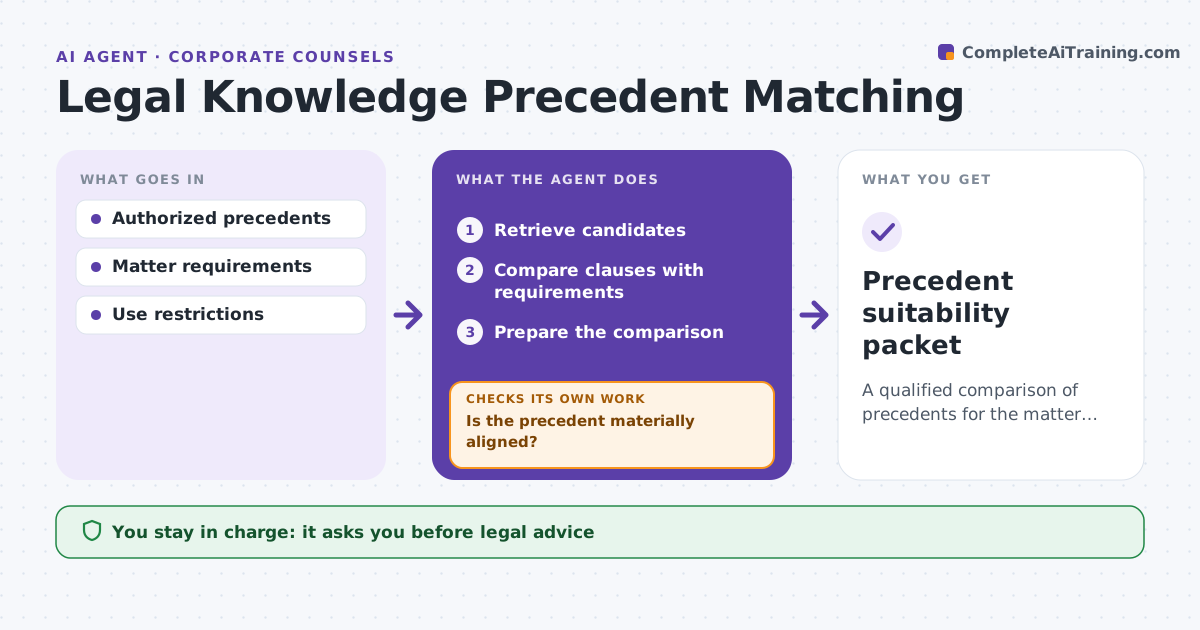
A qualified comparison of precedents for the matter at hand.
What it does
Lawyers often pick a starting template by its title and miss material differences in structure or context. When a new matter needs a precedent, this agent retrieves candidate precedents from the knowledge base. It compares them clause by clause with the matter requirements, such as governing law, deal structure and parties. When a precedent looks close but covers a different structure, it qualifies it by listing the material differences. It prepares a comparison for the lawyer, who selects the template. The agent gives no legal advice. Edge case: a share purchase template appears ideal by title, but the matter is an asset purchase, so the agent flags the structural difference.
How it works
Follow the arrows from top to bottom. The orange dashed arrow is the loop: when a check fails, the agent goes back and tries again.
Read the steps as a list
- Matter needs a precedent
- Retrieve candidates
- Compare clauses with requirements
- Is the precedent materially aligned?If not: qualify it with the differences. Back to step 3.
- Prepare the comparison
- Lawyer selectsThe agent waits here for your OK.
- Precedent suitability packet
How it decides
It does deeper comparison where scope differences are material.
- Material differences are always flagged.
- Rank candidates by alignment with requirements, not by title.
- The lawyer makes the final selection.
Make it yours
Every agent is a starting point. You choose these settings for your own situation.
- Knowledge base searched
- Matter requirements compared (default law, structure, parties, risk)
- Number of candidates shown (default 5)
- Who selects the precedent
What keeps you in control
It always asks you first
- Legal advice
- Final template selection
Hard limits
- No advice.
It stops when
- Done: comparison ready.
Set it up
We guide you through the set-up, step by step
Members get the full set-up guide for this agent. No technical skills needed: you copy, paste and upload.
- One set of instructions to paste into your AI, with the clicks for ChatGPT, Claude, Microsoft 365 Copilot, Gemini and Grok
- The agent then walks you through connecting your own data, one source at a time
- A downloadable copy with the flow chart, the rules and the full guide