AI agent for change managers
Lessons Learned Capture and Reuse Agent
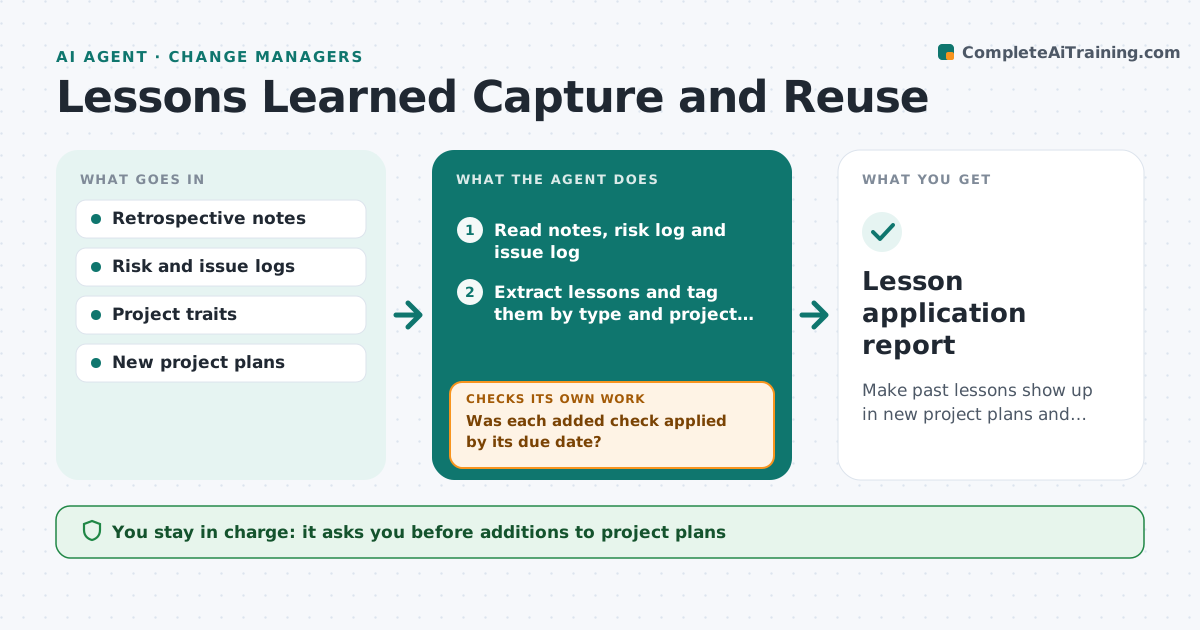
Make past lessons show up in new project plans and prove they worked.
What it does
At the end of a project the team holds a lessons meeting, writes a document, and files it where no one looks. The next project repeats the same mistakes. This agent gathers lessons at project close from the retrospective notes, risk log and issue log. It tags each by type, such as vendor, testing or change adoption. When a new project starts, it matches its traits to past lessons and drafts specific checks for the plan, such as a pilot before rollout. It then tracks whether each lesson was applied and whether the problem happened again. The manager approves what is added to the plans. Edge case: a lesson that was applied but the same issue occurred anyway is marked as ineffective and sent for review.
How it works
Follow the arrows from top to bottom. The orange dashed arrow is the loop: when a check fails, the agent goes back and tries again.
Read the steps as a list
- Project closes with retrospective notes
- Read notes, risk log and issue log
- Extract lessons and tag them by type and project trait
- Store lessons in the library
- At a new project, read its traits and plan
- Match lessons to the plan by trait
- Draft specific checks and tasks for the plan
- Manager approves what is added to the planThe agent waits here for your OK.
- Was each added check applied by its due date?If not: Remind the owner and mark it overdue. Back to step 8.
- Did the issue stay away?If not: Mark the lesson ineffective and ask the team to revise it. Back to step 6.
- Lesson application report
How it decides
Matches lessons to a new project by shared traits and adds a check only if at least two traits match; a lesson is effective only if the issue does not recur.
- Match needs at least 2 shared traits
- A lesson older than 3 years is flagged for review
- Overdue check goes to the owner after 5 days
- Recurred issue means the lesson needs rewriting
Make it yours
Every agent is a starting point. You choose these settings for your own situation.
- Traits used for matching
- Number of matching traits (default 2)
- Reminder delay (default 5 days)
- Lesson age limit (default 3 years)
- Library location
What keeps you in control
It always asks you first
- Additions to project plans
- Changes to the lesson library
- Any lesson marked ineffective
Hard limits
- Never edit a plan without approval
- Never delete a lesson
It stops when
- Done: lessons applied and results recorded
- Stop: project cancelled
- Stop: no matching lessons
Set it up
We guide you through the set-up, step by step
Members get the full set-up guide for this agent. No technical skills needed: you copy, paste and upload.
- One set of instructions to paste into your AI, with the clicks for ChatGPT, Claude, Microsoft 365 Copilot, Gemini and Grok
- The agent then walks you through connecting your own data, one source at a time
- A downloadable copy with the flow chart, the rules and the full guide