AI agent for patent agents
Licensing Royalty Report Audit Agent
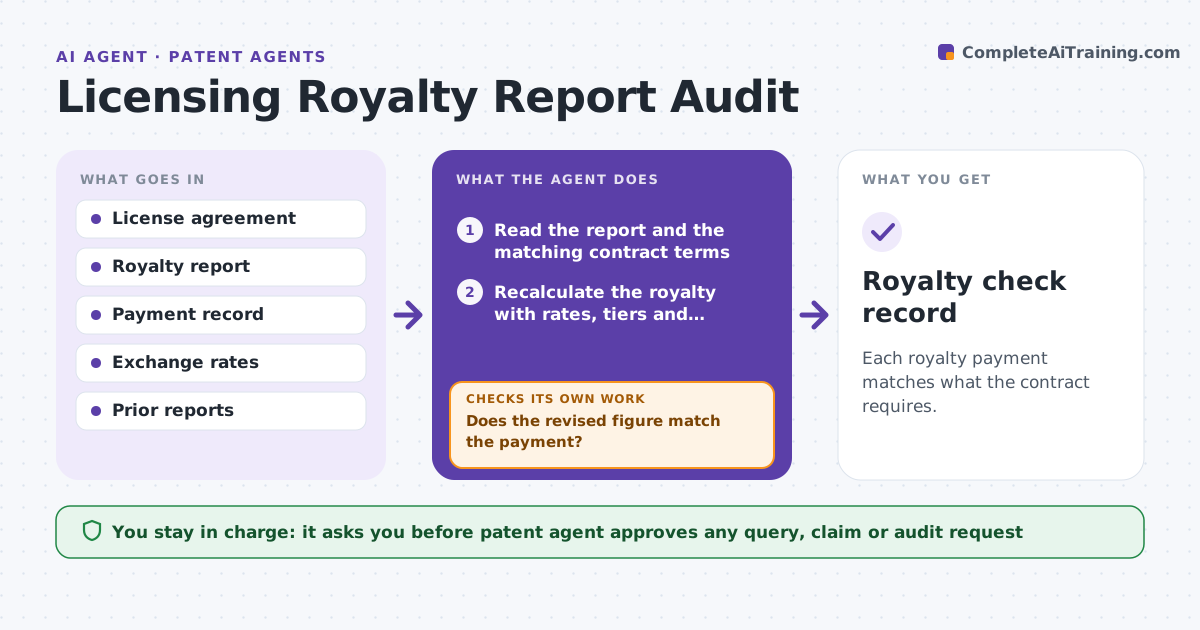
Each royalty payment matches what the contract requires.
What it does
Licensees report royalties on their own terms, and the reports are rarely checked against the agreement. Underpayments go unnoticed for years. This agent reads each royalty report and recalculates the royalty with the contract's rates, tiers, exclusions and currency rules. It compares the result to the payment received and drafts a query for any difference. After the licensee replies, it recalculates. The patent agent approves any claim or audit request. It decides by the contract: rate, base and exclusions, with a tolerance for rounding. Edge case: a licensee deducts returns the contract does not allow, so the agent recalculates without the deduction and flags the line.
How it works
Follow the arrows from top to bottom. The orange dashed arrow is the loop: when a check fails, the agent goes back and tries again.
Read the steps as a list
- Royalty report arrives
- Read the report and the matching contract terms
- Recalculate the royalty with rates, tiers and exclusions
- Compare the result to the payment received
- Flag differences and unallowed deductions
- Draft a query to the licensee
- Patent agent approves the query or an audit requestThe agent waits here for your OK.
- Recalculate after the licensee replies
- Does the revised figure match the payment?If not: update the query with the remaining difference. Back to step 3.
- Royalty check record
How it decides
It recalculates from contract terms and flags any difference over 1% or $100. It checks each deduction against the allowed list.
- Flag a difference over 1% or $100
- Flag a deduction not allowed by the contract
- Convert currency at the contract's stated rate
- Flag late reports
Make it yours
Every agent is a starting point. You choose these settings for your own situation.
- Tolerance (default 1% or $100)
- Allowed deductions
- Currency source
- Report schedule
- Query wording
What keeps you in control
It always asks you first
- Patent agent approves any query, claim or audit request
Hard limits
- Never send a claim or audit request itself
- Never interpret an ambiguous clause alone
It stops when
- Done: royalty matches or the query is sent and logged
- Stop: the contract term is ambiguous
Set it up
We guide you through the set-up, step by step
Members get the full set-up guide for this agent. No technical skills needed: you copy, paste and upload.
- One set of instructions to paste into your AI, with the clicks for ChatGPT, Claude, Microsoft 365 Copilot, Gemini and Grok
- The agent then walks you through connecting your own data, one source at a time
- A downloadable copy with the flow chart, the rules and the full guide