AI agent for fashion designers
Line Sheet and Buyer Order Agent
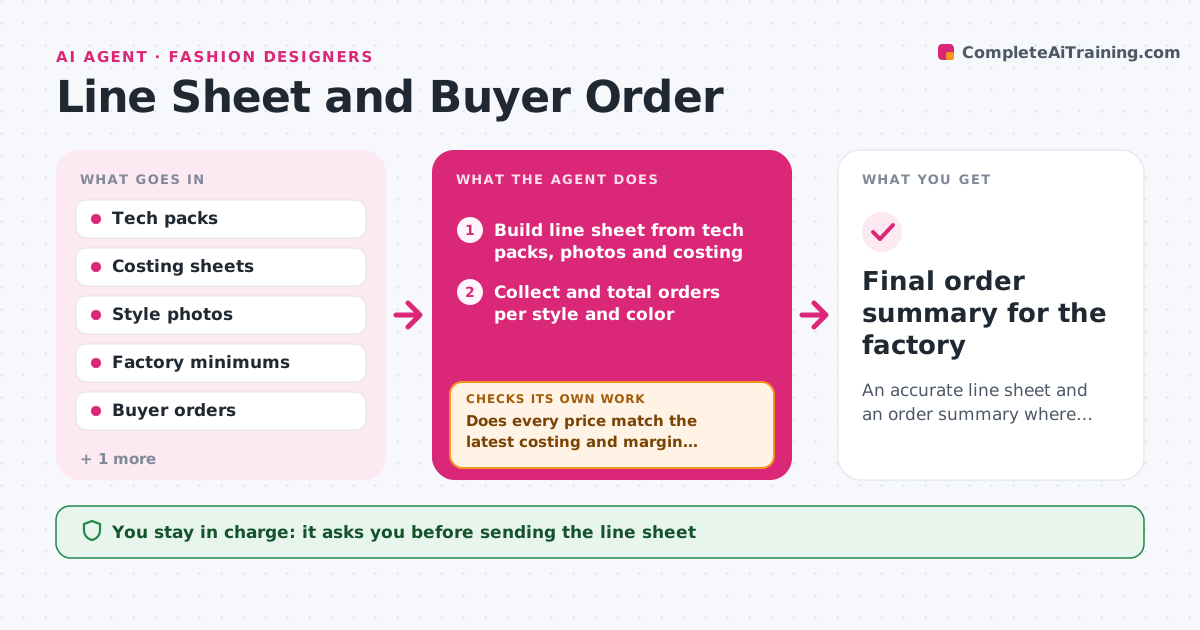
An accurate line sheet and an order summary where every style meets the factory minimum or has a decision
What it does
Each season, designers send line sheets to buyers, then collect orders by email, showroom forms and spreadsheets. This agent builds the line sheet from the tech packs and costing: style photos, colors, sizes, wholesale and retail prices, and delivery windows. It checks every price against the latest costing and margin target. During the order window it collects orders, adds them up per style and color, and compares totals to factory minimums. Styles under minimum get options: combine colors, push to a later delivery, or drop. It checks again after each option is applied. You decide which styles to drop and approve all buyer messages. Edge case: a buyer orders a color that was cut from the line, so the agent flags it before it reaches the factory.
How it works
Follow the arrows from top to bottom. The orange dashed arrow is the loop: when a check fails, the agent goes back and tries again.
Read the steps as a list
- Collection costed
- Build line sheet from tech packs, photos and costing
- Does every price match the latest costing and margin target?If not: update the price from the latest costing or flag styles below margin. Back to step 2.
- Designer approves the line sheet before it goes to buyersThe agent waits here for your OK.
- Collect and total orders per style and color
- Is every style at or above the factory minimum?If not: suggest combining colors or moving delivery, then retotal. Back to step 5.
- Flag orders for cut colors or sizes
- Designer decides drops and approves buyer messagesThe agent waits here for your OK.
- Final order summary for the factory
How it decides
A style is safe when its order total meets the factory minimum. Under minimum, it suggests combining colors first, then a later drop, then cancelling.
- Margin target (default 60% at wholesale) must hold for every style
- Combine colors when the style total meets minimum but one color does not
- Suggest a later delivery when the next drop has room
- Recommend dropping a style under 50% of minimum after the window closes
Make it yours
Every agent is a starting point. You choose these settings for your own situation.
- Margin target (default 60%)
- Factory minimums per style
- Order window dates
- Line sheet layout
- Buyer message tone
What keeps you in control
It always asks you first
- Sending the line sheet
- Dropping styles
- Messages to buyers
Hard limits
- Never confirm or cancel buyer orders without approval
- Never share costing with buyers
It stops when
- Done: order summary sent to factory with every style decided
- Stop: costing missing for any style
Set it up
We guide you through the set-up, step by step
Members get the full set-up guide for this agent. No technical skills needed: you copy, paste and upload.
- One set of instructions to paste into your AI, with the clicks for ChatGPT, Claude, Microsoft 365 Copilot, Gemini and Grok
- The agent then walks you through connecting your own data, one source at a time
- A downloadable copy with the flow chart, the rules and the full guide