AI agent for corporate counsels
Litigation Hold Notice Agent
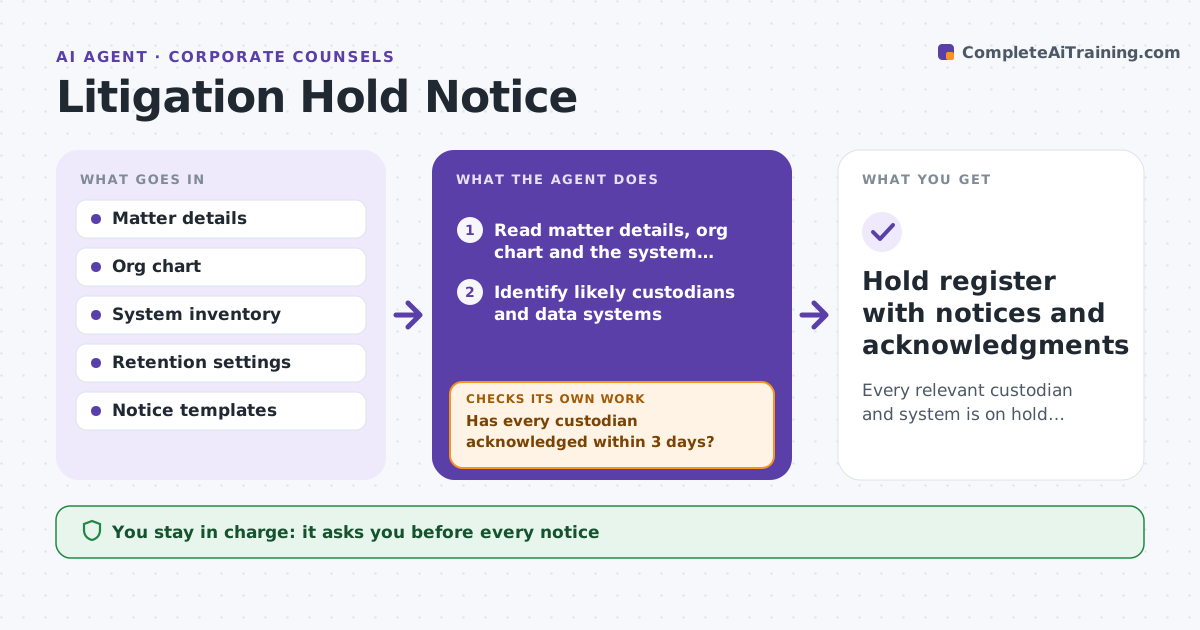
Every relevant custodian and system is on hold, acknowledged and tracked until counsel releases it
What it does
When a dispute is likely, the company must stop deletion of relevant records, and a late or incomplete hold can bring penalties. This agent starts from the matter details: parties, topics, dates and teams involved. It identifies likely custodians and data systems, such as email, chat, shared drives and devices, and drafts a hold notice for each group. After counsel approves, it tracks sending and acknowledgments. It chases people who do not respond and reports gaps. As new facts appear, it adds custodians and systems and drafts supplemental notices. It also checks that automatic deletion has been suspended for the systems listed. Counsel approves each notice and any release of a hold. Edge case: a departing employee's laptop is scheduled for wiping.
How it works
Follow the arrows from top to bottom. The orange dashed arrow is the loop: when a check fails, the agent goes back and tries again.
Read the steps as a list
- Counsel flags a likely dispute
- Read matter details, org chart and the system inventory
- Identify likely custodians and data systems
- Draft hold notices for each group
- Counsel approves each notice before sendingThe agent waits here for your OK.
- Send notices, log the time and track acknowledgments
- Has every custodian acknowledged within 3 days?If not: remind, then escalate to the manager and counsel. Back to step 6.
- Check that automatic deletion is suspended on each system
- Are all listed systems held and no new custodians needed?If not: add new custodians or systems and draft supplemental notices. Back to step 2.
- Counsel approves any release of the holdThe agent waits here for your OK.
- Hold register with notices and acknowledgments
How it decides
Custodians are anyone who handled the subject matter in the date range. A system is held when it may store relevant data and has deletion enabled.
- Include anyone who handled the matter in the date range
- Escalate non-responders after 3 days
- Check device wipe and retention schedules for departing staff
- Review the list whenever new facts appear
Make it yours
Every agent is a starting point. You choose these settings for your own situation.
- Acknowledgment deadline (default 3 days)
- Systems covered
- Notice templates
- Reminder frequency
What keeps you in control
It always asks you first
- Every notice
- Release of a hold
Hard limits
- Never sends a notice without counsel's approval
- Never deletes any data
It stops when
- Done: all custodians acknowledged, systems held
- Stop: counsel closes the matter and releases the hold
Set it up
We guide you through the set-up, step by step
Members get the full set-up guide for this agent. No technical skills needed: you copy, paste and upload.
- One set of instructions to paste into your AI, with the clicks for ChatGPT, Claude, Microsoft 365 Copilot, Gemini and Grok
- The agent then walks you through connecting your own data, one source at a time
- A downloadable copy with the flow chart, the rules and the full guide