AI agent for logistics consultants
Logistics Emissions Calculation Agent
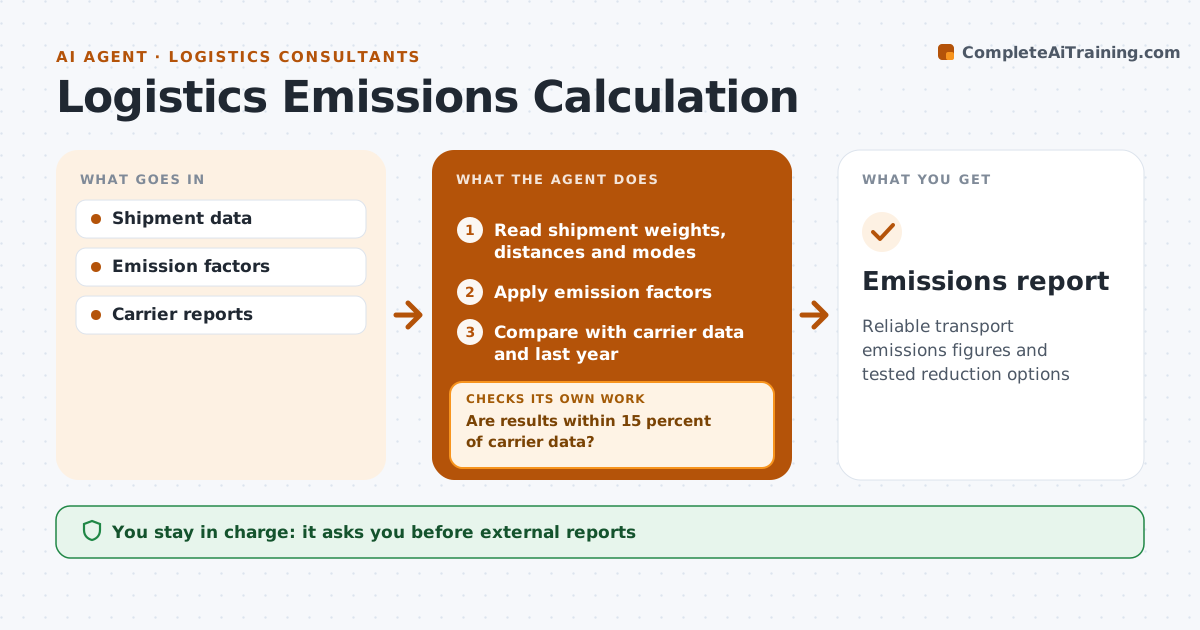
Reliable transport emissions figures and tested reduction options
What it does
Customers and regulators now ask for transport emissions per shipment and per year, and rough estimates do not hold up to questions. Each quarter this agent reads shipment weights, distances and modes and applies recognized emission factors by mode to calculate emissions by lane, carrier and customer. Shipments with an unknown mode are flagged, never guessed. It compares results with carrier-reported data and last year. If results differ by more than 15 percent from carrier data, it looks for missing legs or wrong modes and recalculates. It then tests reduction options, such as a mode shift or better loading, and shows both cost and emissions for each. The engineer or consultant approves any report shared outside the company. Edge case: a carrier that reports emissions with a different method is noted so its figures are compared with care.
How it works
Follow the arrows from top to bottom. The orange dashed arrow is the loop: when a check fails, the agent goes back and tries again.
Read the steps as a list
- Quarterly run
- Read shipment weights, distances and modes
- Apply emission factors
- Compare with carrier data and last year
- Are results within 15 percent of carrier data?If not: find missing legs or wrong modes and recalculate. Back to step 2.
- Test reduction options
- Engineer or consultant approves reportThe agent waits here for your OK.
- Emissions report
How it decides
It uses recognized factors by mode and flags differences over 15 percent from carrier data for review.
- Recognized factors only
- Unknown modes flagged
- Options show cost and emissions
Make it yours
Every agent is a starting point. You choose these settings for your own situation.
- Factor source
- Tolerance
- Reporting period
- Options tested
What keeps you in control
It always asks you first
- External reports
Hard limits
- Never claims offsets
- Labels estimates
It stops when
- Done: report approved
- Stop: data missing for over 10 percent of shipments
Set it up
We guide you through the set-up, step by step
Members get the full set-up guide for this agent. No technical skills needed: you copy, paste and upload.
- One set of instructions to paste into your AI, with the clicks for ChatGPT, Claude, Microsoft 365 Copilot, Gemini and Grok
- The agent then walks you through connecting your own data, one source at a time
- A downloadable copy with the flow chart, the rules and the full guide