AI agent for retail sales associates
Loyalty Sign-Up Shortfall Coach Agent
Raise the associate's sign-up rate through one tested change at a time
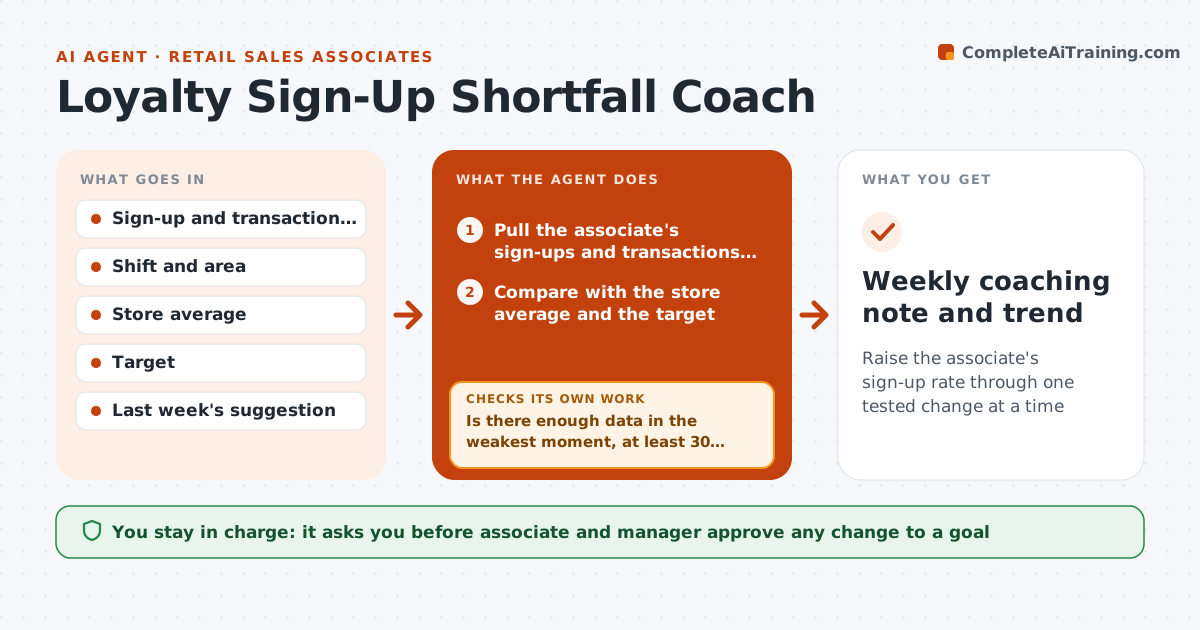
What it does
An associate sees a monthly target of 30 percent loyalty sign-ups and a rate of 18, but not why. The manager gives general advice such as ask every customer. This agent finds the specific cause. Each week it compares the associate's sign-up rate by shift and product area with the store average, finds the lowest-converting moments, such as busy Saturday checkouts or fitting room sales, and proposes one small change to try, such as asking before scanning instead of after. Next week it checks whether the rate moved and adjusts the suggestion. The associate and manager approve any goal change. Edge case: low volume in a shift. The agent holds the advice until there is enough data.
How it works
Follow the arrows from top to bottom. The orange dashed arrow is the loop: when a check fails, the agent goes back and tries again.
Read the steps as a list
- Weekly sales data final
- Pull the associate's sign-ups and transactions by shift and area
- Compare with the store average and the target
- Is there enough data in the weakest moment, at least 30 transactions?If not: Pick the next weakest moment or hold the advice for a week. Back to step 2.
- Find the biggest gap and a likely reason
- Propose one small change to try next week
- Associate and manager approve any goal changeThe agent waits here for your OK.
- Send the suggestion to the associate
- Next week compare the rate with the baseline
- Did the rate in that moment improve?If not: Propose a different change and keep the data note. Back to step 5.
- Weekly coaching note and trend
How it decides
It finds the moments with the biggest gap to the store average and enough transactions. It suggests one change per week so the effect can be seen.
- Need at least 30 transactions in a moment before judging it
- Suggest only one change per week
- A change counts as working if the rate rises at least 3 points
- Goal changes need the manager's approval
Make it yours
Every agent is a starting point. You choose these settings for your own situation.
- Minimum transactions (default 30)
- Target rate
- Coaching day
- Tone of suggestions
- Who sees the report
What keeps you in control
It always asks you first
- Associate and manager approve any change to a goal
Hard limits
- Never compares associates in front of others
- Treats results as coaching, not discipline
It stops when
- Done: rate meets the target for 3 weeks
- Stop: the data shows a system problem such as a broken sign-up screen, tell the manager
Set it up
We guide you through the set-up, step by step
Members get the full set-up guide for this agent. No technical skills needed: you copy, paste and upload.
- One set of instructions to paste into your AI, with the clicks for ChatGPT, Claude, Microsoft 365 Copilot, Gemini and Grok
- The agent then walks you through connecting your own data, one source at a time
- A downloadable copy with the flow chart, the rules and the full guide